

Our verdict: DbGate is a capable free database manager that handles SQL and NoSQL databases in one window, from PostgreSQL and SQL Server to MongoDB and Redis. Filtering and related-data browsing are especially good. The visual query designer, charts, data compare and advanced import/export are in the paid Premium edition.
About DbGate
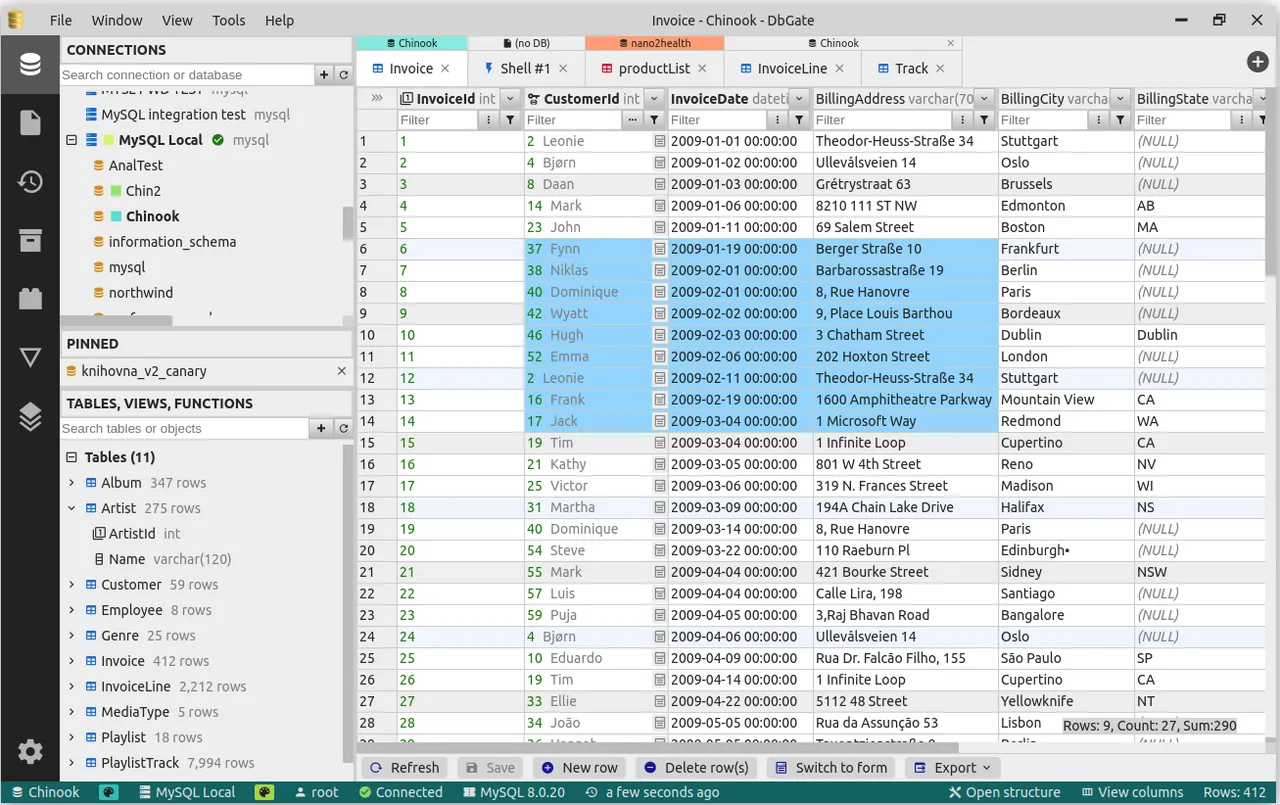
DbGate is a cross-platform database manager that can also run as a web app in Docker. The free Community edition connects to MySQL, PostgreSQL, SQL Server, Oracle, SQLite, MariaDB, CockroachDB, ClickHouse, DuckDB and others, plus MongoDB and Redis. You browse table data with Excel-like filters, edit rows with a preview of the generated SQL change script, and change table structure, indexes and keys.
The Community edition is licensed under the GPL v3 and is free for any purpose. DbGate Premium costs $12 per month or $120 per year for one user and has a 30-day free trial. It adds the visual query designer, charts, editing of query results, database backup and restore, schema and data compare, batch import/export, AI tools and unlimited DbGate Cloud storage.
What it does well
- SQL and NoSQL in one app. Works with relational databases, MongoDB collections and Redis keys side by side.
- Excel-like filters. Filters table data by column, including multi-value filters.
- Safe data editing. Shows the SQL change script before your edits are saved.
- Schema editing. Edits tables, indexes, primary keys and foreign keys.
- SQL editor. Runs scripts with code completion and a built-in formatter.
Who it is for
Good fit
Developers who work with several kinds of databases, including MongoDB and Redis, and want one free open-source client.
Look elsewhere
Users who need a visual query builder, charts or data compare without paying for Premium.
Pros and cons
Pros
- Open source and free for any purpose
- Supports SQL databases, MongoDB and Redis
- Strong filtering and related-data browsing
- Also runs as a web app in Docker
Cons
- Query designer, charts and data compare are Premium-only
- Interface is dense compared with simpler SQL clients
- Free DbGate Cloud storage is limited to five connections and files
How to install DbGate
The button downloads the latest Community installer for Windows from DbGate's GitHub releases; the Premium edition is a separate download on dbgate.io. No account is needed. Connections are stored locally; DbGate Cloud sync is optional and limited to five connections and five SQL files on the free edition.
Questions about DbGate
Is DbGate free?
Yes. DbGate Community is open source under the GPL v3 and free for any purpose, including commercial use. DbGate Premium costs $12 per month or $120 per year and has a 30-day free trial.
Does DbGate support MongoDB and Redis?
Yes. The free Community edition includes a MongoDB client with a JSON view and a Redis GUI with a tree view of keys.
Can I run DbGate in a browser?
Yes. Besides the desktop app, DbGate can run as a web application in a Docker container or from the dbgate-serve NPM package.


