

Our verdict: Redis Insight is the official desktop GUI for Redis and the easiest way to see what is actually stored in a database. The key browser, Workbench with autocomplete, Profiler and Slow Log cover both development and troubleshooting. It is free, but it is built around Redis's own products and is not OSI open source.
About Redis Insight
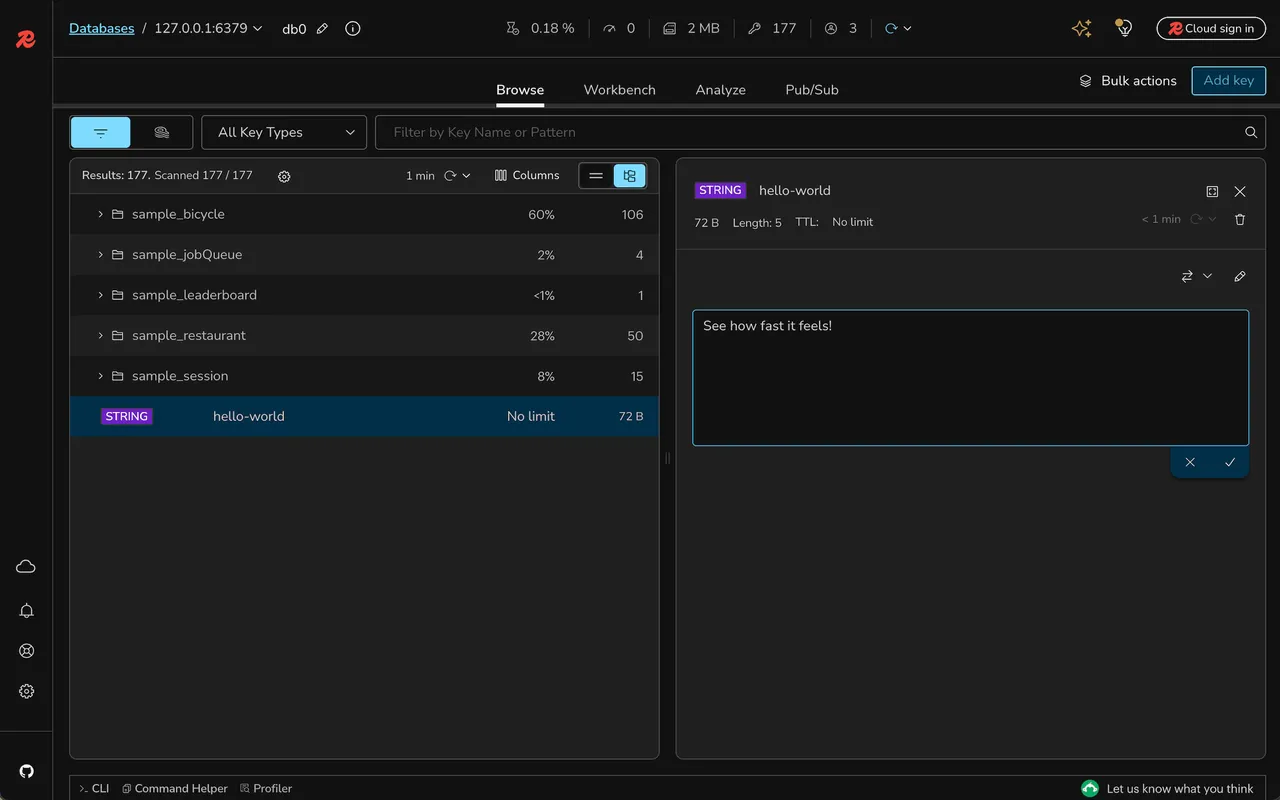
Redis Insight is developed by Redis. It lets you browse, filter and visualize keys and view values as JSON, hex, ASCII and other formats. It supports creating, editing and deleting strings, lists, hashes, sets, sorted sets, streams, JSON documents and vector sets, and can delete keys in bulk based on a filter.
Workbench is an advanced command line with autocomplete for Redis commands, search queries, JSON and time series, and it visualizes results. The Profiler shows every command sent to Redis in real time, Slow Log lists slow operations, and the database analysis suggests memory and performance improvements. It is officially supported for Redis Open Source and Redis Cloud. The source code is published under the Server Side Public License.
What it does well
- Key browser. Browses keys in a list or tree view, with filters and multiple value formats.
- Data editing. Creates and edits strings, lists, hashes, sets, sorted sets, streams and JSON.
- Workbench. Command line with autocomplete, raw mode and visualized results.
- Profiler and Slow Log. Shows live commands and slow operations to find performance issues.
- Pub/Sub. Subscribes to channels and publishes test messages.
Who it is for
Good fit
Developers and operators who use Redis and want a visual way to inspect data, run commands and diagnose slow queries.
Look elsewhere
People who need a general SQL client, or who prefer software under an OSI-approved open-source license.
Pros and cons
Pros
- Official Redis tool, free to download
- Clear key browser with many value formats
- Workbench with smart autocomplete
- Profiler, Slow Log and memory recommendations
Cons
- Only works with Redis and compatible databases
- Source-available license, not OSI open source
- Large Electron-based installer of over 100 MB
How to install Redis Insight
The button downloads the latest Windows installer from Redis's official GitHub releases; the redis.io page asks for a contact form first, the GitHub file does not. After installing, add a database by host and port or by a Redis connection URL. Redis Insight is also available in the Microsoft Store and as a Docker image.
Questions about Redis Insight
Is Redis Insight free?
Yes. Redis Insight is a free download from Redis. Its source code is published under the Server Side Public License v1.
Does Redis Insight work with Azure or other hosted Redis?
Redis officially supports Redis Open Source and Redis Cloud, and says Redis Insight works with Microsoft Azure Managed Redis.
Can Redis Insight edit JSON documents?
Yes. It supports creating, reading, updating and deleting JSON documents as well as the classic Redis data types.


