

Our verdict: digiKam is the most capable free photo manager for large collections. It imports, tags, searches and edits photos and raw files, and all AI tools run locally. It is a big, complex program that takes time to set up.
About digiKam
digiKam is an open-source photo management application from the KDE community. The project states it has no telemetry and keeps all photos, metadata and settings on your device.
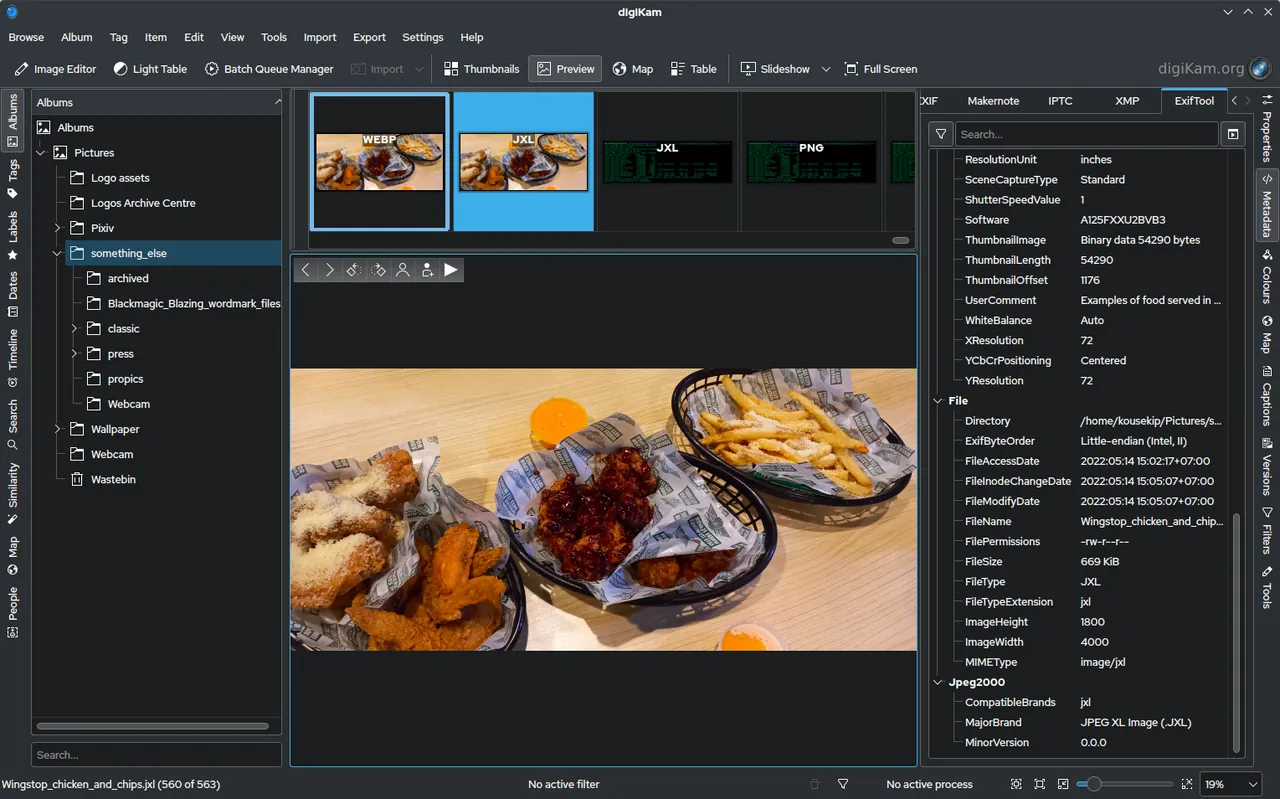
It imports photos, raw files and videos from cameras and cards, then organizes them into albums with tags, ratings and labels. Search covers dates, locations and EXIF, IPTC and XMP metadata, and an editor handles adjustments, lens correction and panoramas.
What it does well
- Albums, tags and ratings. Organize large libraries with albums, tags, labels and ratings.
- Advanced search. Search by tags, dates, location and metadata, or combine criteria.
- Raw support. Opens over a thousand raw formats through the LibRaw library.
- Local AI tools. Classifies photos automatically, with all processing on your computer.
- Editing and batch tools. Color, crop, curves, lens correction, panoramas and batch processing.
Who it is for
Good fit
Photographers and families managing tens of thousands of photos without a cloud service.
Look elsewhere
People who just want a quick image viewer or a simple editor.
Pros and cons
Pros
- Handles very large collections
- No telemetry, AI runs locally
- Strong metadata and raw support
Cons
- Large installer and high resource use
- Complex interface with many panels
How to install digiKam
Download the 64-bit Windows installer from digikam.org; it is a large download. On first start, choose where your photos are and where to store the database. For big libraries, let the initial scan finish before tagging.
Questions about digiKam
Is digiKam free?
Yes. It is open source under the GNU GPL and has no paid version.
Does digiKam upload my photos?
No. Photos and metadata stay on your device; only optional export plugins connect to web services.


