

Our verdict: XnView MP is a modern photo browser that handles almost any image format, including HEIC, AVIF, JPEG XL and camera RAW. Its batch tools and metadata editing are strong. It is free for private and educational use, but companies must buy a license.
About XnView MP
XnView MP is the cross-platform successor to the older XnView Classic, developed by XnSoft. The current version runs on 64-bit Windows 10 and 11, and older builds remain available for Windows 7 and 8 and for 32-bit systems.
The official site describes XnView MP as freeware without adware or spyware for private use, public entities and educational use, including non-profit organisations. Using it in a company requires a paid license, priced per seat on the download page.
What it does well
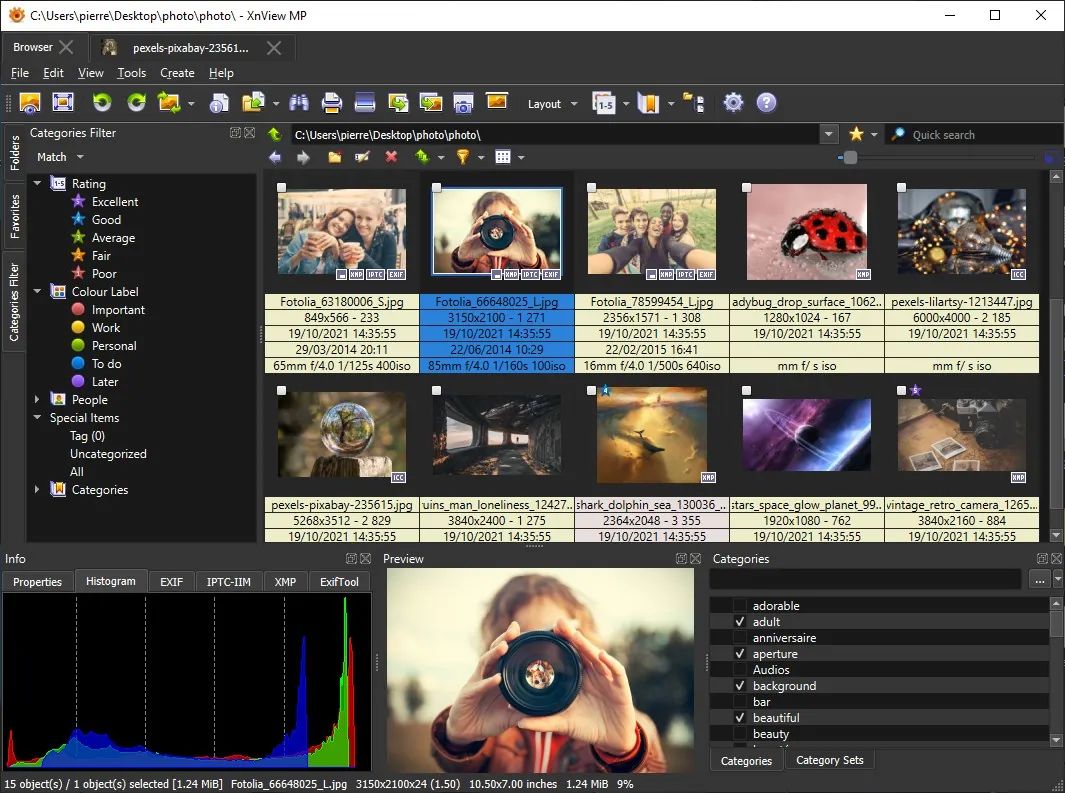
- Browser with thumbnails. Thumbnail, filmstrip, fullscreen and compare views for up to four images.
- 500+ formats. Reads JPEG, PNG, WebP, PSD, HEIC, AVIF, JPEG XL, OpenEXR, DNG and camera RAW.
- Batch convert and rename. The same batch engine as XnConvert, plus batch rename and timestamp changes.
- Metadata editing. Edits EXIF, IPTC and XMP data and reads embedded color profiles.
- Extra tools. Duplicate file finder, contact sheets, lossless JPEG transforms and Photoshop filter support.
Who it is for
Good fit
Photographers and home users who want to browse, tag, rename and convert large image collections.
Look elsewhere
Businesses that do not want to pay for a license, and anyone who needs layer-based photo editing.
Pros and cons
Pros
- Handles HEIC, AVIF, JPEG XL and RAW
- Strong batch processing
- Full EXIF, IPTC and XMP editing
- Dark theme and modern interface
Cons
- Paid license required in companies
- Many settings can overwhelm new users
How to install XnView MP
The download page offers a 64-bit setup and a ZIP version for Windows 10 and 11. The ZIP version runs without installation if you prefer to keep it in a folder of your choice. Use the older 1.11.7 build from the same page if you are still on Windows 7 or 8.
Questions about XnView MP
Is XnView MP free?
For private, educational and non-profit use, yes. Use in a company requires a paid license; the official site lists 29 euros for a single license, with discounts for more seats.
What is the difference between XnView MP and XnView Classic?
XnView MP is the recommended, actively developed version with 64-bit support, a dark theme, XMP editing and HEIC, AVIF and JPEG XL support. Classic is the legacy Windows-only version.
Can XnView MP edit photos?
It handles resizing, cropping, rotation, color adjustments and filters. For layers and retouching, use an editor such as GIMP.


