

Our verdict: qimgv is a fast, clean image viewer that hides its interface until you need it. Quick copy and move panels make it good for sorting large photo folders with the keyboard. The last stable release dates from 2021, so newer formats and fixes arrive slowly.
About qimgv
qimgv is an open-source viewer under the GPL v3, developed by easymodo. The author notes that updates may be slow because of the war in Ukraine; the code is still maintained, but the latest stable Windows build is version 1.0.2.
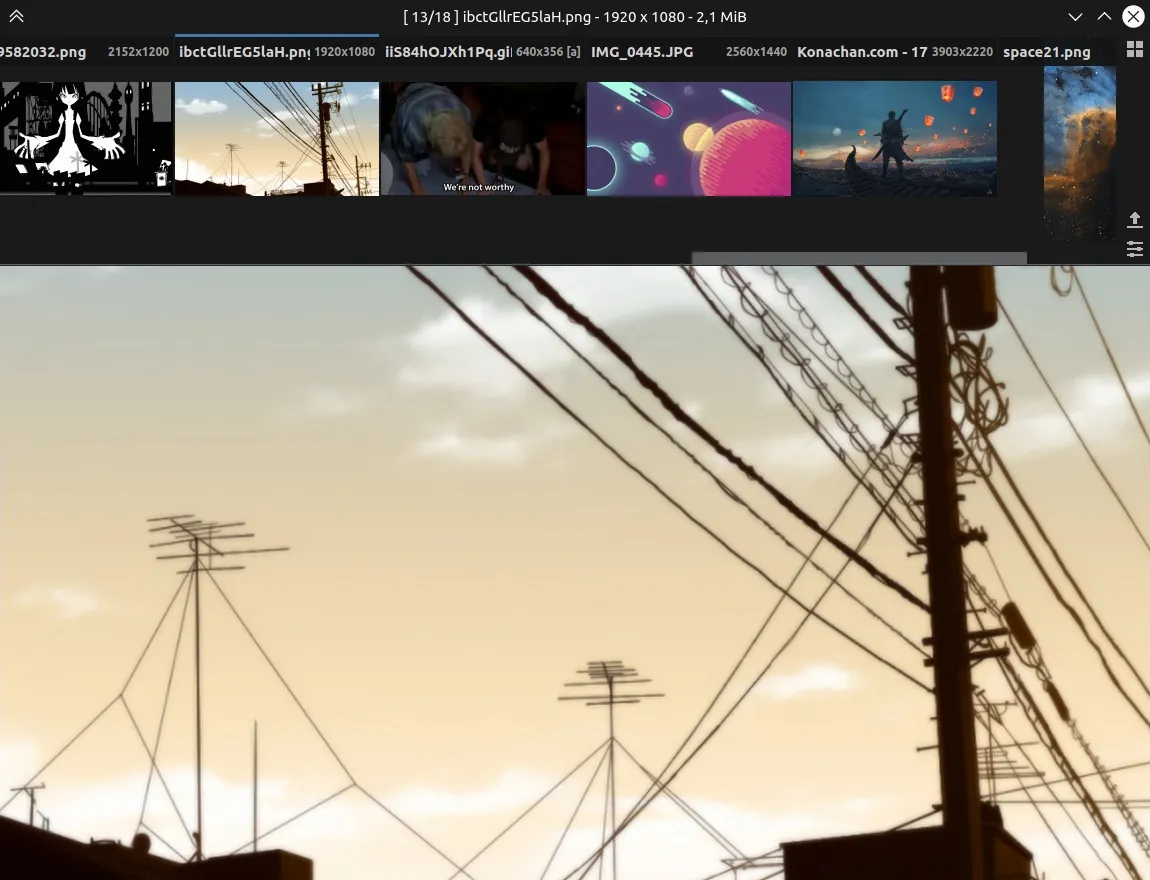
Images open in an uncluttered window with a pull-down thumbnail panel and a separate folder view. Press C or M to show nine target folders and send the current image to one with keys 1–9. Every shortcut can be changed, and custom shell scripts can be bound to keys.
What it does well
- Minimal interface. Controls appear only when you need them.
- Quick copy and move. Send images to nine preset folders with number keys.
- Folder view. Browse thumbnails of a whole folder and switch back instantly.
- Basic editing. Crop, rotate and resize without opening another app.
- Optional video. The video build plays clips and animations through libmpv.
Who it is for
Good fit
Photographers and collectors who sort big folders of images with the keyboard.
Look elsewhere
People who need a maintained viewer with the newest formats, or a full photo manager with tags and albums.
Pros and cons
Pros
- Free and open source
- Fast with a clean interface
- Quick copy and move panels for sorting
- Fully configurable shortcuts
Cons
- Last stable release is from 2021
- Video playback is marked experimental
- Only basic editing tools
How to install qimgv
Two Windows builds are offered on the releases page: the standard one and a "video" build that adds playback through libmpv. Pick the video build only if you want to watch clips in the viewer. Installers and portable zips are available for both.
Questions about qimgv
Is qimgv free?
Yes. It is open source under the GNU GPL v3.
What is the difference between the two Windows downloads?
The "video" build includes libmpv for experimental video playback; the standard build leaves video support out.


