

Our verdict: IrfanView opens images almost instantly and is excellent at batch renaming, resizing and converting folders of photos. Its interface looks old and is packed with menus. It is free only at home, in education and in charities; businesses need to buy a license.
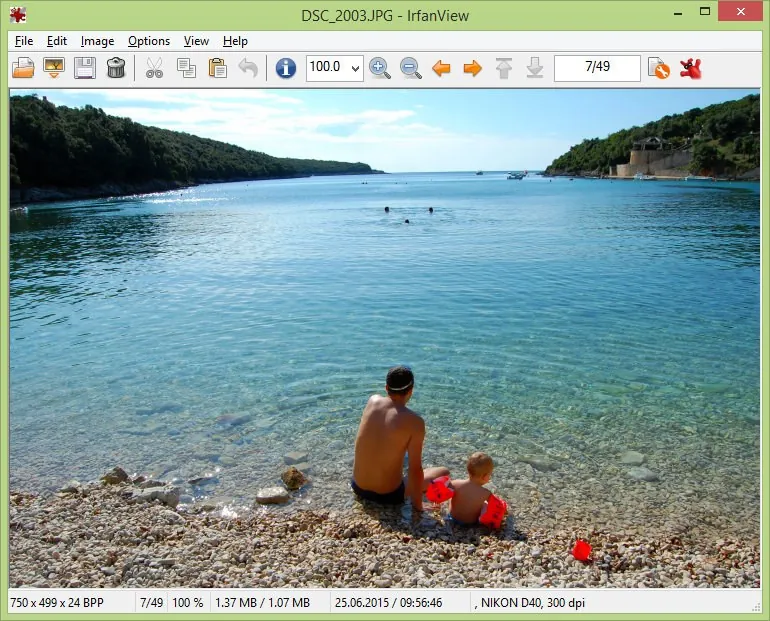
About IrfanView
IrfanView is written by Irfan Skiljan, an independent developer from Austria. The program is a few megabytes in size, runs on Windows from XP to 11, and comes in 32-bit, 64-bit and ARM64 builds. Extra formats and features are added through a separate PlugIns package.
The usage agreement on irfanview.com makes it free for private, non-commercial use at home, and for schools, universities, museums, libraries and charitable organisations. Use at a place of business or for commercial purposes requires a paid license.
What it does well
- Fast viewing. Opens large images quickly and steps through a folder with the arrow keys.
- Batch conversion and rename. Converts, resizes and renames whole folders, with multithreading.
- Lossless JPEG operations. Rotates and crops JPEGs and changes EXIF dates without recompressing.
- Basic editing. Crop, resize, color adjustments, text and watermark overlays, and Photoshop 8BF filters.
- Slideshows and capture. Builds slideshows, exportable as MP4 or EXE, and takes screen captures.
Who it is for
Good fit
Home users who want the fastest possible viewer and anyone batch-processing folders of images.
Look elsewhere
Businesses that do not want to buy a license, and people who prefer a modern, minimal interface.
Pros and cons
Pros
- Extremely fast and small
- Powerful batch conversion
- Lossless JPEG rotation and crop
- Large plugin collection
Cons
- Free only for non-commercial and educational use
- Dated, crowded interface
- Many formats require the separate PlugIns installer
How to install IrfanView
Open the 64-bit page on irfanview.com and download the English installer; the official page sends you through its listed download servers. Install the PlugIns package for the same version and bitness as well, because support for many file formats comes from plugins. Do not mix 32-bit plugins with the 64-bit program.
Questions about IrfanView
Is IrfanView free for commercial use?
No. It is free for private, non-commercial, educational and charity use. Businesses must register and pay for a license; the official site lists US$18 for a single license.
Should I use the 32-bit or 64-bit IrfanView?
Use 64-bit on a modern PC, especially for very large images. The 32-bit version is still needed for some older plugins and for scanning through 32-bit TWAIN drivers.
Why can't IrfanView open some of my files?
Many formats are supported through plugins. Install the official IrfanView PlugIns package that matches your IrfanView version and bitness.


