

Our verdict: eM Client is one of the most complete Outlook-style clients on Windows, with mail, calendar, contacts, tasks and built-in PGP in one window. The free license is genuinely usable but narrow: two email accounts, one device and no commercial use. Anyone with more accounts or a business has to pay.
About eM Client
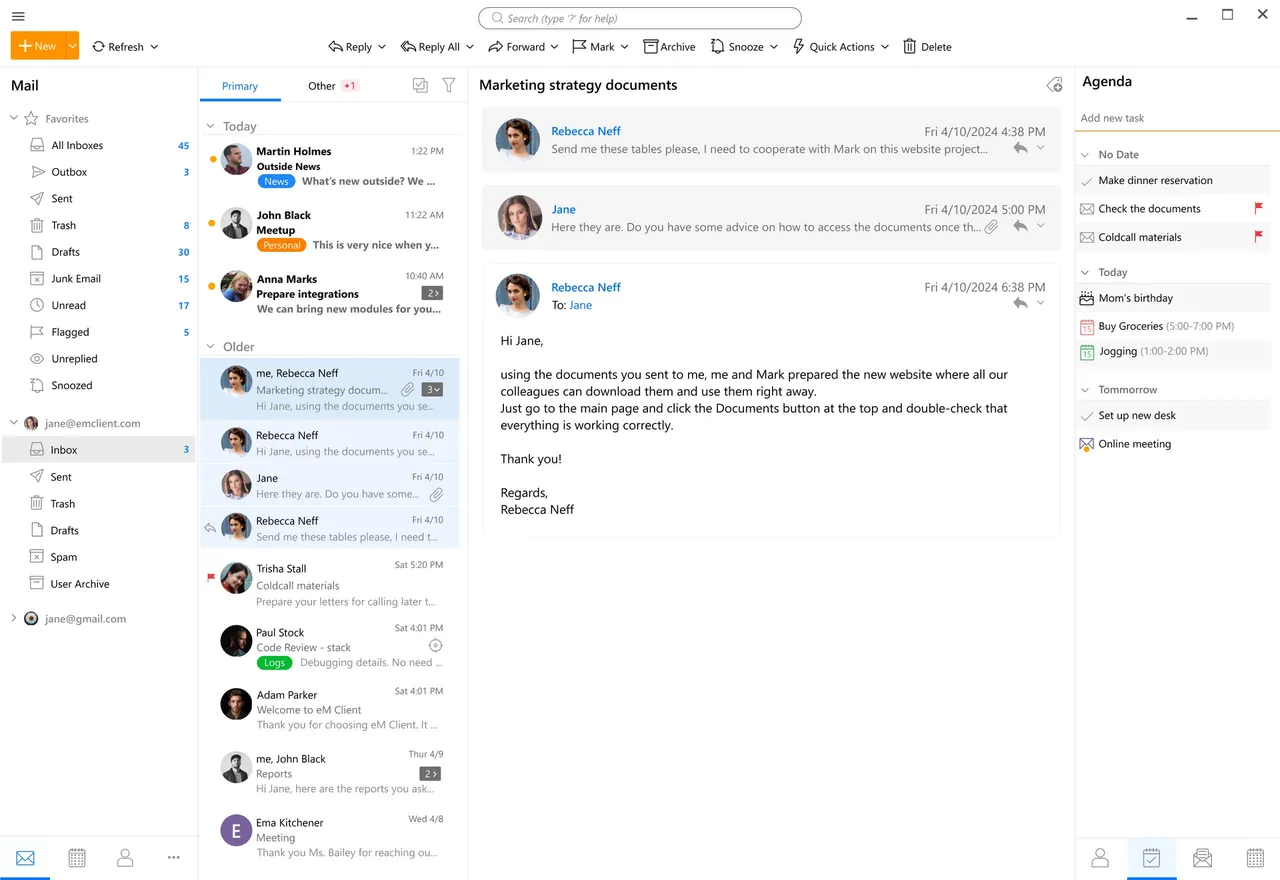
eM Client works with Gmail, Microsoft 365, Exchange, iCloud and any IMAP account and puts mail, calendars, contacts, tasks and notes in a single interface. It supports PGP and S/MIME encryption, email templates, signatures, tags that map to Gmail labels and Exchange categories, server-side and local rules, and automatic replies.
After installation you get a 30-day trial of the paid features, and after that you can switch to the free license, which needs registration. It is limited to two email accounts, home use on one device and community forum support. Personal and Business licenses remove the account limit and add features such as snooze, Quick Actions and VIP support.
What it does well
- All-in-one window. Mail, calendar, contacts, tasks and notes share one interface.
- Built-in encryption. PGP and S/MIME encryption and signing without extra plugins.
- Exchange and Gmail support. Works with Microsoft 365, Exchange, Gmail labels and Google calendars.
- Rules and templates. Local and server-side rules, templates, signatures and QuickTexts.
- Tracking pixel blocking. Blocks tracking images in incoming email.
Who it is for
Good fit
Home users with one or two mailboxes who want an Outlook-like client with a calendar.
Look elsewhere
Anyone with more than two email accounts, businesses, or people who need the same setup on several PCs for free.
Pros and cons
Pros
- Mail, calendar, contacts and tasks in one app
- Built-in PGP and S/MIME
- Good Exchange and Gmail support
Cons
- Free license is limited to 2 email accounts
- Free license is for home use on one device only
- Closed source
How to install eM Client
The download is a Windows App Installer file: open it and confirm the installation in the App Installer window. eM Client starts with a 30-day trial of the paid features; when it ends, choose the Free license and register with your email to keep using it.
Questions about eM Client
Is eM Client free?
Yes, for home use. The free license, which requires registration, covers two email accounts on one device and does not allow commercial use.
What happens after the 30-day trial?
You can switch to the free license with its two-account limit, or buy a Personal or Business license.
Can I use the free version at work?
No. Commercial and company use needs a Business license.


