

Our verdict: The new Outlook is a capable free mail and calendar app, especially if you already use Outlook.com. Free accounts see ads in the inbox, and mail from Gmail and other providers is synced through Microsoft's cloud. If you prefer local storage and no ads, Thunderbird is the better free choice.

About Microsoft Outlook
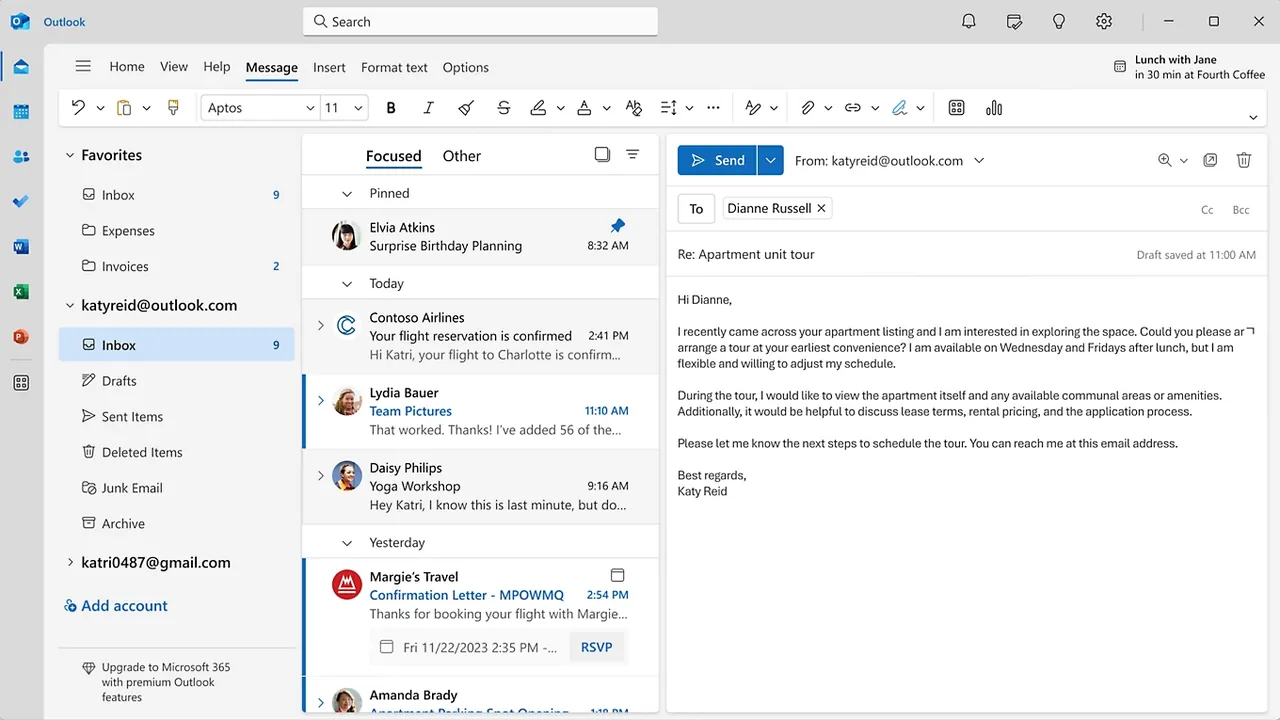
The new Outlook for Windows replaces the old Mail and Calendar apps and is preinstalled on recent Windows 11 PCs. It handles several accounts in one app, including Outlook.com, Hotmail, Gmail, Yahoo and iCloud, and shows mail, calendar, contacts and to-dos together. Tools include scheduled sending, undo send, pinning, snoozing, follow-up reminders and more than 50 themes.
The app is free with a Microsoft account. Users without a paid Microsoft 365 subscription see ads at the top of the inbox; Microsoft 365 Basic, Personal or Family removes them and adds more mailbox storage. The classic Outlook desktop app is a different program that comes with Microsoft 365 apps; the new Outlook supports only web-based add-ins, not classic COM add-ins.
What it does well
- Multiple accounts. Outlook.com, Gmail, Yahoo, iCloud and other accounts in one app.
- Mail and calendar together. Email, calendar, contacts and to-dos in one window.
- Schedule and undo send. Send messages later and recall a sent message within ten seconds.
- Pin and snooze. Keep important mail on top and hide others until a set time.
- Themes and layouts. More than 50 themes and fonts, plus roomy, cozy and compact views.
Who it is for
Good fit
Outlook.com and Hotmail users, and anyone who wants one free mail and calendar app on Windows.
Look elsewhere
People who do not want ads, or who want their mail stored only on their PC and not synced through Microsoft.
Pros and cons
Pros
- Free mail and calendar app from Microsoft
- Supports many providers in one place
- Modern features like snooze and scheduled send
- Preinstalled on recent Windows 11 PCs
Cons
- Ads in the inbox for free accounts
- Non-Microsoft accounts are synced through Microsoft's cloud
- No support for classic COM add-ins
How to install Microsoft Outlook
Outlook is already installed on many Windows 11 PCs; search for Outlook in the Start menu first. Otherwise run the installer, which downloads the app. When you add a Gmail or other non-Microsoft account, Outlook asks to sync it through the Microsoft cloud; you must accept to use the account in the app.
Questions about Microsoft Outlook
Is the new Outlook for Windows free?
Yes. It is free with a Microsoft account. Free accounts see ads; a Microsoft 365 subscription removes them.
Is it the same as classic Outlook?
No. Classic Outlook is the desktop app included with Microsoft 365 apps. The new Outlook is a newer, lighter app with web add-ins, and you can switch back to classic Outlook if you have it.
Can I use Gmail in the new Outlook?
Yes. Gmail, Yahoo, iCloud and IMAP accounts can be added, but their mail is synced through the Microsoft cloud.


