

Our verdict: Mailspring is a clean, quick email client for people who juggle several IMAP, Gmail or Office 365 accounts and want one inbox for all of them. Everyday mail is free; snooze, send later, templates and read receipts are Pro features you can only try a few times a week without paying.
About Mailspring
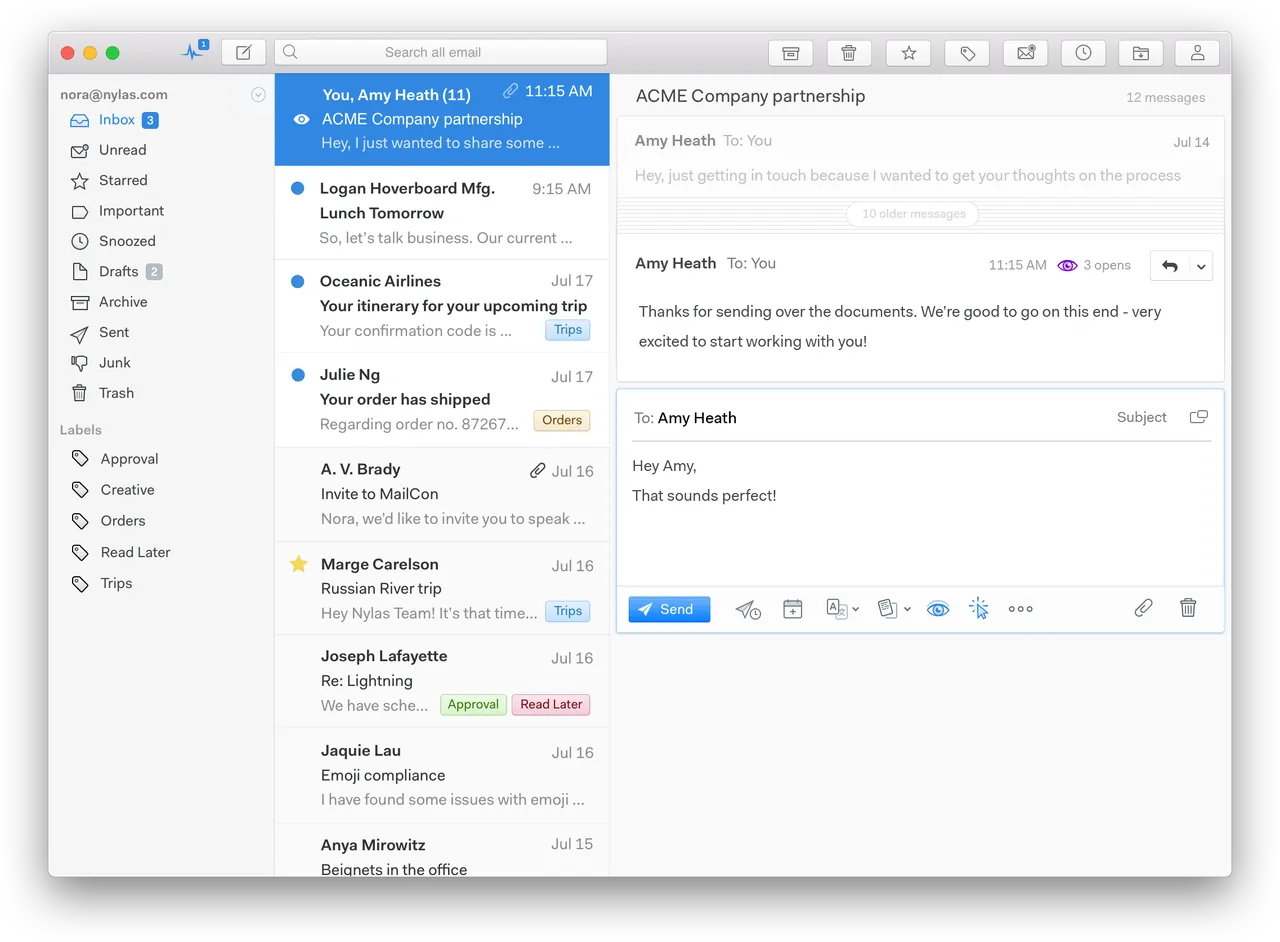
Mailspring connects directly to your mail providers over IMAP and SMTP, so your messages travel from the provider to your PC rather than through Mailspring's servers. A native C++ sync engine handles mail, while the interface offers a unified inbox, advanced search across all accounts, undo send, signatures, themes and a dark mode.
The client is free and its source code is on GitHub under the GPL v3. Mailspring Pro costs $8 per month and removes the weekly limits on snooze, reminders and send later, and adds templates, read receipts, link tracking, contact and company profiles and mailbox insights.
What it does well
- Unified inbox. Gmail, iCloud, Office 365, Outlook.com, Yahoo and any IMAP account in one list.
- Advanced search. Gmail-style search queries across the contents of all connected accounts.
- Undo send. Pull back a message for a few seconds after you click Send.
- Grammar and spell check. The composer checks spelling and grammar with LanguageTool.
- Themes and layouts. Several layouts and themes, including a full dark mode.
Who it is for
Good fit
People with several personal email accounts who want a modern-looking client with a single inbox.
Look elsewhere
Users who need full calendar and task management, or who want snooze and send later without a subscription.
Pros and cons
Pros
- Open source
- Unified inbox with fast search
- Mail syncs directly with your provider
- Clean interface with dark mode
Cons
- Snooze, send later and reminders are limited without Pro
- No full calendar yet, only invitation RSVPs
- Read receipts and link tracking only with a paid plan
How to install Mailspring
The installer runs without any setup questions and installs Mailspring for your Windows user only. Add your accounts in the welcome screen; for Gmail and Office 365 you sign in through the provider's own page. Pro features and their free weekly tries are tied to a Mailspring ID.
Questions about Mailspring
Is Mailspring free?
Yes. The email client is free and open source. Mailspring Pro is an optional $8 monthly subscription that removes limits on snooze, send later and reminders and adds tracking and templates.
Does Mailspring store my email on its servers?
No. Mailspring syncs directly with your mail provider over IMAP. Some Pro features, such as read receipts and contact profiles, use Mailspring's services.
Which accounts does Mailspring support?
Gmail, iCloud, Office 365, Outlook.com, FastMail, Yahoo and any IMAP/SMTP account.


