

Our verdict: Tuta Mail is one of the few encrypted email services whose Windows desktop app works on the free plan. It encrypts the whole mailbox, including subjects, contacts and calendar. The free tier is tight, with 1 GB, one calendar and no offline mode or full search, and Tuta does not support IMAP for other mail clients.
About Tuta Mail
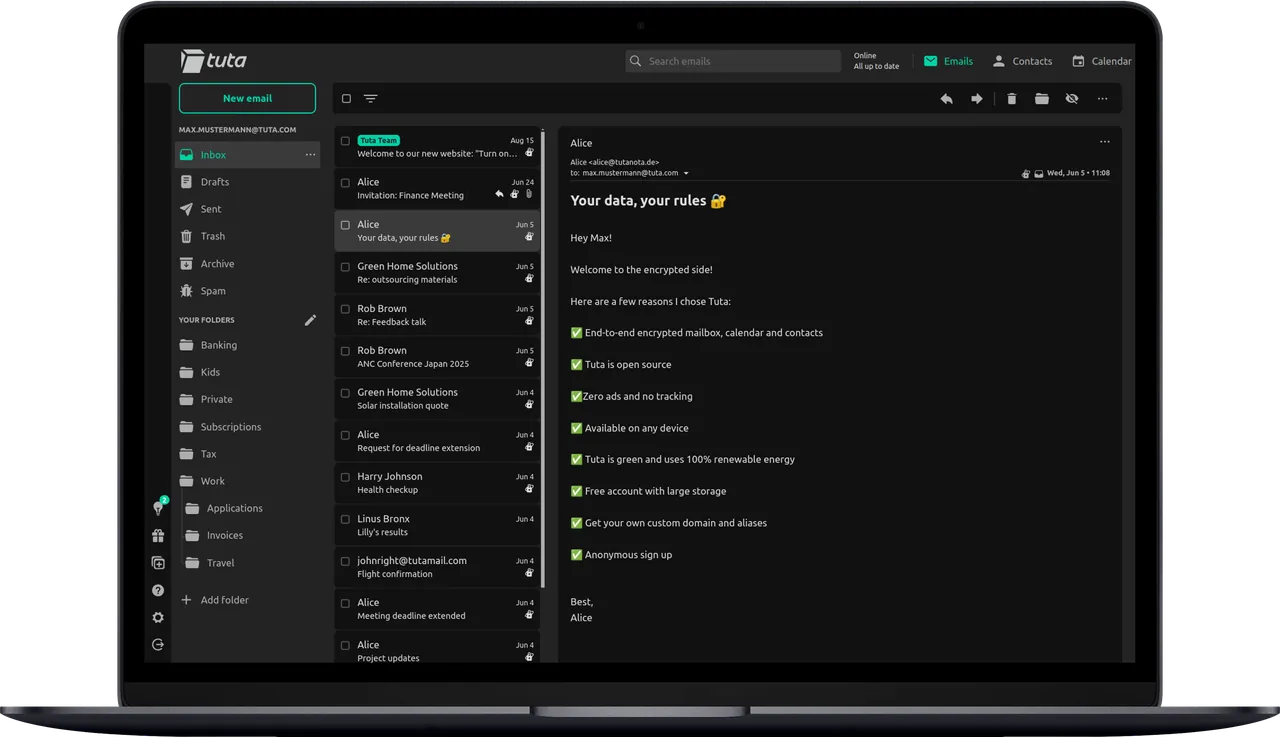
Tuta, formerly Tutanota, is developed by Tutao GmbH in Germany. All data is end-to-end encrypted, including the address book and calendar, and Tuta has zero access to your mailbox. Data is stored on Tuta's own servers in ISO 27001 certified data centers in Germany. The clients are open source under the GNU GPL v3, and the desktop apps are signed.
The free plan includes the web, mobile and desktop apps, with 1 GB storage, one calendar and three labels. Paid plans, Revolutionary and Legend, add storage, extra addresses, custom domains, unlimited encrypted search, offline support and email import from EML or MBOX files, which works in the desktop client. Mail between Tuta users is encrypted automatically; mail to others can be encrypted with a shared password.
What it does well
- Full mailbox encryption. Mail, contacts and calendar are end-to-end encrypted, with zero access for Tuta.
- Password-protected email. Send encrypted mail to anyone outside Tuta using a shared password.
- Encrypted calendar. Calendar data and even event notifications are encrypted.
- Desktop extras. Import EML and MBOX files into Tuta from the desktop client on paid plans.
- Quantum-resistant encryption. Tuta has added post-quantum encryption to protect mail against future attacks.
Who it is for
Good fit
People who want a free encrypted mailbox with a real Windows app, hosted in Germany.
Look elsewhere
Users who need IMAP for Outlook or Thunderbird, or lots of storage on a free plan.
Pros and cons
Pros
- Desktop app works on the free plan
- Encrypts subjects, contacts and calendar too
- Open-source, signed clients
- Servers in Germany
Cons
- Free plan: 1 GB, one calendar, no offline mode or full search
- No IMAP support for other email clients
- Encrypting mail to non-Tuta users needs a shared password
How to install Tuta Mail
The button downloads the official Windows installer from tuta.com. Sign in or create an account; the free plan works in the desktop app. The client updates itself and checks the signature of each update before installing.
Questions about Tuta Mail
Is Tuta Mail free?
Yes. Tuta has a free plan with 1 GB storage that includes the web, mobile and desktop apps. Paid Revolutionary and Legend plans add storage, custom domains, offline support and full search.
Can I use Tuta with Outlook or Thunderbird?
No. Tuta encrypts the whole mailbox and does not offer IMAP, so you use the Tuta apps instead.
Is Tutanota the same as Tuta?
Yes. Tutanota was renamed Tuta; the desktop installer still uses the old name in its file name.


