

Our verdict: ES-DE is the most polished free frontend for a controller-driven emulation setup on a TV or desktop. It comes preconfigured for many emulators, so setup is mostly pointing it at your ROM folder. It does not include emulators or games, and the folder layout it expects takes some reading.
About ES-DE
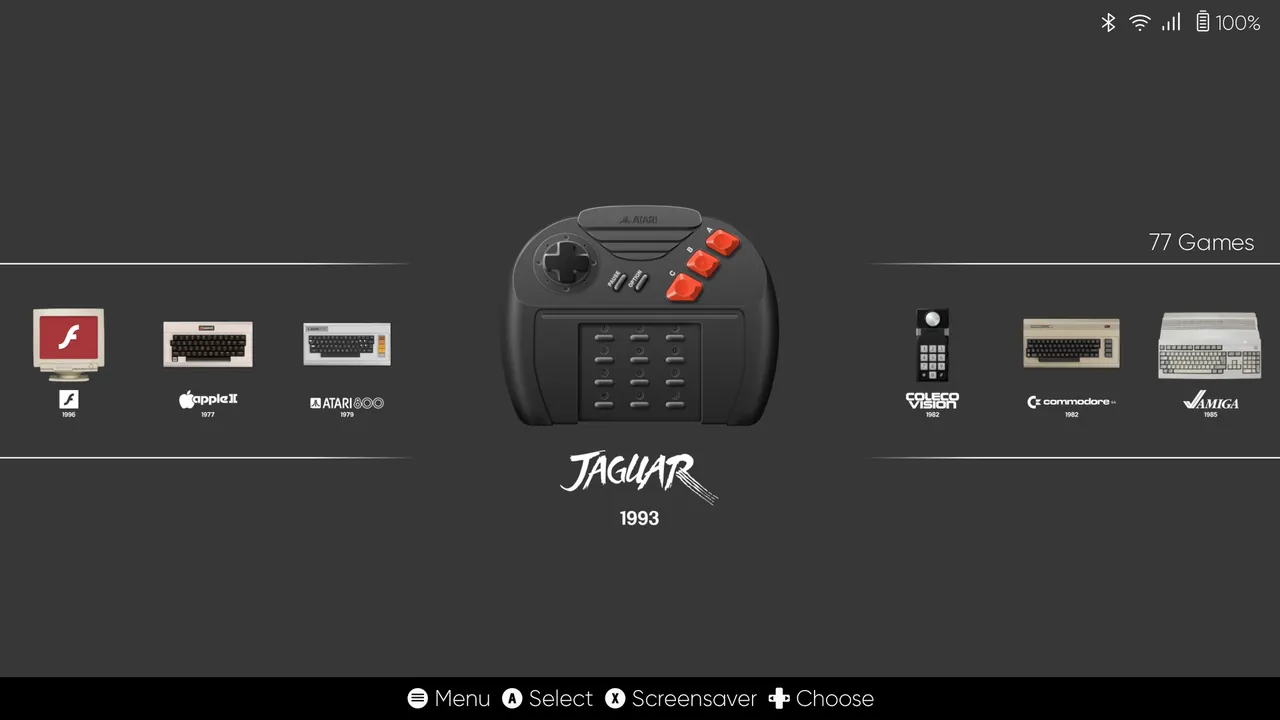
ES-DE, short for EmulationStation Desktop Edition, is a frontend for browsing and launching games from a multi-platform collection. It ships preconfigured for a large selection of emulators, game engines and game managers, supports over 150 game systems, and can also launch locally installed PC games and apps. The Windows, macOS and Linux releases are open source under the MIT license and free.
ES-DE does not emulate anything itself and includes no games. You install emulators such as RetroArch separately and add dumps of games you own to its ROM folder. A built-in scraper downloads box art, videos, game manuals and metadata, and a theme downloader installs community themes that change the whole look of the interface.
What it does well
- 150+ systems. Preconfigured to launch games for a large selection of emulators and systems.
- Controller navigation. Everything can be done with a gamepad, suited to TVs and handhelds.
- Built-in scraper. Downloads box art, screenshots, videos and game manuals.
- Themes. Theme downloader with many community themes for different looks.
- Collections. Custom collections, filters and an alternative emulator per game.
Who it is for
Good fit
Emulation fans who want a couch-friendly, controller-driven menu for their own game collection.
Look elsewhere
Anyone expecting emulators or games to be included, or users who prefer managing games with a mouse in a desktop window.
Pros and cons
Pros
- Free and open source on Windows
- Preconfigured for many emulators
- Full controller navigation
- Scraper and theme downloader built in
Cons
- No emulators or games included
- Expects a specific ROM folder layout
- Android version is paid
How to install ES-DE
The button downloads the 64-bit Windows installer from the project's official GitLab package registry; a portable ZIP is also on the download page. On first start ES-DE creates a ROMs folder structure; put your own game dumps into the matching system folders and install the emulators you need separately. Read the official user guide for where each emulator should be installed on Windows.
Questions about ES-DE
Is ES-DE free?
Yes. The Windows, macOS and Linux versions are open source under the MIT license and free. Only the Android release is a paid app.
Does ES-DE include emulators?
No. ES-DE is a frontend. Install emulators such as RetroArch separately, and ES-DE launches them for you.
Where do I get games for ES-DE?
ES-DE does not provide games. Use dumps of games and BIOS files from hardware you own.


