

Our verdict: Feishin is one of the most polished desktop clients for people who host their own music library on Navidrome, Jellyfin or another Subsonic-compatible server. It looks like a modern streaming app and plays through MPV for gapless, high-quality output. It does nothing on its own, though: without a music server it has nothing to play.
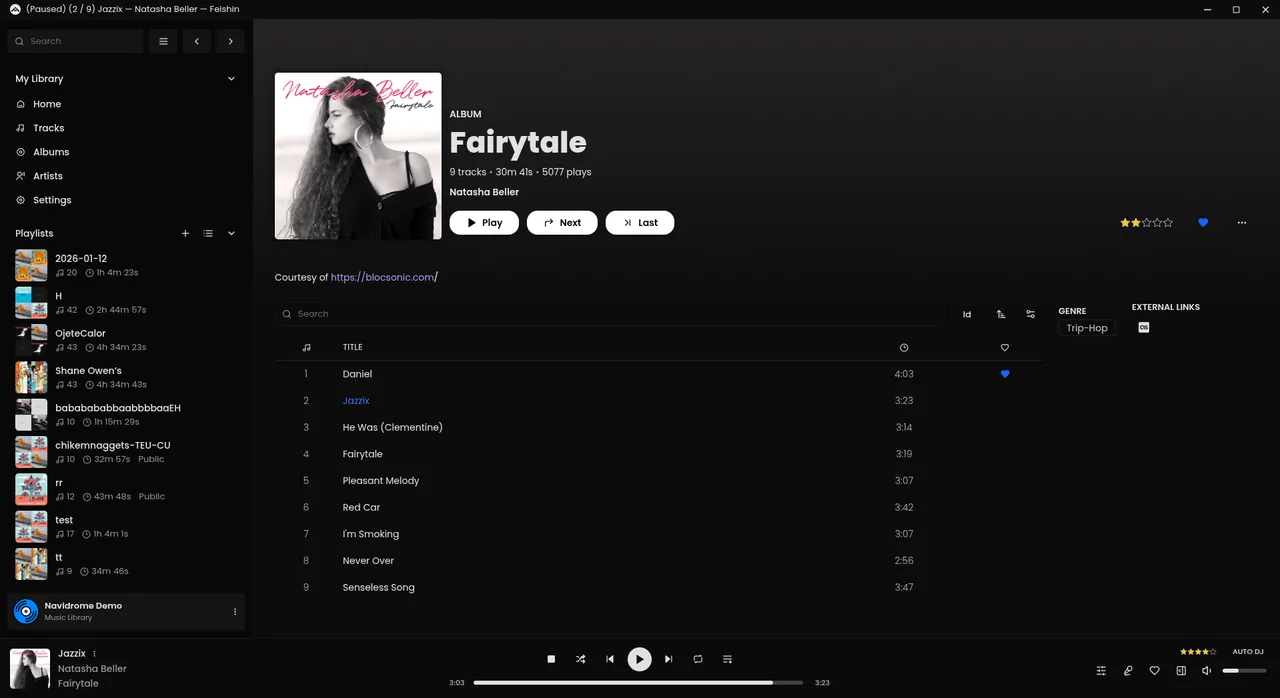
About Feishin
Feishin is a rewrite of the older Sonixd player by the same developer and is published on GitHub under the GPLv3. The desktop app is built with Electron and also exists as a hosted web version and a Docker image for people who want to serve it from their own machine.
It connects to Navidrome, Jellyfin and Subsonic or OpenSubsonic servers. On first launch it asks for the path to an MPV binary for the MPV backend, or you can use the built-in web player backend instead. Scrobbles are sent back to your server, and lyrics are fetched automatically in the desktop version.
What it does well
- Server support. Connects to Navidrome, Jellyfin and Subsonic-compatible servers with saved logins.
- MPV backend. Plays audio through MPV for gapless playback, or through a built-in web player.
- Lyrics. Shows synchronized and unsynchronized lyrics, fetched automatically on desktop.
- Smart playlists. Edits Navidrome smart playlists with rules directly in the app.
- Scrobbling. Reports plays to your server, which can forward them to Last.fm or ListenBrainz.
Who it is for
Good fit
People who run Navidrome or Jellyfin at home and want a desktop player that feels like a streaming service.
Look elsewhere
Anyone without a personal music server, or who only wants to play local files from a folder.
Pros and cons
Pros
- Modern, streaming-style interface
- Works with Navidrome, Jellyfin and Subsonic
- Synced lyrics and smart playlists
- Free and open source
Cons
- Needs a self-hosted music server
- MPV must be installed separately for the MPV backend
- Cannot play local files without a server
How to install Feishin
The button downloads the 64-bit Windows installer from the official GitHub release. Install MPV separately if you want the MPV backend; Feishin asks for its path on first launch. Then add your server under Manage servers with its full URL and port.
Questions about Feishin
Is Feishin free?
Yes. Feishin is open source under the GPLv3 with no paid version or account.
Can Feishin play local music files?
No. It is a client for Navidrome, Jellyfin and Subsonic-compatible servers, so your music has to be served by one of them.
Do I need MPV for Feishin?
Only for the MPV backend. The desktop app also includes a web player backend that works without MPV.


