

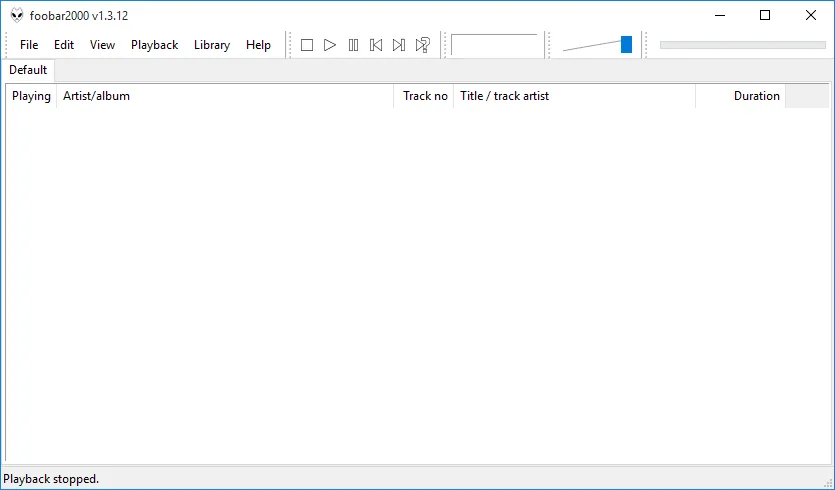
Our verdict: foobar2000 is a fast, precise audio player for people with large music collections. It plays every mainstream format, handles tags and conversion well, and can be shaped into almost any layout. The default look is plain and customizing it takes time.
About foobar2000
foobar2000 is developed by Peter Pawłowski and is free to use on Windows. The official website states that it comes with no strings attached, no telemetry and no data collection.
Its open component architecture lets third-party developers add decoders, interface panels and DSP effects. Out of the box it already rips CDs, converts between formats, reads and writes tags and applies ReplayGain.
What it does well
- Format support. Plays all mainstream audio formats, with more through decoder components.
- Gapless playback and ReplayGain. Live albums play without gaps and volume is leveled across tracks.
- Tagging and conversion. Edit tags in bulk, rip audio CDs and transcode to other formats.
- Customizable layout. Rearrange panels and columns and save keyboard shortcuts to suit your workflow.
- DSP and components. Built-in DSP effects, VST plugins via an adapter and a large component library.
Who it is for
Good fit
Music collectors and audiophiles who want a fast player and do not mind setting it up.
Look elsewhere
People who want a polished look out of the box or streaming service integration.
Pros and cons
Pros
- Very light on system resources
- No telemetry or data collection
- Excellent tagging and conversion
- Huge range of components
Cons
- Plain default interface
- Customizing the layout has a learning curve
- Closed source
How to install foobar2000
Download the 64-bit installer from foobar2000.org; 32-bit and ARM builds are also listed. Add your music folder under File → Preferences → Media Library. Some encoders, such as MP3 or AAC, need the free foobar2000 Encoder Pack.
Questions about foobar2000
Is foobar2000 free?
Yes. It is freeware with no paid tier on Windows.
Can foobar2000 convert FLAC to MP3?
Yes. Select the tracks, right-click and choose Convert. Install the free Encoder Pack from foobar2000.org first so the MP3 encoder is available.
Does foobar2000 support plugins?
Yes. It uses components, which add decoders, interface panels, visualizations and DSP effects. They are listed on foobar2000.org.


