

Our verdict: FFmpeg is the engine behind many video tools, including Shutter Encoder and LosslessCut, and using it directly gives you complete control over any conversion. There is no window and no installer: you download a ZIP, add it to PATH and type commands. For most people a graphical app built on FFmpeg is easier.
About FFmpeg
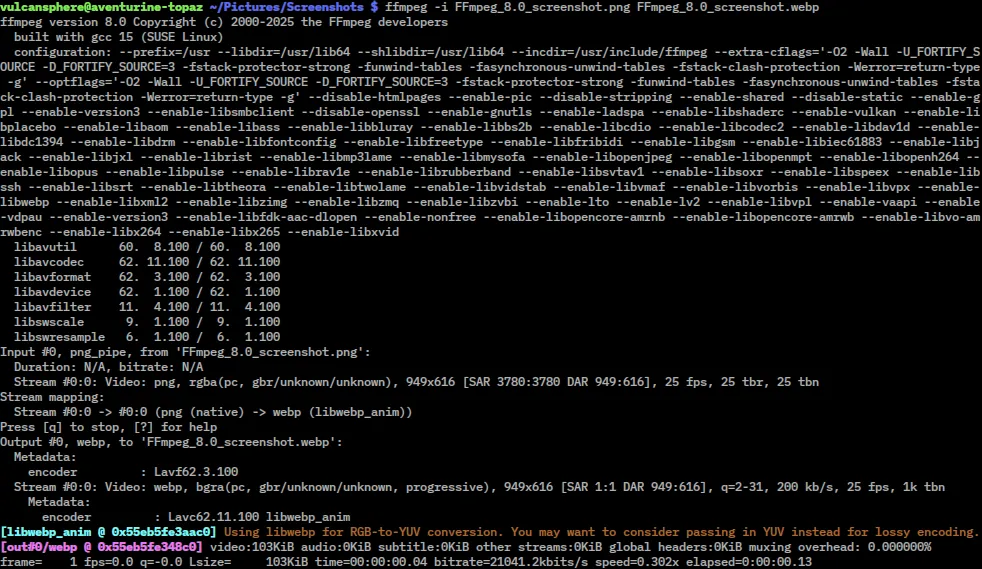
FFmpeg is a free, open-source collection of libraries and command-line programs for handling audio and video. The ffmpeg tool converts and filters media, ffprobe reports detailed stream information, and ffplay is a minimal player. It reads and writes nearly every common format and codec, and can capture screens, cameras and network streams.
The FFmpeg project itself publishes only source code. For Windows, ffmpeg.org links two builders as its download options: gyan.dev and BtbN. The button here downloads the gyan.dev release essentials build, a 64-bit static ZIP of the latest stable release that is always available at the same address. It is a portable archive, not an installer.
What it does well
- Converts almost anything. Reads and writes nearly every audio, video, subtitle and image format.
- Filters. Scales, crops, rotates, denoises, overlays and adjusts audio with filter chains.
- Stream copy. Cuts and remuxes files without re-encoding, so it is fast and lossless.
- Hardware encoding. Supports NVIDIA NVENC, Intel Quick Sync and AMD AMF encoders in common builds.
- ffprobe. Shows codecs, bitrates, frame rates and metadata of any media file.
Who it is for
Good fit
Power users, developers and anyone automating batch conversions with scripts.
Look elsewhere
People who want a graphical interface; try HandBrake or Shutter Encoder instead.
Pros and cons
Pros
- Supports nearly every format and codec
- Fast, lossless cutting and remuxing
- Scriptable for batch jobs
- Open source and completely free
Cons
- Command line only, with a steep learning curve
- No official Windows installer; builds come from third-party builders linked by ffmpeg.org
- Manual PATH setup and manual updates
How to install FFmpeg
Extract the ZIP to a folder such as C:\ffmpeg, then add its bin subfolder to the PATH environment variable so ffmpeg works in any terminal. Run ffmpeg -version to check. Choose the BtbN builds on GitHub instead if you need shared libraries or nightly builds.
Questions about FFmpeg
Is FFmpeg free?
Yes. FFmpeg is open source under the LGPL v2.1 or later; builds that include GPL components, like the gyan.dev builds, are GPL v3.
Why is the download not on ffmpeg.org?
The FFmpeg project only publishes source code. Its download page links Windows builds from gyan.dev and BtbN, and this page uses the gyan.dev release build.
Essentials or full build?
Essentials covers the common codecs and is smaller. The full build on gyan.dev adds more libraries for rare formats and filters.


