

Our verdict: LosslessCut is the quickest way to cut the useful parts out of long recordings. It copies the original data instead of re-encoding, so a multi-gigabyte file exports in seconds with no quality loss. Cuts snap to keyframes, so it is not a frame-accurate editor.
About LosslessCut
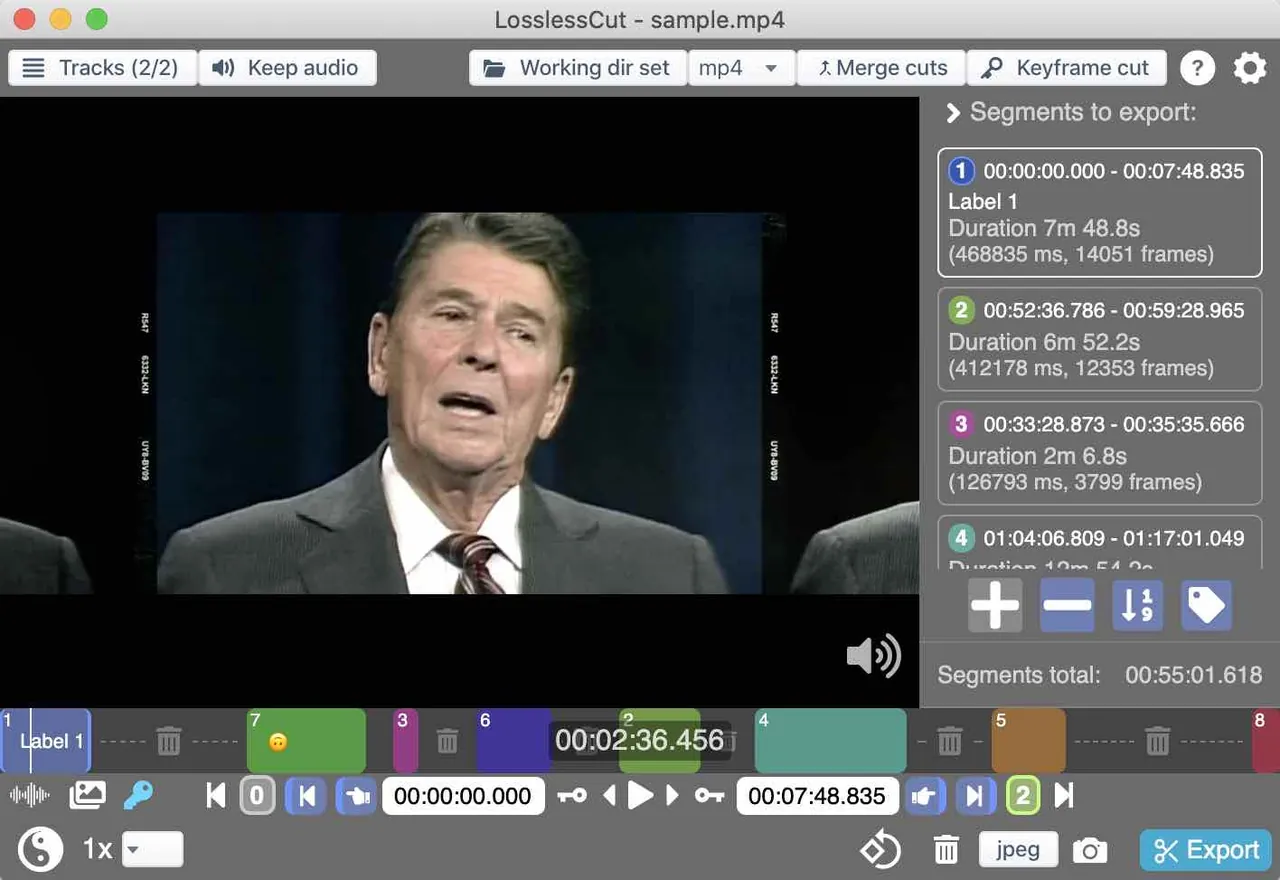
LosslessCut is a graphical front end for FFmpeg made by Mikael Finstad. It is aimed at rough-cutting camera, GoPro, drone and TV recordings: mark the segments you want, and it writes them out almost as fast as the disk can copy.
Beyond trimming, it can merge files with identical codec settings, remove or add audio and subtitle tracks, remux to another container and export frames as images. Playback uses Chromium's built-in player, so some codecs only preview through a lower-quality conversion, while the export still uses the original file.
What it does well
- Lossless cutting. Keep or remove segments from most video and audio formats without re-encoding.
- Merge files. Join clips that share the same codec parameters, for example from one camera.
- Track editing. Remove tracks, add music or subtitle tracks from other files, or extract every track separately.
- Segment tools. Detect black scenes, silence and scene changes, or split by length, size or chapters.
- Metadata and rotation. Edit file and track metadata and fix wrong rotation flags without touching the video.
Who it is for
Good fit
People who record long videos and need to cut out the good parts or remove ads from TV recordings quickly.
Look elsewhere
Editors who need frame-accurate cuts, transitions, titles or effects.
Pros and cons
Pros
- Exports in seconds
- No quality loss
- Handles very large files
- Many track and metadata tools
Cons
- Cuts snap to keyframes, so they are not frame-accurate
- No installer on Windows, only a 7z archive
- Some codecs cannot be previewed directly
How to install LosslessCut
The official Windows download is a 7z archive, not an installer. Extract it with 7-Zip to a folder of your choice and run LosslessCut.exe. Paid Microsoft Store and Mac App Store versions update automatically and support the developer.
Questions about LosslessCut
Why does my LosslessCut cut start a little early or late?
Lossless cuts can only start on a keyframe. Use the keyframe jump buttons to place cuts precisely, or try the experimental smart cut option.
Is LosslessCut free?
Yes. The GitHub downloads are free and open source. The paid store versions only add automatic updates and support the developer.
Can LosslessCut convert video to another format?
It can remux into another container, such as MKV to MP4, without re-encoding. It is not a full converter; use HandBrake for that.


