HandBrake — Free Video Converter

By The HandBrake Team · Video
  • Open source
  • Free
  • Video
Download HandBrake Direct download from github.com Official download page Link checked October 19, 2026

Our verdict: HandBrake is the best free tool for making videos smaller or converting them to a format that plays everywhere. Its presets do most of the work, and the advanced settings are there when you need them. It is a converter, not an editor.
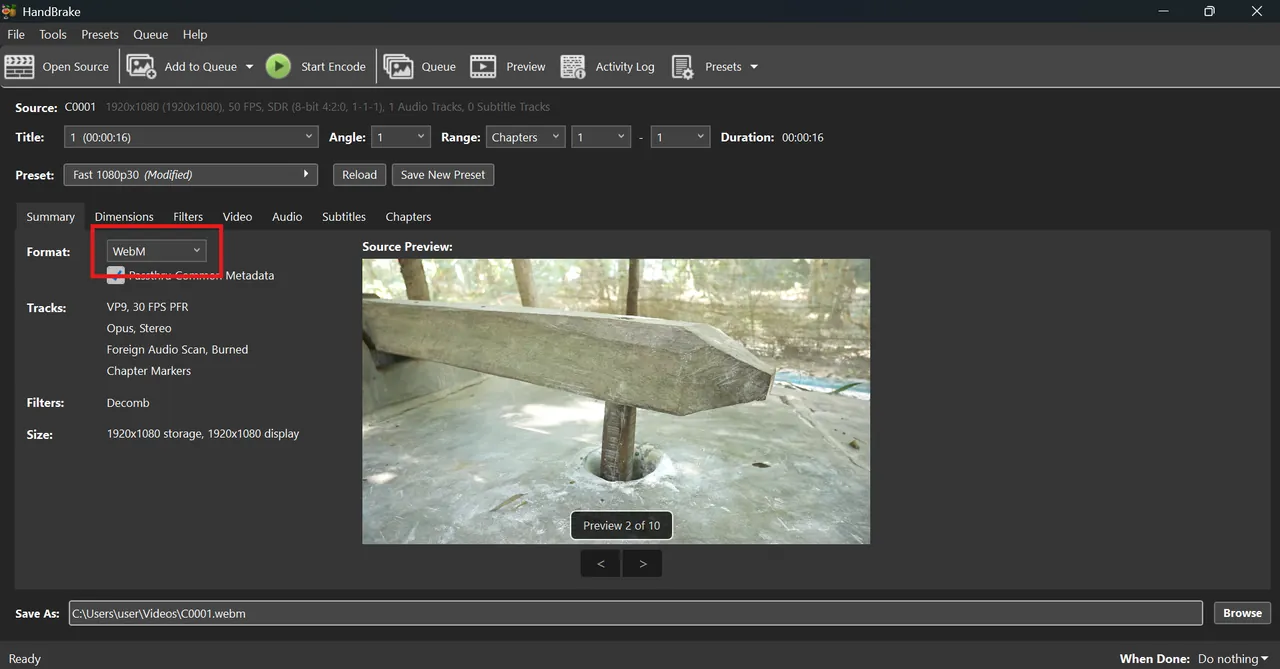
HandBrake on Windows with a source video loaded and the summary tab
HandBrake on Windows with a source video loaded and the summary tab · Screenshot: ROCKY, CC BY-SA 4.0, via Wikimedia Commons

About HandBrake

HandBrake is an open-source transcoder developed by volunteers. You open a file or folder, pick a preset such as Fast 1080p30, and add the job to a queue.

On Windows, HandBrake needs the Microsoft .NET Desktop Runtime. The official installation guide lists the required version and links to Microsoft's download.

What it does well

  • Presets. Ready settings for web, devices and general use.
  • Modern codecs. Encodes H.264, H.265 and AV1 into MP4, MKV or WebM.
  • Hardware encoding. Supports NVIDIA, AMD and Intel hardware encoders for faster jobs.
  • Batch queue. Converts many files in a row without supervision.
  • Filters and subtitles. Crop, scale, deinterlace, denoise and add subtitle tracks.

Who it is for

Good fit

Shrinking phone and screen recordings, and converting videos for playback on TVs and phones.

Look elsewhere

Cutting, joining or editing clips, and ripping copy-protected discs.

Pros and cons

Pros

  • Excellent presets
  • Modern codecs including AV1
  • Batch queue
  • No watermark

Cons

  • Needs .NET Desktop Runtime on Windows
  • Not an editor
  • Many advanced options

How to install HandBrake

Install the Microsoft .NET Desktop Runtime version that HandBrake's documentation lists, then run the HandBrake installer from handbrake.fr. If .NET is missing, HandBrake shows a message on launch.

Questions about HandBrake

Is HandBrake free?

Yes. It is open source with no paid tier.

Can HandBrake rip DVDs?

It converts unprotected DVDs and Blu-rays. It does not remove copy protection.

Which HandBrake preset should I use?

For most videos, Fast 1080p30 is a good start. Lower the quality slider or pick a 720p preset for smaller files.

Download HandBrake from handbrake.fr ExeDepot does not host this file. The download starts from the developer's server, github.com. Other versions are on the official download page.

Alternatives to HandBrake

  • Wondershare UniConverter Video Converter

    Video converter, compressor, downloader and editor with AI tools; the trial converts only 1/3 of each file.

    Wondershare · Free trial · wondershare.com
  • Format Factory Media Converter

    All-in-one converter for video, audio, images, PDFs and discs, with basic cutting tools.

    Free Time · Freeware · pcfreetime.com
  • Any Video Converter Free Video Converter

    Video converter with trimming, compression and DVD import; paid tiers and AI credits on top.

    Anvsoft Inc. · Freeware · any-video-converter.com
  • Shutter Encoder Video Converter

    FFmpeg-based converter for video, audio and images with editing codecs and lossless cutting.

    Paul Pacifico · Open source · shutterencoder.com

Similar to HandBrake All video apps

  • XMedia Recode Video Converter

    Batch video and audio converter with GPU encoding, basic editing and subtitle tools.

    Sebastian Dörfler · Freeware · xmedia-recode.de
  • StaxRip Video Encoder

    Portable video encoding GUI for Windows that drives x265, FFmpeg, AviSynth+ and VapourSynth.

    StaxRip contributors · Open source · github.com/staxrip
  • VidCoder Video Converter

    Open-source Windows video converter and DVD/Blu-ray ripper built on the HandBrake engine.

    RandomEngy · Open source · vidcoder.net
  • Hybrid Video Converter

    Advanced video conversion front end that bundles FFmpeg, x265, VapourSynth and many other tools.

    Selur · Freeware · selur.de