

Our verdict: MKVToolNix is the standard tool for working with MKV files. It adds, removes and reorders audio and subtitle tracks in seconds because it never re-encodes the video. It does not convert or edit the picture, so pair it with a converter when you need that.
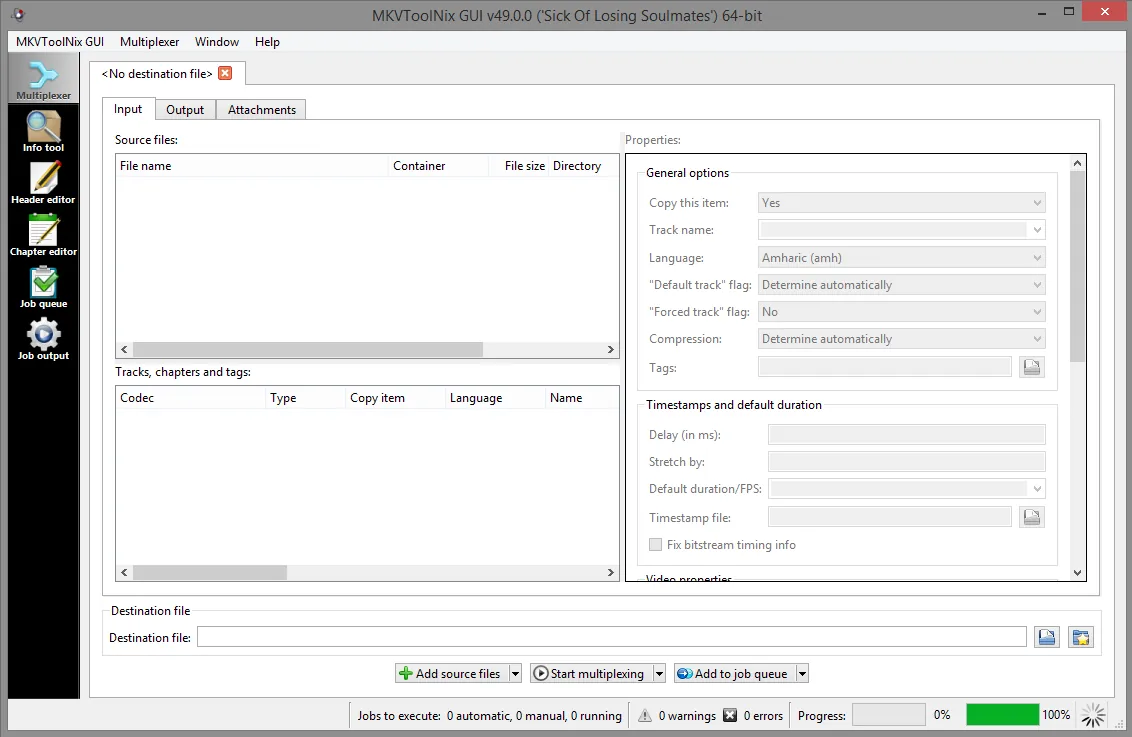
About MKVToolNix
MKVToolNix is developed by Moritz Bunkus and has been available since 2003. It consists of command-line tools, mkvmerge, mkvinfo, mkvextract and mkvpropedit, and MKVToolNix GUI, which puts them in one window.
Everything works by remuxing: tracks are copied into a new Matroska file as they are, so quality stays identical and processing is limited mainly by disk speed. That makes it useful for adding a subtitle or a second audio language to a film, or for removing tracks you never use.
What it does well
- Multiplexer. Combine video, audio, subtitle and chapter files into one MKV and choose which tracks to keep.
- Track settings. Set language, name, default and forced flags for each track before muxing.
- Header editor. Change titles, track names and flags in an existing MKV without rewriting the whole file.
- Chapter editor. Create and edit chapters and save them into a file or as a separate XML file.
- Splitting and job queue. Split files by size, time or chapters, and queue several jobs to run in a row.
Who it is for
Good fit
People who manage a film or series collection and need to add, remove or fix tracks in MKV files.
Look elsewhere
Anyone who needs to convert formats, compress video or cut precise scenes with re-encoding.
Pros and cons
Pros
- No quality loss, no re-encoding
- Fast even on large files
- Edits headers without remuxing
- Full command-line tools for scripting
Cons
- Output is Matroska only
- Interface is dense for first-time users
- Cannot convert or compress video
How to install MKVToolNix
Download the 64-bit installer from the Windows section of the official downloads page; a portable 7z archive is also offered. Open MKVToolNix GUI, drag your files into the Multiplexer tab, untick unwanted tracks and click Start multiplexing.
Questions about MKVToolNix
Does MKVToolNix reduce video quality?
No. It copies tracks without re-encoding, so the video and audio stay bit-for-bit identical.
Can MKVToolNix convert MKV to MP4?
No. It only writes Matroska files. Use a converter such as HandBrake if you need MP4.
Is the Microsoft Store version different?
It is a paid edition that supports development and updates automatically. Its command-line tools cannot be run directly; otherwise it works like the free download.


