

Our verdict: VirtualDub2 keeps the fast frame-by-frame workflow of classic VirtualDub and adds modern formats, deep color and better filters. It is a precise workbench for capture cleanup, filtering and lossless intermediates, not a timeline editor. The last build is from March 2020, so do not expect new features.
About VirtualDub2
VirtualDub2, formerly VirtualDub FilterMod, is developed by Anton Shekhovtsov and derived from VirtualDub 1.10.5 by Avery Lee. It opens AVI, MP4, MKV, MXF and other formats through an FFmpeg-based caching input driver, so you can step forward and backward through H.264 video frame by frame. It is released under the GNU GPL.
The download is a portable ZIP with both 32-bit and 64-bit programs and a set of plugins: an x264 encoder, FFmpeg-based encoders for FFV1, Huffyuv, ProRes, VP9, H.265 and CineForm, MP3 and AAC audio, color correction filters and an AviSynth and VapourSynth script editor. The current build, 44282, was released in March 2020 on SourceForge.
What it does well
- Frame-accurate navigation. Steps through H.264 and other delta-frame video forward and backward.
- Many encoders. x264, FFV1, Huffyuv, ProRes, VP9, H.265 and CineForm output.
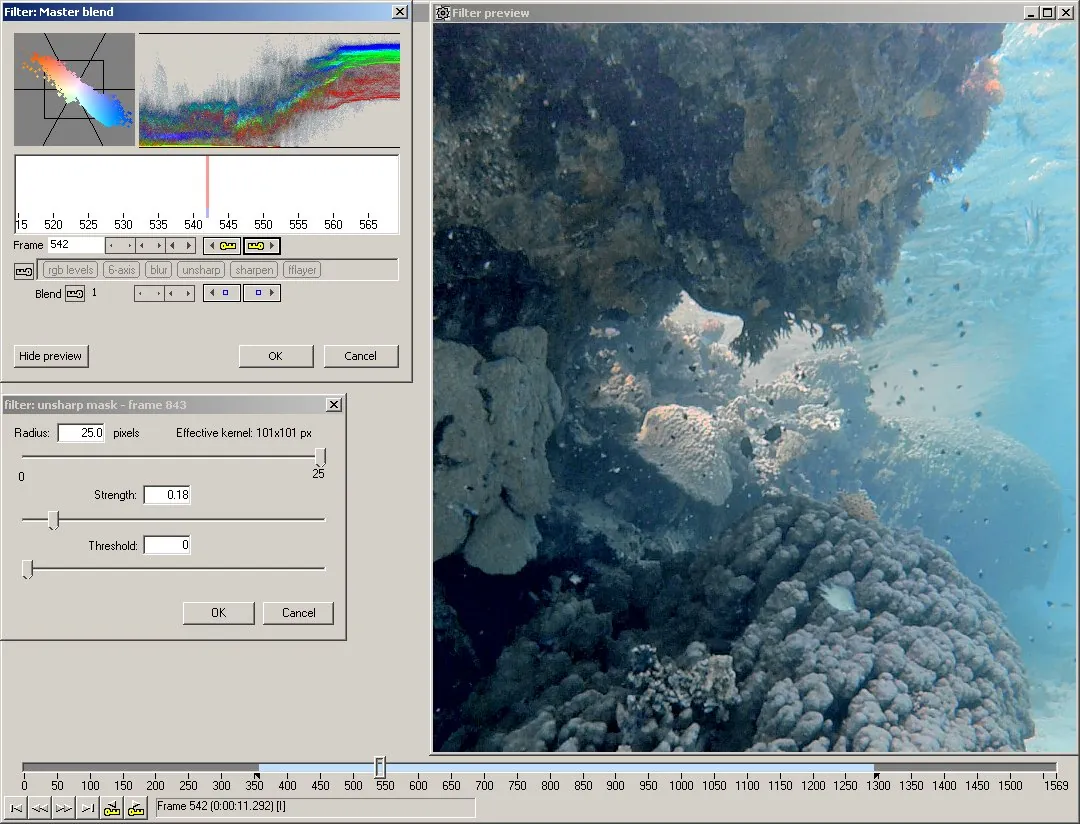
- Filter chain. Resize, levels, curves, color correction and third-party VirtualDub filters.
- Deep color and alpha. Processes video with up to 16 bits per channel and alpha.
- Script editor. Edits and previews AviSynth and VapourSynth scripts.
Who it is for
Good fit
Video hobbyists who clean up captures, apply filters frame by frame or make lossless intermediate files.
Look elsewhere
People who need a multi-track timeline, transitions and titles; Shotcut or Kdenlive fit that better.
Pros and cons
Pros
- Precise frame-by-frame editing and filtering
- Many lossless and modern encoders included
- Portable, no installation
- Open source and free
Cons
- No new builds since March 2020
- Single-track workflow, not a timeline editor
- Dated interface with technical options
How to install VirtualDub2
The button opens the official SourceForge folder; download VirtualDub2_44282.zip, the newest build. Extract it to a folder of your choice and run VirtualDub64.exe; there is no installer and nothing is written to the system. Windows may show a SmartScreen warning because the files are not signed.
Questions about VirtualDub2
Is VirtualDub2 free?
Yes. VirtualDub2 is open source under the GNU GPL, with no paid version, ads or registration.
Can VirtualDub2 open MP4 and MKV files?
Yes. Its caching input driver, based on FFmpeg, opens MP4, MKV, MOV, MXF and many other formats besides AVI.
Is VirtualDub2 still updated?
The latest build, 44282, was published in March 2020 and no newer release is listed on the official SourceForge page.


