

Our verdict: FocusWriter is a simple way to write without distractions: the window fills the screen and menus appear only when you move the mouse to an edge. Themes, daily goals and timers help with long projects such as novels. It is a drafting tool, so formatting, layout and collaboration belong in a full word processor.
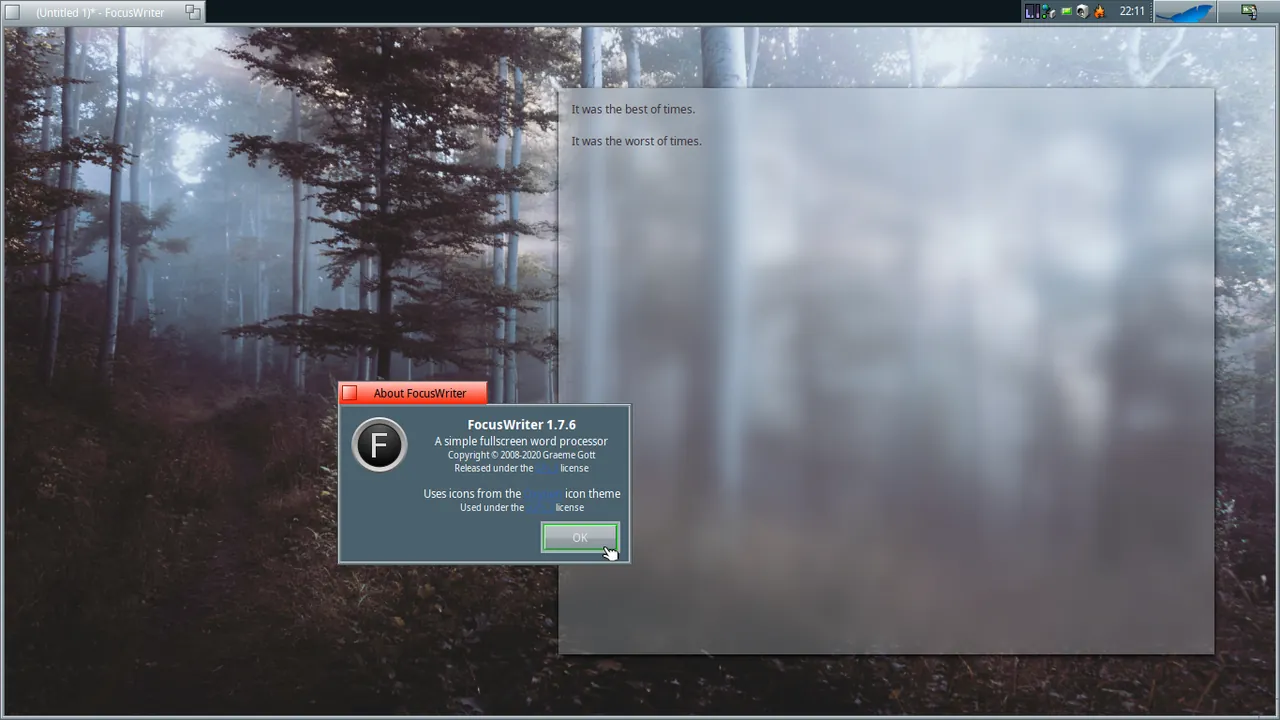
About FocusWriter
FocusWriter is written by Graeme Gott and released under the GPL v3. It runs full screen with a hide-away interface: the toolbar, document tabs and statistics slide in when you touch the screen edges. When you reopen the app, your current work loads and the cursor returns to where you stopped.
Themes control the font, colours and background image. Live statistics, daily goals by words or minutes, timers and alarms, spell-checking and several open documents are built in. Version 1.9.1, released in July 2026, is offered as a 64-bit installer and a portable build for Windows 10 and later.
What it does well
- Hide-away interface. Menus and toolbars appear only when the mouse reaches a screen edge.
- Themes. Set the font, colours, text width and background image for the writing area.
- Daily goals. Track progress toward a daily target in words or minutes.
- Timers and alarms. Schedule writing sprints with timers and alarms.
- Spell-checking. Checks spelling as you type with Hunspell dictionaries.
Who it is for
Good fit
Novelists, students and bloggers who want to draft long texts without notifications and clutter.
Look elsewhere
Anyone who needs page layout, comments, track changes or collaboration.
Pros and cons
Pros
- Open source with no ads or accounts
- Genuinely distraction-free full-screen mode
- Daily goals and timers for long projects
Cons
- Basic formatting only
- No cloud sync, comments or collaboration
- No macOS version on the official site
How to install FocusWriter
Download the Windows 10 x64 installer or the portable build from the official page. Press F11 to toggle full screen, and open Settings, Themes to pick a background and text width before you start writing.
Questions about FocusWriter
Is FocusWriter free?
Yes. FocusWriter is open source under the GPL v3. The author accepts optional tips.
Is there a portable FocusWriter?
Yes. A portable Windows 10 x64 build is offered next to the installer on the official page.
Does FocusWriter remember where I stopped?
Yes. When you open the program, your current work loads automatically and the cursor returns to where you left off.


