

Our verdict: MarkText is a clean Markdown editor that shows formatting in place while you type, so you never need a split preview. Math, diagrams, tables and export to HTML or PDF are built in. Development stalled for several years after 2022 before it resumed, and it edits files rather than managing a collection of notes.
About MarkText
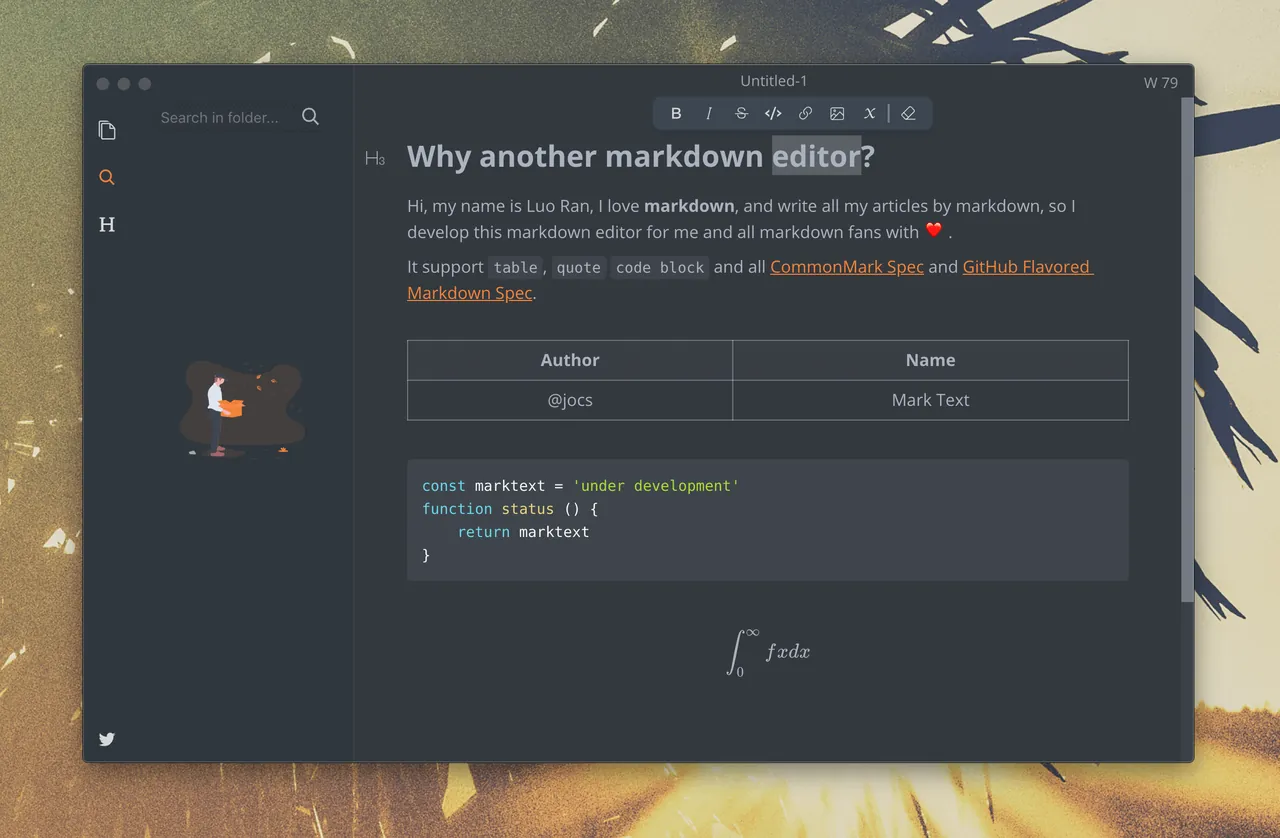
MarkText is an Electron app released under the MIT license. It supports CommonMark and GitHub Flavored Markdown and renders headings, lists, tables and images inline as you write, while keeping the file as plain Markdown that any other editor can open.
It can render math with KaTeX and diagrams such as flowcharts and sequence diagrams, and offers Source Code, Typewriter and Focus modes. Documents export to HTML and PDF. After a long pause following version 0.17.1 in 2022, development resumed, and version 0.22.0 was released in October 2026.
What it does well
- Live inline preview. Formatting appears in place as you type, with no separate preview pane.
- CommonMark and GFM. Supports GitHub Flavored Markdown tables, task lists and code blocks.
- Math and diagrams. Renders LaTeX math and flowchart, sequence and Mermaid diagrams.
- Writing modes. Source Code, Typewriter and Focus modes for different ways of working.
- Export. Saves documents as styled HTML or PDF.
Who it is for
Good fit
Writers and developers who edit README files, documentation or articles in Markdown and want to see the result as they type.
Look elsewhere
People who need a note manager with sync, tags or links between notes.
Pros and cons
Pros
- Open source under MIT
- Inline preview keeps the window uncluttered
- Math and diagram support built in
Cons
- Development was paused for several years after 2022
- Electron app uses more memory than a plain text editor
- No sync or note organisation beyond folders
How to install MarkText
The direct link downloads the 64-bit Windows setup from the official GitHub release; a ZIP version is listed there too. Open a folder from the sidebar to browse its Markdown files, and set the image upload or copy behaviour in Preferences before pasting pictures.
Questions about MarkText
Is MarkText free?
Yes. MarkText is open source under the MIT license and has no paid version.
Is MarkText still maintained?
Yes. After a long pause following version 0.17.1 in 2022, development resumed with versions 0.20 to 0.22; 0.22.0 was released in October 2026.
Does MarkText save normal Markdown files?
Yes. Files are plain .md text and can be opened in any other Markdown editor.


