

Our verdict: Scrivener is built for long writing projects: it splits a book or thesis into small pieces you can rearrange, research beside your draft and compile into a finished manuscript. The 30-day trial counts only the days you use it. It takes time to learn, and the export system in particular has many options.
About Scrivener
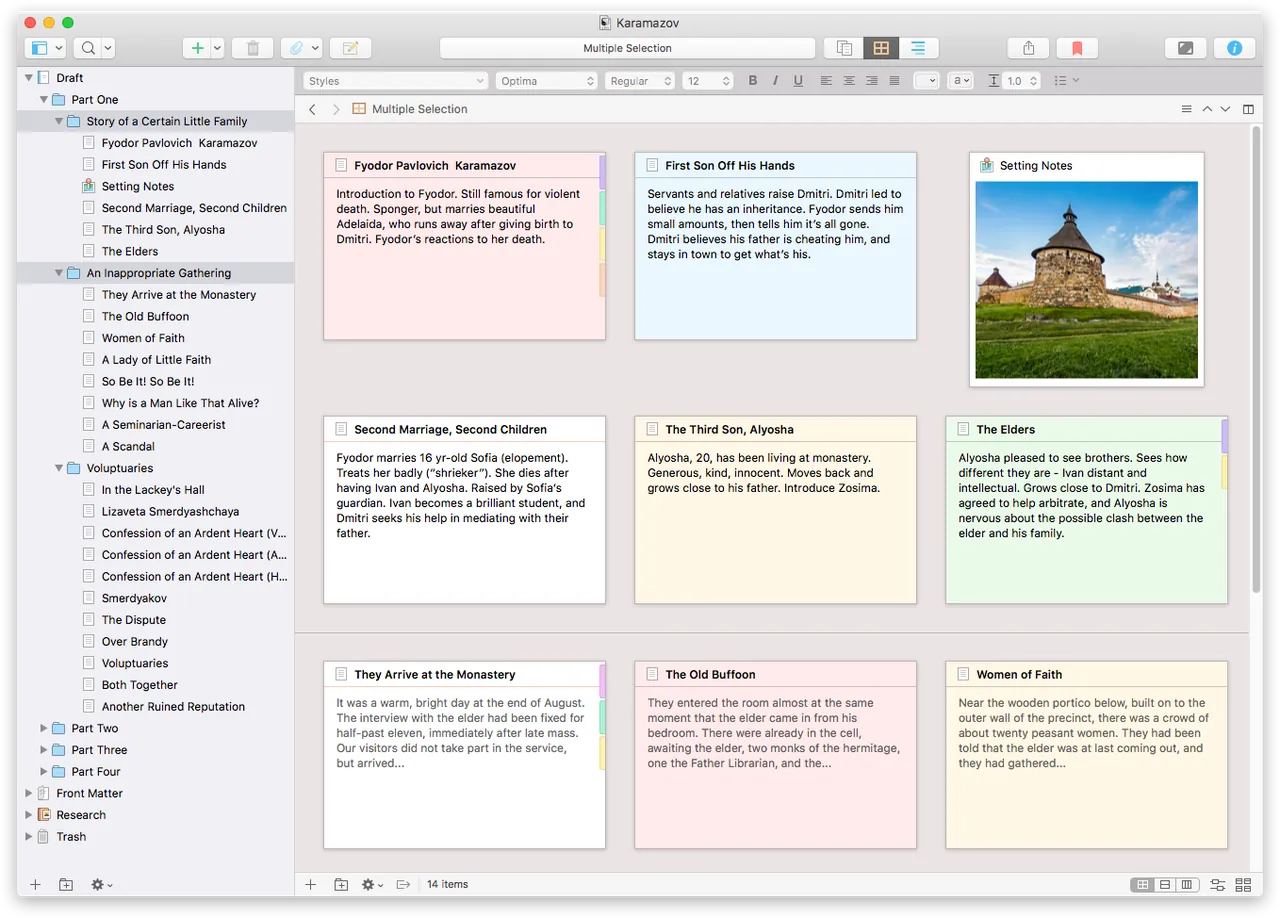
Scrivener is developed by Literature & Latte. Instead of one long document, a project is a binder of scenes, chapters, notes and research files that you can view as index cards on a corkboard or as an outline. When finished, the Compile feature turns everything into a formatted manuscript, e-book or screenplay.
A Windows license costs $59.99 once, with no subscription; Mac and iOS licenses are sold separately, and a discounted crossgrade is available. The trial is the full program and stops working after 30 days of actual use, so using it two days a week stretches it to about fifteen weeks.
What it does well
- Binder. Splits a project into scenes, chapters, notes and research that you can reorder by dragging.
- Corkboard and Outliner. See sections as index cards or as an outline with synopses, labels and status.
- Research alongside drafts. Keep PDFs, images and web pages inside the project and view them next to your text.
- Compile. Exports the whole project to Word, PDF, ePub, Final Draft and other formats with consistent formatting.
- Snapshots and targets. Save versions of a section before editing and track word count goals per session or project.
Who it is for
Good fit
Novelists, screenwriters, academics and anyone writing a long, structured document.
Look elsewhere
Short documents, real-time collaboration, or users who want a simple word processor.
Pros and cons
Pros
- Excellent for long, structured projects
- Trial counts only days of use
- One-time price, no subscription
- Flexible export through Compile
Cons
- Stops working after 30 days of use
- Steep learning curve, especially Compile
- Windows and Mac licenses are sold separately
How to install Scrivener
The button downloads the official Windows installer. Scrivener runs in trial mode until you enter a license key; no account is needed. Licenses bought on the Literature & Latte store are entered in the app to remove the time limit.
Questions about Scrivener
Is Scrivener free?
No. The free trial is the full program for 30 days of actual use and needs no account or card. After that, a Windows license costs $59.99 once, with no subscription.
Can I open my projects on a Mac?
Yes. Projects work on both Windows and macOS, but each platform needs its own license; owners of one get a discounted crossgrade.
Does Scrivener replace Word?
It replaces Word for drafting and organizing. For final formatting, many writers compile to Word or PDF at the end.


