

Our verdict: Heynote is a fast place to dump JSON, snippets, meeting notes and quick calculations without creating files or naming notes. Blocks keep different kinds of text apart, and math blocks replace a separate calculator. It is deliberately simple: no mobile app, no built-in sync and no rich formatting.
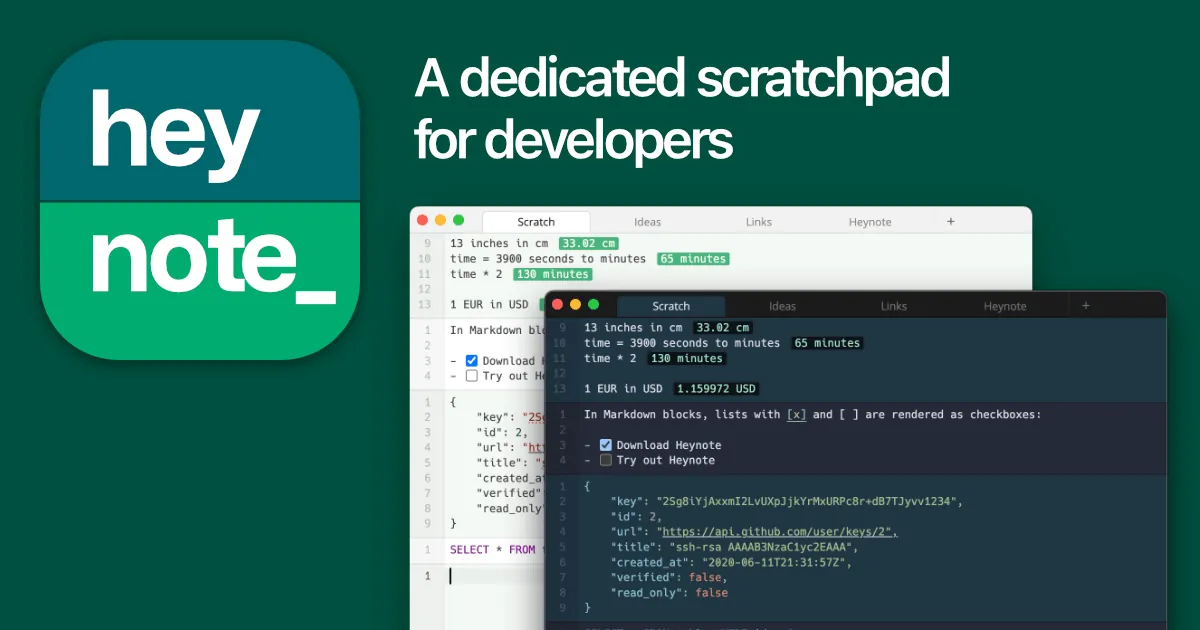
About Heynote
Heynote is a scratchpad and note-taking app for developers by Jonatan Heyman. At its core it is a large persistent text buffer divided into blocks; Ctrl+Enter creates a new block, and each block can have its own language with syntax highlighting and auto-formatting for formats such as JSON, JavaScript, Python, SQL, Markdown and YAML. Math blocks work as a calculator with variables, functions and unit and currency conversion.
You can create any number of buffers, organize them in folders and switch between them quickly. Each buffer is a .txt file in the notes library, by default under %APPDATA%\Heynote\notes on Windows; the folder can be moved to Dropbox or OneDrive for simple syncing. Inline images with a basic markup tool, multi-cursor editing, Emacs-style key bindings and a global show/hide hotkey are included. The code is published under MIT with the Commons Clause, which forbids selling the software.
What it does well
- Blocks with languages. Each block has its own language for syntax highlighting and auto-formatting.
- Math blocks. Calculator scratchpad with variables, functions, units and currency conversion.
- Multiple buffers. Create buffers in folders and switch between them with a quick picker.
- Inline images. Paste or drop images, resize them and add freehand annotations.
- Plain-text storage. Every buffer is a .txt file in a folder you choose.
Who it is for
Good fit
Developers and power users who keep a running scratch file for snippets, API responses and quick math.
Look elsewhere
People who need rich text, mobile access or reliable multi-device sync with conflict handling.
Pros and cons
Pros
- Very fast for scratch notes and snippets
- Per-block syntax highlighting and formatting
- Built-in calculator with unit conversion
- Notes are plain text files on disk
Cons
- No mobile app
- Folder-based sync is basic and can conflict
- Commons Clause license is not OSI open source
How to install Heynote
The button downloads the official Windows installer from the project's GitHub release, linked from heynote.com; older versions and beta builds are listed on the same page. In Settings you can move the notes library to a synced folder and set a global hotkey to show or hide the window.
Questions about Heynote
Is Heynote free?
Yes. Heynote is free to download and use. Its source code is public under the MIT license with the Commons Clause, which forbids selling the software but not using it.
Where does Heynote store notes?
In the notes library, a folder with one .txt file per buffer. On Windows the default is %APPDATA%\Heynote\notes, and you can change it in Settings.
Can Heynote sync between computers?
Only through a file-sync service such as Dropbox or OneDrive. The developer warns that editing the same buffer on two machines at once may cause conflicts.


