

Our verdict: novelWriter suits writers who like plain text and want their novel split into many small, well-organised documents with linked notes. It is lighter and more transparent than Scrivener, but it is a text editor first, so do not expect page layout or rich formatting.
About novelWriter
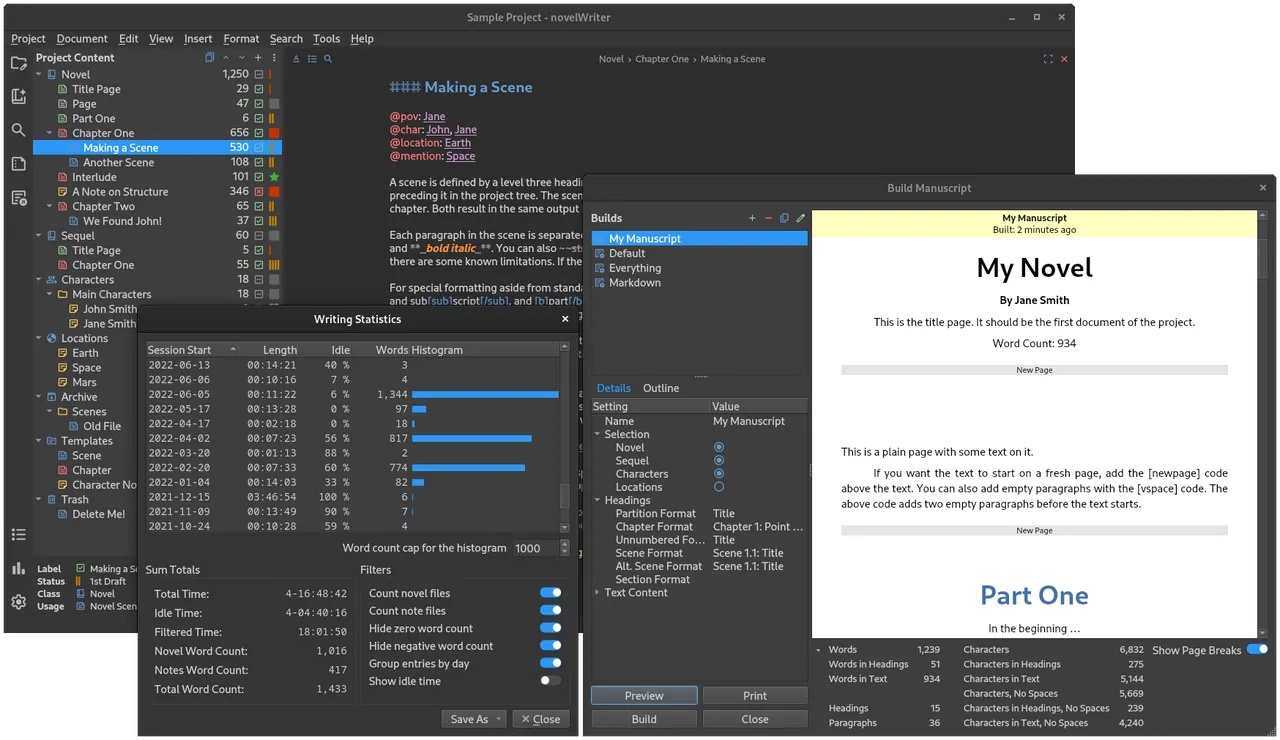
novelWriter is an open-source editor for writing novels and other long projects assembled from many small text documents. Text uses a minimal formatting syntax inspired by Markdown, and a meta data syntax adds comments, synopsis lines and tags that cross-reference characters, locations and plot notes between files.
Everything is stored as human-readable plain text files inside a project folder, which keeps the project robust and easy to back up or track with version control. A project tree separates the novel from notes, and the manuscript build tool assembles the chapters into a single document for export. The Windows version is a setup installer; macOS users currently need to install the Python package.
What it does well
- Plain text storage. Every document is a readable text file in the project folder.
- Markdown-like syntax. Headings, emphasis and scene breaks with minimal formatting codes.
- Notes and tags. Tag characters, places and plot notes and reference them from the story.
- Comments and synopsis. Keep comments and scene summaries inside the text without printing them.
- Manuscript build. Assemble the documents into one manuscript and export it.
Who it is for
Good fit
Novelists who prefer plain text, distraction-free writing and a clear structure of scenes and notes.
Look elsewhere
Writers who need WYSIWYG formatting, page layout or real-time collaboration.
Pros and cons
Pros
- Free and open source
- Plain text files that never lock you in
- Notes and cross-references for characters and plot
- Lightweight and fast
Cons
- No rich text or page layout while writing
- Formatting syntax takes a little learning
- No macOS installer at the moment
How to install novelWriter
The download button fetches the Windows setup installer from the official novelWriter GitHub release linked on novelwriter.io. Create a new project on first start and choose a location that is backed up or synced, since the project is a folder of plain text files.
Questions about novelWriter
Is novelWriter free?
Yes. novelWriter is free and open source under the GNU GPL v3.
Where does novelWriter save my novel?
In a project folder on your computer, as plain text files that any text editor can open.
Is novelWriter like Scrivener?
It shares the idea of a project split into many documents with notes, but it is a plain text editor with a Markdown-like syntax rather than a rich text writing studio.


