

Our verdict: Fork is a quick, uncluttered Git client that handles everyday work and harder tasks like interactive rebase visually. You can evaluate it for free, but the license asks you to buy it for long-term use. At $59.99 once it is cheaper than most paid Git clients and works for commercial projects.
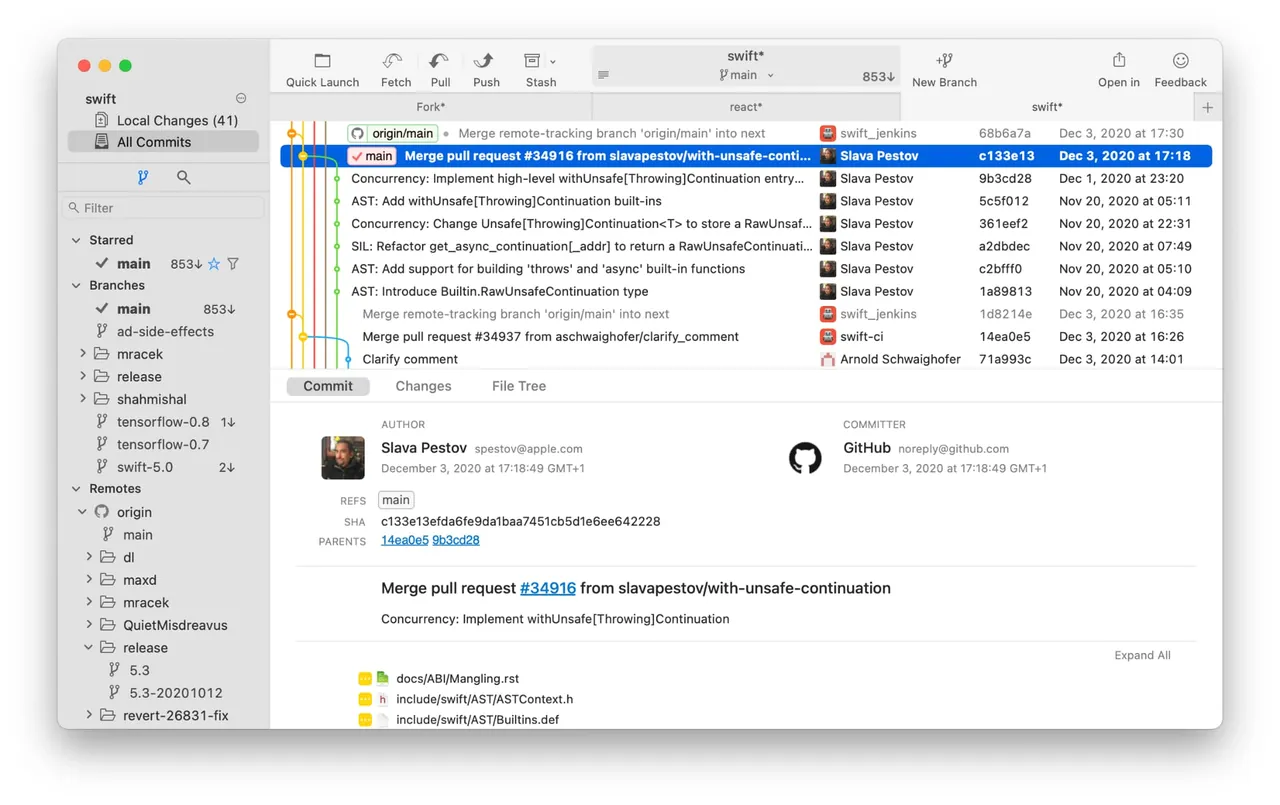
About Fork
Fork is made by a two-person team, Dan and Tanya Pristupov. It covers commits, branches, tags, stashes, cherry-pick and rebase, and adds a visual interactive rebase, a merge conflict helper, blame and file history views, and diffs for common image formats. It supports Git LFS, git-flow and GitHub notifications.
The download is free and the evaluation has no stated end date, but the license agreement says you need to purchase a license for long-term use. A license costs $59.99 once, allows personal and commercial use, and covers one user on up to 3 machines across Windows and macOS. No account or card is required to evaluate.
What it does well
- Interactive rebase. Edit, reorder and squash commits visually before rewriting history.
- Merge conflict resolver. Built-in helper and editor for resolving conflicts.
- Line-level staging. Stage or unstage individual lines and hunks.
- Image diffs. Shows changes in common image formats side by side.
- Blame and history. Finds the commit that changed a file, folder or line.
Who it is for
Good fit
Developers who want a fast visual Git client and are fine paying once.
Look elsewhere
Linux users, and people who need a completely free client for long-term use.
Pros and cons
Pros
- Fast and responsive with large repositories
- Visual interactive rebase
- One-time license, commercial use allowed
- License covers Windows and macOS
Cons
- Paid license expected for long-term use
- No Linux version
- Small developer team
How to install Fork
Download the Windows installer from fork.dev; no account or card is needed to evaluate. Install Git for Windows if you also want to use git from the command line. Connect GitHub, GitLab or Bitbucket accounts in Preferences to clone repositories and see notifications.
Questions about Fork
Is Fork free?
No. You can download and evaluate it for free without an account, but its license requires a purchase for long-term use. A license costs $59.99 once.
Can I use Fork at work?
Yes. The $59.99 license allows personal and commercial use for one user on up to 3 machines.
Does Fork work on Linux?
No. Fork is available for Windows and macOS only.


