

Our verdict: FreeFileSync is a precise free tool for keeping file backups in sync with your own folders. It shows exactly what will be copied, updated or deleted before you start, and handles network shares, phones and cloud storage. It is free for private users only; companies need the paid Business Edition.
About FreeFileSync
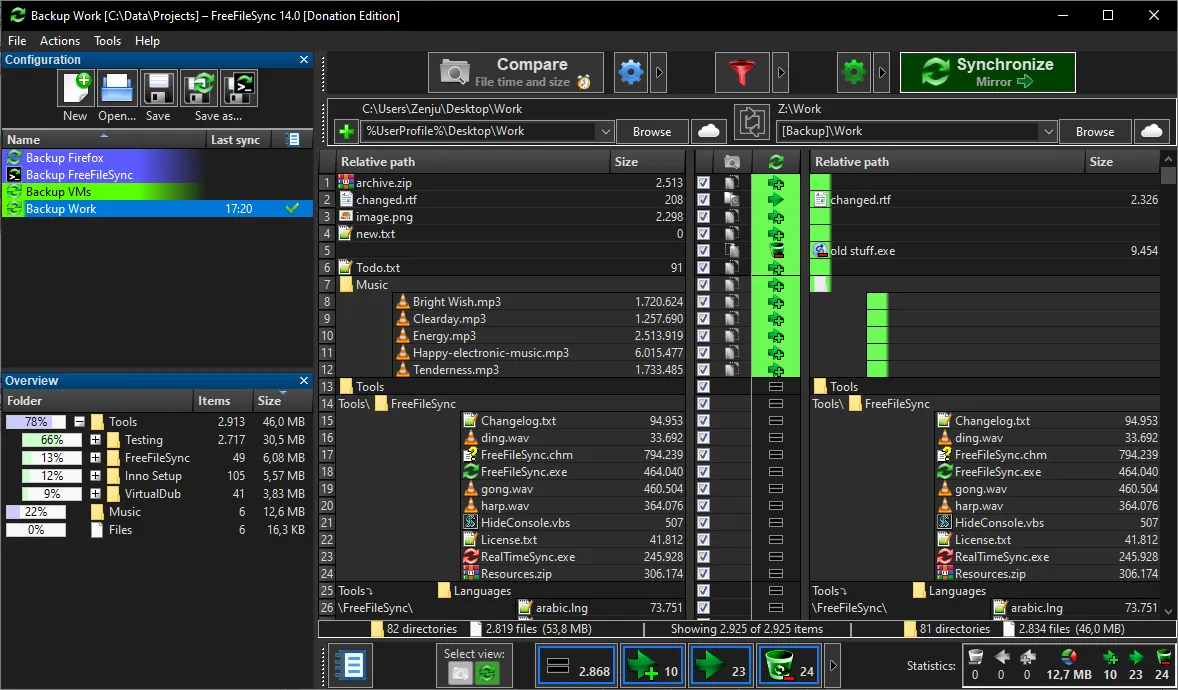
FreeFileSync compares two folders and synchronizes them. You choose the left and right folders, press Compare, pick a sync variant such as two-way, mirror or update, and see a full list of the planned changes before pressing Synchronize. There is no artificial limit on the number of files.
It works with local and network drives, phones and cameras over MTP, FTP and FTPS, SFTP and Google Drive. It detects moved and renamed files, keeps old versions of deleted or changed files, copies locked files through Volume Shadow Copy and saves jobs as batch files for Task Scheduler. Since version 10, the installer contains no advertising.
What it does well
- Preview before sync. Shows every file that will be copied, updated or deleted.
- Many locations. Local and network drives, MTP devices, FTP, SFTP and Google Drive.
- Versioning. Keeps a history of deleted and updated files in a folder you choose.
- Move detection. Recognizes moved and renamed files instead of copying them again.
- Batch jobs. Saves sync tasks to run automatically, for example with Task Scheduler.
Who it is for
Good fit
Home users who back up folders to an external drive or NAS and want full control over each change.
Look elsewhere
Companies and government agencies without a Business license, and people who want full system image backups.
Pros and cons
Pros
- Free and open source
- Clear preview of every change
- Supports network shares, phones, SFTP and Google Drive
- Versioning and move detection
Cons
- Free version is for private use only
- Auto-updater, parallel copying and portable mode need the Donation Edition
- Not a system image backup tool
How to install FreeFileSync
Download the Windows setup from freefilesync.org and run it. According to the official FAQ, the installer has shown no ads since version 10. The free version has no auto-updater, so check the website for new releases. Set deletion handling to Recycle Bin or Versioning so a wrong sync can be undone.
Questions about FreeFileSync
Is FreeFileSync free?
Yes, for private individuals. Businesses, organizations and government agencies must buy the Business Edition. A Donation Edition adds an auto-updater, parallel copying, email notifications and a portable version.
Does the FreeFileSync installer contain ads?
No. The official FAQ states that the installer has had no advertising since version 10.


