

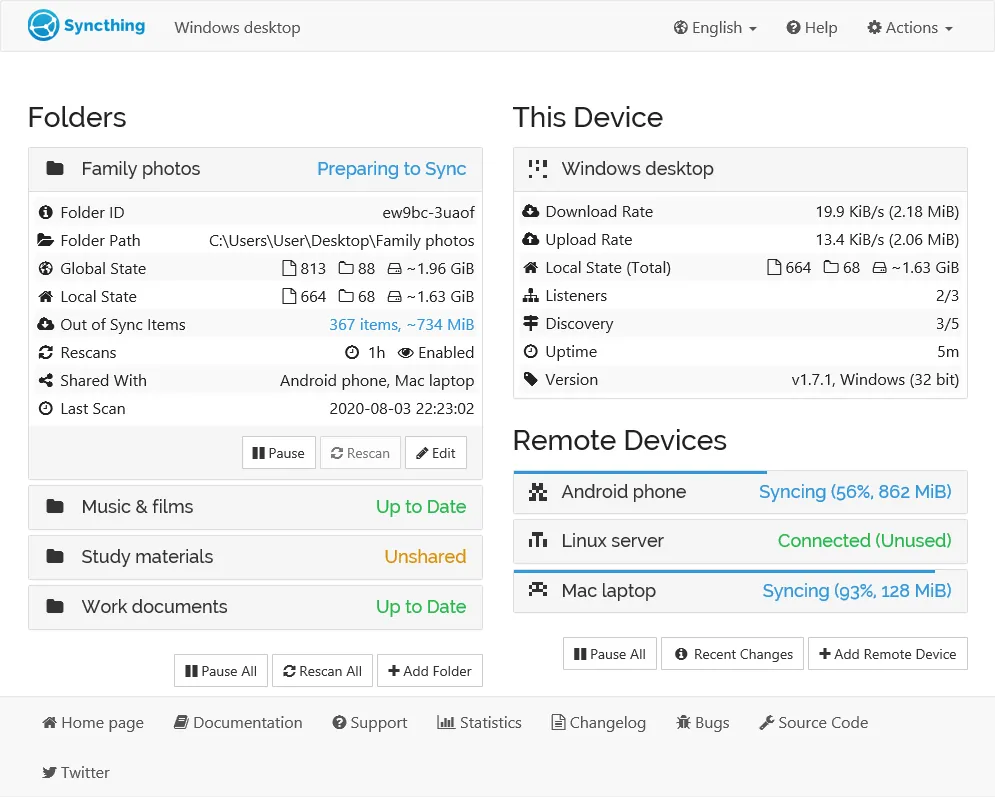
Our verdict: Syncthing is the best free way to keep folders identical on several of your own computers without trusting a cloud provider. There are no storage limits because there is no server, but there is also no polished Windows app: the official build runs in the background and is configured in a browser tab.
About Syncthing
Syncthing synchronizes folders directly between devices in real time, over your local network or the internet. Your data is stored only on your own devices; connections are encrypted with TLS, and every device is identified by a cryptographic ID, so only devices you approve can connect. UPnP handles port forwarding in most home networks.
Syncthing is free and open source under the Mozilla Public License 2.0, developed in the open by the Syncthing Foundation. For Windows the project publishes a ZIP with the program and a web interface; its download page also lists community installers that add a tray icon and automatic start.
What it does well
- Peer-to-peer sync. Folders sync directly between your devices, with no central server.
- Encrypted connections. All traffic uses TLS with perfect forward secrecy.
- Device approval. Only devices you explicitly add by their ID can connect.
- Works over LAN and internet. No IP addresses or port forwarding needed in most cases.
- File versioning. Keep old versions of changed or deleted files on each device.
Who it is for
Good fit
People who want to sync folders between their own PCs, a home server or NAS without a cloud account.
Look elsewhere
Users who want a simple installer with a tray app out of the box, or who need to share files with people outside their devices.
Pros and cons
Pros
- Open source
- No storage limits and no cloud account
- Encrypted, direct device-to-device sync
- Runs on almost every operating system
Cons
- No official installer or tray app for Windows
- Configuration happens in a browser tab
- Devices must be online at the same time to sync
How to install Syncthing
The official Windows download is a ZIP: extract it and run syncthing.exe, which opens the web interface at http://127.0.0.1:8384. To start it with Windows and get a tray icon, use one of the community installers listed on the download page. Set a password for the web interface in Settings.
Questions about Syncthing
Is Syncthing free?
Yes. Syncthing is free and open source under the Mozilla Public License 2.0, with no paid tier.
Does Syncthing store my files in the cloud?
No. Files are stored only on your devices and sync directly between them.
How do I start Syncthing automatically on Windows?
Use one of the community installers or tray apps linked on the Syncthing download page, or add syncthing.exe to Windows startup.


