

Our verdict: LyX lets you write theses, papers and books with LaTeX typesetting while working in a visual editor instead of raw code. Its math editor is one of the fastest ways to type equations. You must install a TeX distribution such as MiKTeX first, and collaborators who use Word or plain LaTeX may find its .lyx files awkward.
About LyX
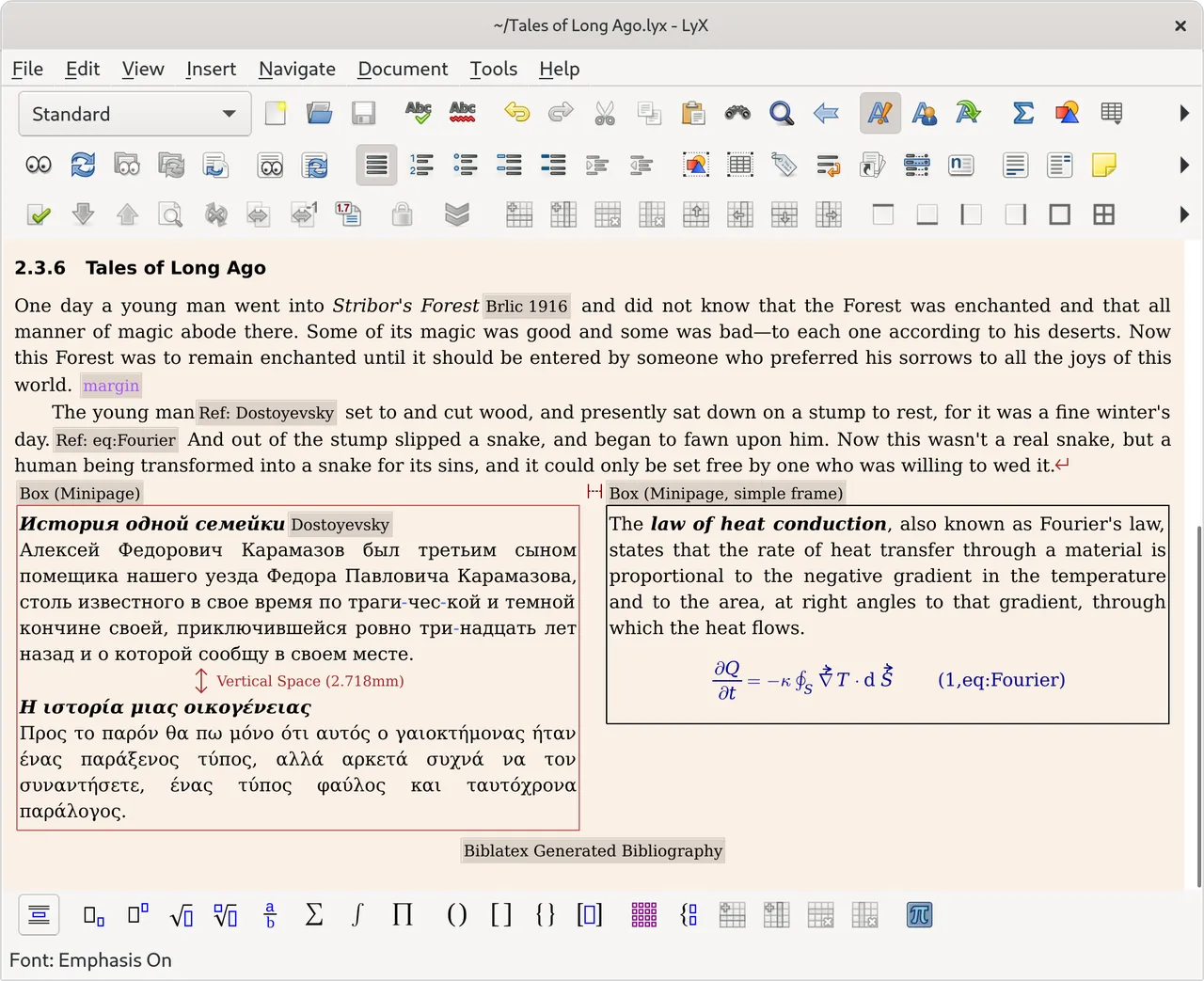
LyX is developed by the LyX Team under the GPL v2 or later. It follows a 'what you see is what you mean' approach: you mark text as a section, quote or caption, and LyX produces the LaTeX code and the final layout, so you think about structure rather than formatting.
Equations are typed in a visual math editor that also accepts LaTeX commands. Bibliographies work with BibTeX and Biblatex, and document classes for many journals and publishers are included. LyX also has change tracking, document comparison and a spell checker. On Windows, a TeX distribution such as MiKTeX or TeX Live must be installed before LyX.
What it does well
- Visual math editor. Type equations with instant on-screen rendering and LaTeX shortcuts.
- Structure-first editing. Mark headings, lists and captions, and LyX handles the typesetting.
- Journal templates. Document classes for many journals, publishers and thesis styles.
- BibTeX and Biblatex. Insert citations from bibliography files and generate reference lists.
- Change tracking. Track and compare document revisions, like in a word processor.
Who it is for
Good fit
Students and researchers who need LaTeX-quality output, especially with many equations, but prefer a visual editor.
Look elsewhere
People who share documents in Word format, or LaTeX users who prefer full control over the source code.
Pros and cons
Pros
- Open source and free
- Professional LaTeX typesetting without coding
- Excellent visual math editor
Cons
- Requires a separate TeX distribution
- Own .lyx format; sharing with Word users means exporting
- Unusual workflow for people used to word processors
How to install LyX
Install a TeX distribution first: MiKTeX or TeX Live, as described on the LyX wiki. The direct link downloads the 64-bit installer from LyX's own FTP server, ftp.lip6.fr. During setup LyX detects the TeX installation; if MiKTeX asks to install missing packages on the fly, allow it.
Questions about LyX
Is LyX free?
Yes. LyX is open source under the GPL v2 or later and has no paid version.
Do I need LaTeX to use LyX?
You do not need to know LaTeX, but a TeX distribution such as MiKTeX or TeX Live must be installed on Windows.
Can LyX export to PDF and Word?
LyX produces PDF directly. It can also export to LaTeX, HTML and, via converters, to other formats.


