

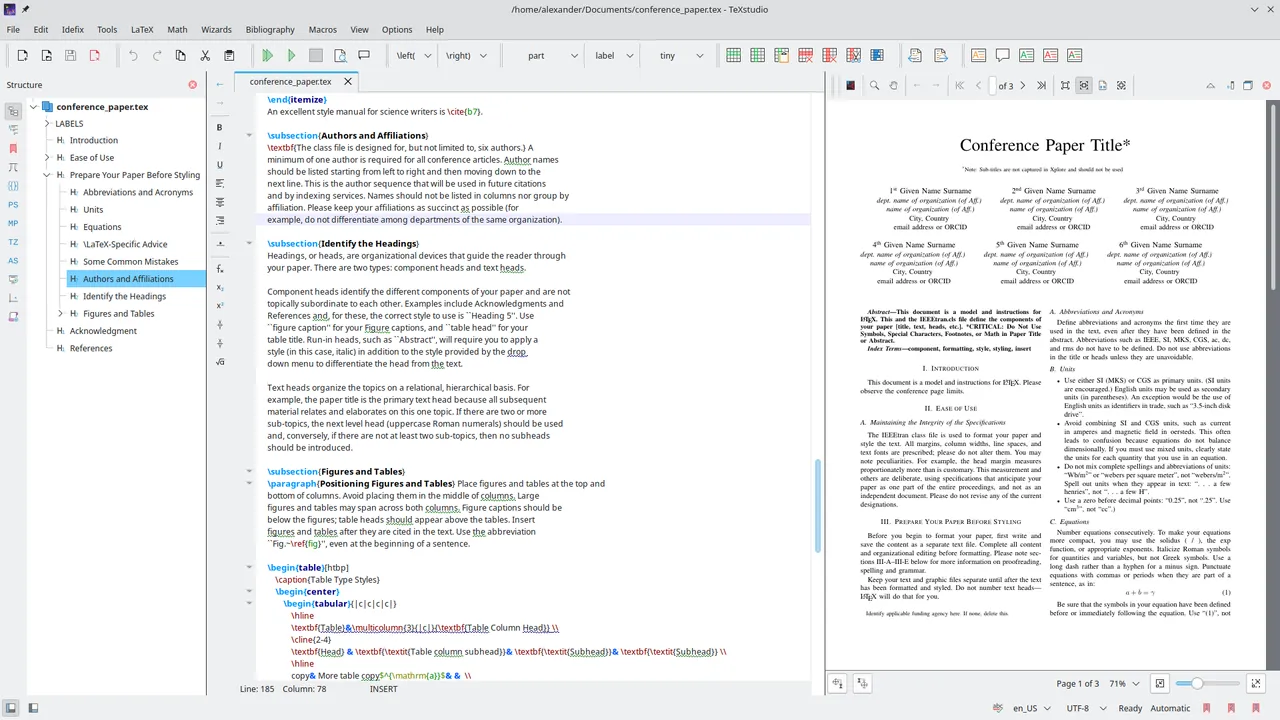
Our verdict: TeXstudio is the most complete free LaTeX editor for Windows: it highlights and checks your code as you type, completes commands and shows the PDF next to the source with jump-to-position. You still need a TeX distribution such as MiKTeX or TeX Live. The many toolbars and options can feel crowded at first.
About TeXstudio
TeXstudio is an integrated writing environment for LaTeX documents, released under the GPL v3. It started as a fork of Texmaker and adds syntax checking, inline previews and many helpers, while staying a native Qt application.
The editor offers autocompletion for thousands of commands, checks references, citations and spelling as you type, and can preview equations inline. An integrated PDF viewer supports forward and inverse search between source and output. TeXstudio does not include LaTeX itself; install MiKTeX or TeX Live first.
What it does well
- Autocompletion. Completes commands, environments, labels and citations as you type.
- Live checking. Marks undefined references, missing citations and spelling errors in the editor.
- Integrated PDF viewer. Jump from the source to the PDF and back with forward and inverse search.
- Wizards. Dialogs create tables, figures, matrices and document preambles.
- Inline previews. Shows rendered equations and images on hover or below the code.
Who it is for
Good fit
Students and researchers who write LaTeX directly and want a full editor with checks and a built-in PDF viewer.
Look elsewhere
People who prefer a visual editor without LaTeX code, or who want online collaboration like Overleaf.
Pros and cons
Pros
- Open source and free
- Excellent autocompletion and error checking
- PDF viewer with source sync built in
Cons
- Requires a separate TeX distribution
- Crowded interface with many toolbars
- No real-time collaboration
How to install TeXstudio
Install MiKTeX or TeX Live first. The direct link downloads the signed 64-bit Windows installer from the official GitHub release; a portable ZIP is also offered. After setup, check Options, Configure TeXstudio, Commands to confirm that the TeX tools were detected.
Questions about TeXstudio
Is TeXstudio free?
Yes. TeXstudio is open source under the GPL v3 and has no paid version.
Does TeXstudio include LaTeX?
No. Install a TeX distribution such as MiKTeX or TeX Live, and TeXstudio uses it to compile documents.
Is there a portable TeXstudio?
Yes. A portable Windows ZIP is published with each release on the official site.


