

Our verdict: NetLimiter gives precise control over which Windows programs use how much bandwidth, plus a firewall-style blocker and long-term stats. After the 28-day trial it keeps working in a restricted mode that monitors traffic and keeps existing rules, but you cannot create new ones without a yearly license.
About NetLimiter
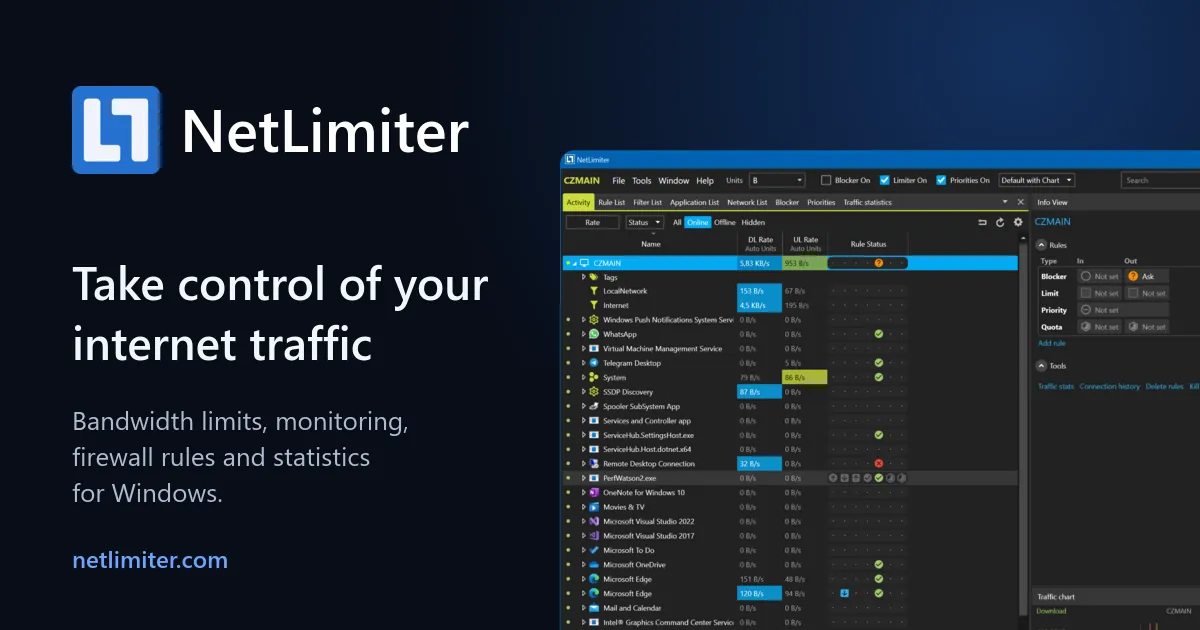
NetLimiter by Locktime Software shows in real time how much data every application sends and receives, and lets you set speed limits or priorities for the whole PC, single apps, users or individual connections. The Connection Blocker with an interactive Ask prompt stops chosen apps from going online, quotas can trigger rules after a data amount, and long-term statistics are stored locally. It also supports a rule scheduler, filters by path, domain or IP range, and remote administration of other PCs.
The download is a 28-day trial with all features. When it ends, NetLimiter switches to Restricted Mode: real-time monitoring still works and existing rules and filters keep functioning, but you cannot create new ones and Stats stop working. NetLimiter 5 is sold as a subscription; one computer costs €19 for one year or €29 for two years, with manual or automatic renewal. No account or card is needed for the trial.
What it does well
- Bandwidth limits. Set maximum upload and download speed per app, user, connection or for the whole PC.
- Priorities. Give important apps bandwidth first without hard-capping others.
- Connection Blocker. Block apps from the internet, with an Ask prompt for new connections.
- Quotas and scheduler. Trigger limits or blocks after a data amount or at set times.
- Long-term stats. Stores detailed traffic history locally for later analysis.
Who it is for
Good fit
Gamers, streamers and home users on slow links who want to stop one app from eating all the bandwidth.
Look elsewhere
Anyone who wants a one-time purchase; NetLimiter 5 licenses are yearly subscriptions.
Pros and cons
Pros
- Precise per-app speed limits and priorities
- Blocker, quotas and scheduler in one tool
- Existing rules keep working after the trial
- Low price for one PC
Cons
- After 28 days, new rules and Stats need a license (€19 per year)
- Subscription only, one license per computer
- Windows only
How to install NetLimiter
Run the official installer; it adds a network driver and a service, so Windows asks for administrator rights. Open the Activity view to see traffic per app, then right-click an app to add a limit or block rule. Use the trial to create the rules you need before it ends.
Questions about NetLimiter
Is NetLimiter free?
Not fully. The 28-day trial has every feature and needs no account or card. After it, NetLimiter runs free in Restricted Mode: monitoring and existing rules keep working, but new rules and Stats need a license from €19 per year for one computer.
Can NetLimiter limit a single game or app?
Yes. You can set separate download and upload limits or priorities for any application or connection.
Do NetLimiter 4 licenses work in version 5?
Yes, for two years from the purchase date. NetLimiter 4 licenses remain valid for version 4 without a time limit.


