

Our verdict: Patch My PC Home Updater is a quick way to keep dozens of common programs up to date without visiting each website. Updates run silently and can be scheduled. It is limited to apps in its catalog and is not allowed in businesses.
About Patch My PC Home Updater
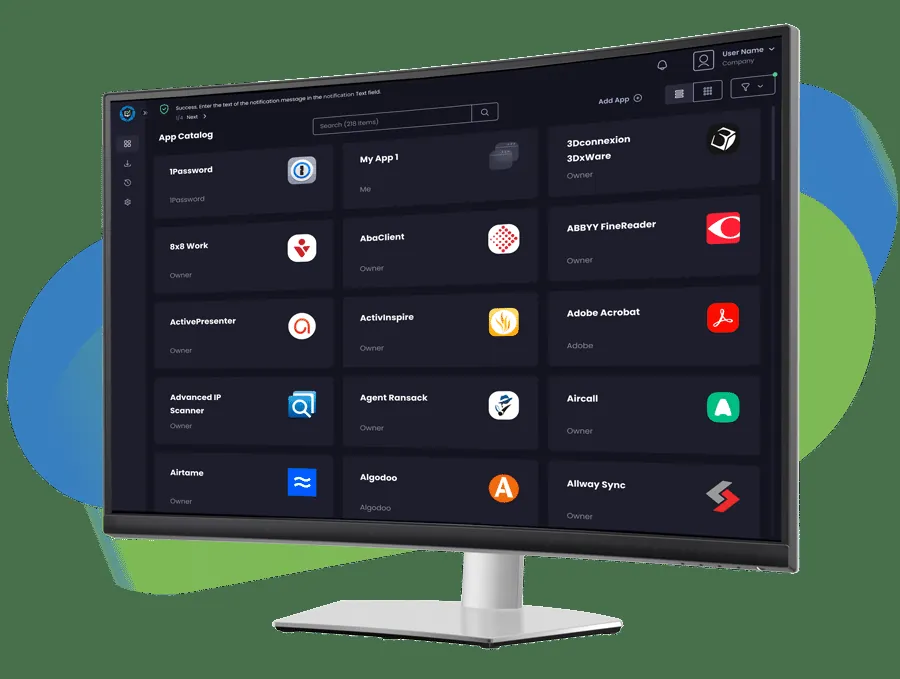
Home Updater is the free consumer product from Patch My PC, a company that sells patching tools for businesses. It scans your PC, marks outdated programs from its catalog of over 500 apps and updates them silently in the background, without installer wizards.
It can also install new apps from the same list, uninstall several programs at once and run updates on a schedule. Portable apps it downloads go into a folder you choose. Version 5 is an MSI installer for 64-bit Windows and needs the Microsoft Windows Desktop Runtime 8.0; a portable build is also offered.
What it does well
- 500+ app catalog. Detects and updates common apps, including some portable ones.
- Silent updates. Installs updates in the background without setup wizards.
- Scheduler. Runs updates daily or weekly at a time you choose.
- Bulk install and uninstall. Installs new apps or removes several programs in one go.
- Per-app control. Disable auto-updating for apps you want to keep on an older version.
Who it is for
Good fit
Home users who want common apps such as browsers, runtimes and media players kept up to date automatically.
Look elsewhere
Businesses (the license forbids commercial use) and users whose programs are not in the catalog.
Pros and cons
Pros
- Updates hundreds of apps in one place
- Silent installs with no wizards
- Built-in scheduler
- MSI installer or portable EXE
Cons
- Only updates apps in its own catalog
- Non-commercial use only
- Needs .NET Desktop Runtime 8.0 and 64-bit Windows
How to install Patch My PC Home Updater
Install the MSI; if Windows asks for .NET Desktop Runtime 8.0, install it from Microsoft first. Review the list of outdated apps before pressing update, and turn off auto-updating for any app where you need a specific version. A portable EXE is linked on the same page.
Questions about Patch My PC Home Updater
Is Patch My PC Home Updater free?
Yes, it is free for home use. Patch My PC's terms restrict it to non-commercial use.
Can it install new apps or only update?
Both. Select an app in the App Library and Home Updater installs it even if it is not on your PC yet.
Can I stop an app from updating?
Yes. Use the three-dot menu next to the app in My Apps and choose Disable Auto Updating.


