

Our verdict: O&O AppBuster is a quick way to clear out the apps that come with Windows without typing PowerShell commands. It shows hidden apps too, and a removed app can be reinstalled with one click. It only handles Windows apps, not classic desktop programs.
About O&O AppBuster
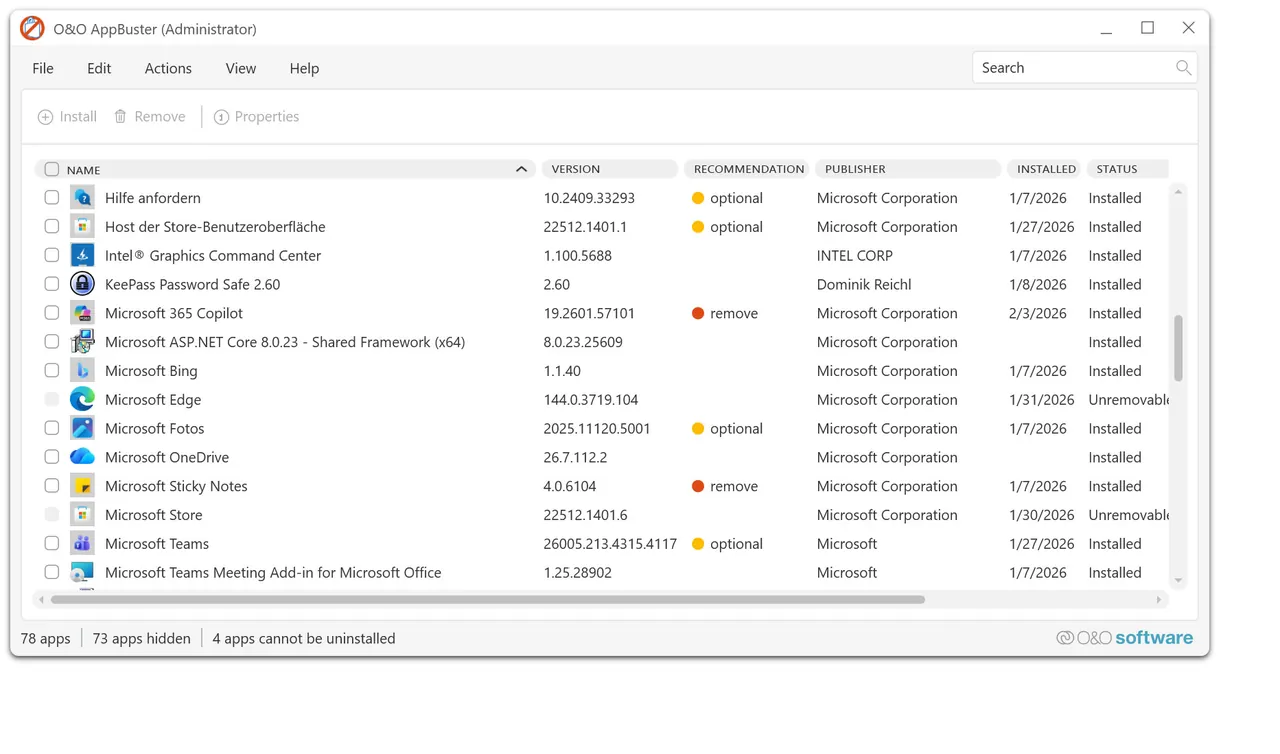
Windows 10 and 11 install many apps from Microsoft and partners alongside the system. O&O AppBuster lists the ones on your PC and the ones available to install, including hidden apps that the Settings app does not show. You tick the apps you do not want and remove them in one go.
Before making changes it can create a system restore point, and removed apps can be restored with one click. The tool is freeware from the Berlin company O&O Software, needs no installation and, according to O&O, does not download any extra software. It supports all versions of Windows 10 and Windows 11.
What it does well
- Full app list. Shows installed and available Windows apps, including hidden ones.
- Bulk removal. Removes several preinstalled apps from Microsoft or third parties at once.
- One-click restore. Reinstalls an app you removed by mistake.
- Restore point. Creates a Windows restore point before each change.
- Portable. A single exe that runs without installation.
Who it is for
Good fit
Anyone setting up a new Windows 10 or 11 PC who wants the preinstalled apps gone.
Look elsewhere
Removing classic desktop programs; use an uninstaller such as Bulk Crap Uninstaller for that.
Pros and cons
Pros
- Free, portable and small
- Shows hidden apps that Settings does not list
- Removed apps can be restored
Cons
- Only handles Windows apps, not classic desktop programs
- Removing core system apps can break features until they are restored
- Closed source
How to install O&O AppBuster
Download OOAPB.exe and run it; there is nothing to install. Let it create a restore point when asked. Leave core apps such as Microsoft Store, App Installer and the Windows Security components alone unless you know you do not need them.
Questions about O&O AppBuster
Is O&O AppBuster free?
Yes. O&O Software offers AppBuster as freeware and describes it as suitable for home users, companies and schools.
Can I get a removed app back?
Yes. AppBuster can restore removed apps with one click, and it can create a restore point before changes.
Does it need to be installed?
No. AppBuster is a portable program that runs straight from the downloaded file.


