

Our verdict: UniGetUI is the easiest way to use WinGet and other package managers without typing commands. It finds updates for most of your installed apps and installs them in one go. It is only as reliable as the package repositories behind it.
About UniGetUI
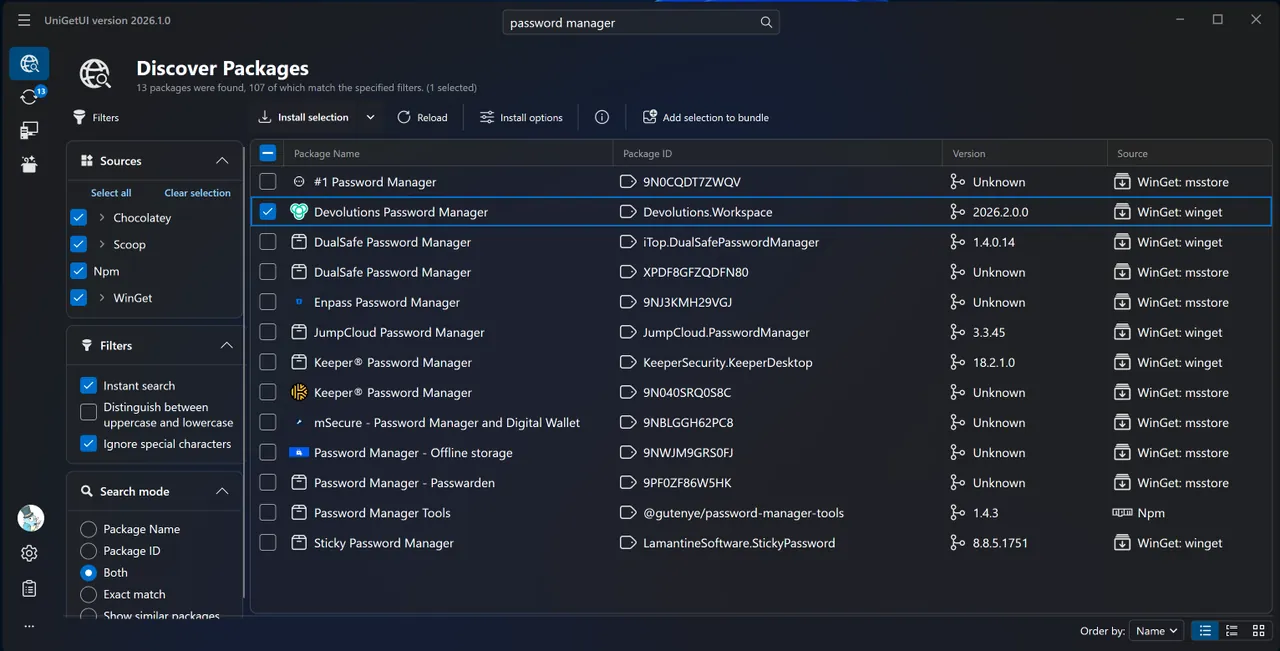
UniGetUI, formerly called WingetUI, was created by Martí Climent and is now developed by Devolutions under the MIT licence. It does not have its own software catalogue: it shows the packages from WinGet, Scoop, Chocolatey, Pip, npm, .NET Tool and PowerShell Gallery in one searchable interface.
You can install, update and uninstall packages, run operations in bulk, skip or ignore updates per package and export a list of apps to set up a new PC. A tray icon shows available updates, and UniGetUI can update packages automatically or only notify you.
What it does well
- Many package managers. WinGet, Scoop, Chocolatey, Pip, npm, .NET Tool and PowerShell Gallery in one list.
- Bulk updates. Select several apps and update or uninstall them in a single batch.
- Package details. Shows the publisher, the direct download URL and the size before installing.
- Backup and bundles. Export your package list and restore it on another machine.
- Per-package options. Custom install location, scope, architecture or version, remembered for updates.
Who it is for
Good fit
People who want to keep dozens of Windows apps up to date or set up a new PC quickly.
Look elsewhere
Users who install only a handful of apps, or who prefer to download each installer from the developer's site.
Pros and cons
Pros
- Free and open source (MIT)
- No command line needed
- Bulk install and update
- Export and import of app lists
Cons
- Package safety depends on each repository and publisher, not on UniGetUI
- Some antivirus tools flag the installer, according to the project's FAQ
- Updates fail when a package's installer or manifest is broken upstream
How to install UniGetUI
Download the x64 installer linked from the Devolutions UniGetUI page; it is also available via winget, Scoop, Chocolatey and the Microsoft Store. On first start choose which package managers to enable; WinGet is enough for most people. Review the update list before clicking Update all.
Questions about UniGetUI
Is UniGetUI free?
Yes. UniGetUI is open source under the MIT licence and free for individuals and organizations.
Is UniGetUI the same as WingetUI?
Yes. WingetUI was renamed UniGetUI, and development moved from Martí Climent to Devolutions.
Do I need WinGet for UniGetUI?
WinGet is the main source on Windows 10 and 11, but you can also use Scoop, Chocolatey, Pip, npm and other supported managers.


