

Our verdict: Snappy Driver Installer Origin is a free, open-source technician's tool for getting drivers onto a PC, including one with no working network driver. It matches devices against large driver packs and lets you choose between alternatives. Download it only from Glenn Delahoy's site: it is a separate project from the similarly named 'Snappy Driver Installer'.
About Snappy Driver Installer Origin
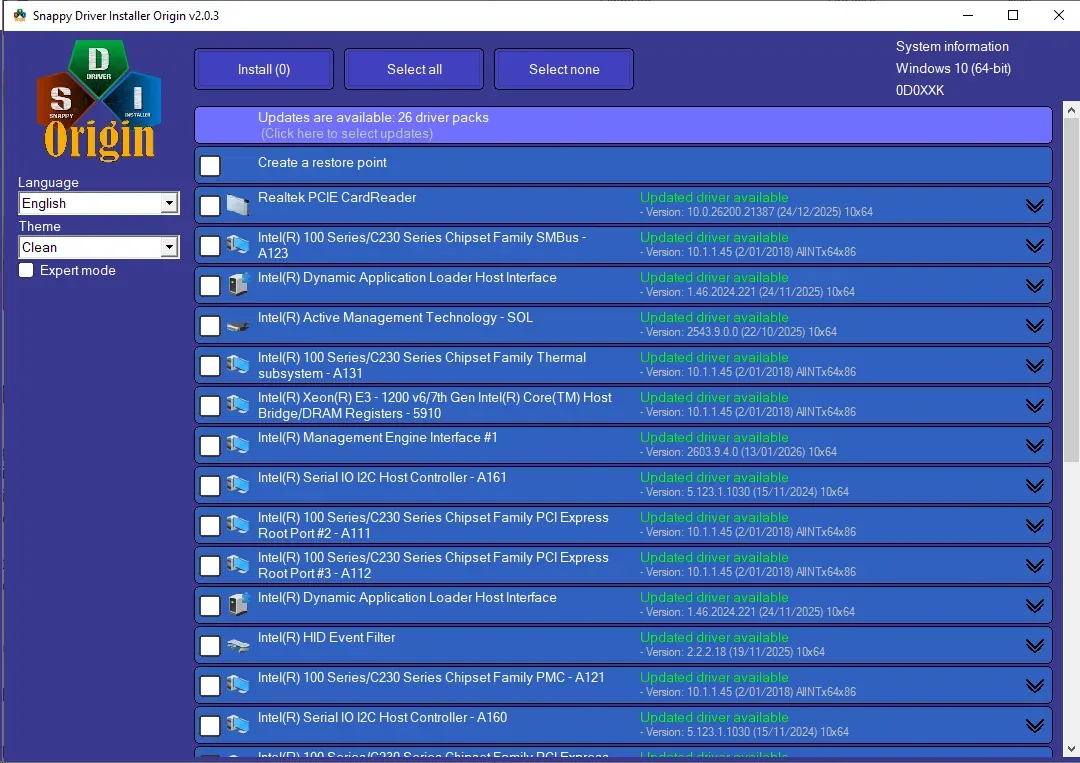
Snappy Driver Installer Origin (SDIO) is a portable Windows tool by Glenn Delahoy, released as open source under the GNU GPL v3 with source code on SourceForge. The developer states that it is free of adware, malware and bundled third-party software. It scans your hardware, compares it with driver packs and offers the best-matching driver for each device, plus alternatives if the first choice does not work.
The application download contains no drivers. A welcome screen on first run guides you through getting them: drivers marked (Internet) are downloaded when needed, and the complete driver packs, more than 70 GB, can be fetched with the built-in torrent engine so SDIO can later run offline from a USB drive. Version 2.0 updates the download code, adds a share mode for distributing driver packs and offers a separate build without torrent code for restricted networks. Driver packs are updated about weekly.
What it does well
- Driver matching. Picks the most suitable driver for each device and lists alternatives.
- Offline use. Run from a USB drive with full driver packs, no internet needed.
- Built-in updates. Updates the app and driver packs through its own download engine.
- Scripting. Fully automated installs with the built-in scripting engine.
- Portable. No installer; extract the ZIP and run.
Who it is for
Good fit
Technicians and power users setting up PCs after a clean install, especially without a working network driver.
Look elsewhere
Casual users with a working PC; Windows Update usually handles drivers, and installing the wrong one can break a device.
Pros and cons
Pros
- Free and open source, no adware
- Works fully offline with driver packs
- Portable, runs from USB
- Shows alternative drivers per device
Cons
- Full driver packs need over 70 GB of space
- Easy to install an unsuitable driver if you update blindly
- Name is easily confused with adware copycats
How to install Snappy Driver Installer Origin
Download the ZIP only from glenn.delahoy.com and extract it to a folder with plenty of free space; there is no installer. Follow the welcome screen on first run. Create a restore point, install only drivers you have a reason to change, and avoid updating USB or network drivers while running SDIO from that USB drive or network share.
Questions about Snappy Driver Installer Origin
Is Snappy Driver Installer Origin free?
Yes. It is open source under the GNU GPL v3, with no paid edition, ads or bundled software.
Is SDIO the same as Snappy Driver Installer?
No. SDIO is Glenn Delahoy's separate project, downloaded from glenn.delahoy.com. Download it only from there, not from similarly named sites.
Should I install every update SDIO shows?
No. The developer advises against blindly installing drivers: if a device works, leave its driver alone, and keep a rollback plan.


