

Our verdict: Bulk Crap Uninstaller is the best free tool for cleaning a cluttered or new PC full of preinstalled software. Tick the programs, start the batch and it runs each uninstaller with little or no clicking. The interface is dense, and the leftover cleaner deserves a careful look before you confirm.
About Bulk Crap Uninstaller
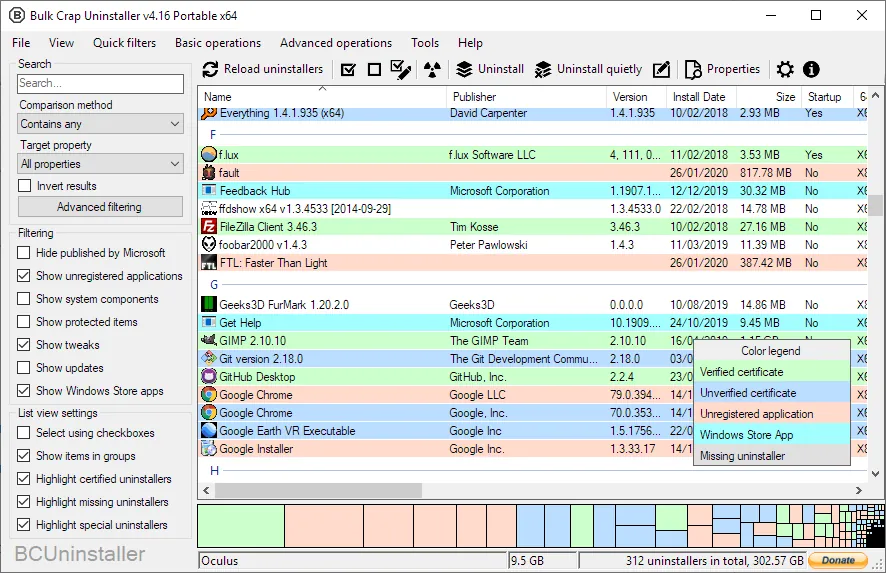
Bulk Crap Uninstaller, or BCU, was created by Klocman and is developed on GitHub. It finds normal programs, hidden registry entries, apps with broken uninstallers, portable apps, Microsoft Store apps, Steam games, Chocolatey packages, Windows Features and Windows Updates, and lists them all in one table.
BCU always tries the program's own uninstaller first and can run many of them silently, even ones without a quiet mode. After uninstalling, it scans for leftover files and registry entries. The license allows free use at home and at work.
What it does well
- Batch uninstall. Remove any number of programs in one run with minimal or no prompts.
- Wide detection. Finds Store apps, Steam games, portable apps and orphaned entries, not only Programs and Features.
- Leftover cleanup. Finds files, folders and registry keys left behind after uninstalling.
- Force uninstall. Removes programs whose uninstaller is missing or broken.
- Console mode. Command-line version for scripted uninstalls, with a dry-run option.
Who it is for
Good fit
Cleaning up a new laptop, a family PC or a work machine with dozens of unused programs.
Look elsewhere
Users who are unsure which programs are safe to remove and want a tool to decide for them.
Pros and cons
Pros
- Uninstalls many programs in one batch
- Detects apps other uninstallers miss
- Free for personal and commercial use
- Portable version available
Cons
- Busy interface with many columns and options
- Leftover cleanup can flag items you still need, so review the list
- The project has publicly asked for new maintainers
How to install Bulk Crap Uninstaller
Download the setup from the official site's GitHub releases. The setup installs the .NET 8 runtime if it is missing. A larger portable version includes the runtime and needs no installation. Create a restore point before removing many programs at once.
Questions about Bulk Crap Uninstaller
Is Bulk Crap Uninstaller safe?
It uses each program's own uninstaller first. The risk is in what you choose to remove, so check the list and the leftovers before confirming.
Can BCU remove built-in Windows apps?
Yes. It lists Microsoft Store apps and Windows Features alongside normal programs.
Is BCU free for business use?
Yes. It is open source under the Apache License 2.0 and can be used commercially without a fee.


