

Our verdict: PDFsam Basic does one job well: it splits, merges and rearranges PDF pages locally, without uploading anything. It is open source, adds no watermarks and is free at home or at work. It does not edit text or annotate PDFs.
About PDFsam Basic
PDFsam Basic has been developed as open source since 2006. It includes six tools: merge, split, mix, rotate, extract pages and insert pages. Splitting works at fixed pages, every n pages, by bookmark level or by approximate file size.
Everything runs on your computer, so private documents are never sent to an online service and no internet connection is needed. PDFsam Enhanced and PDFsam Visual are separate paid products from the same team for editing, converting and visual page work.
What it does well
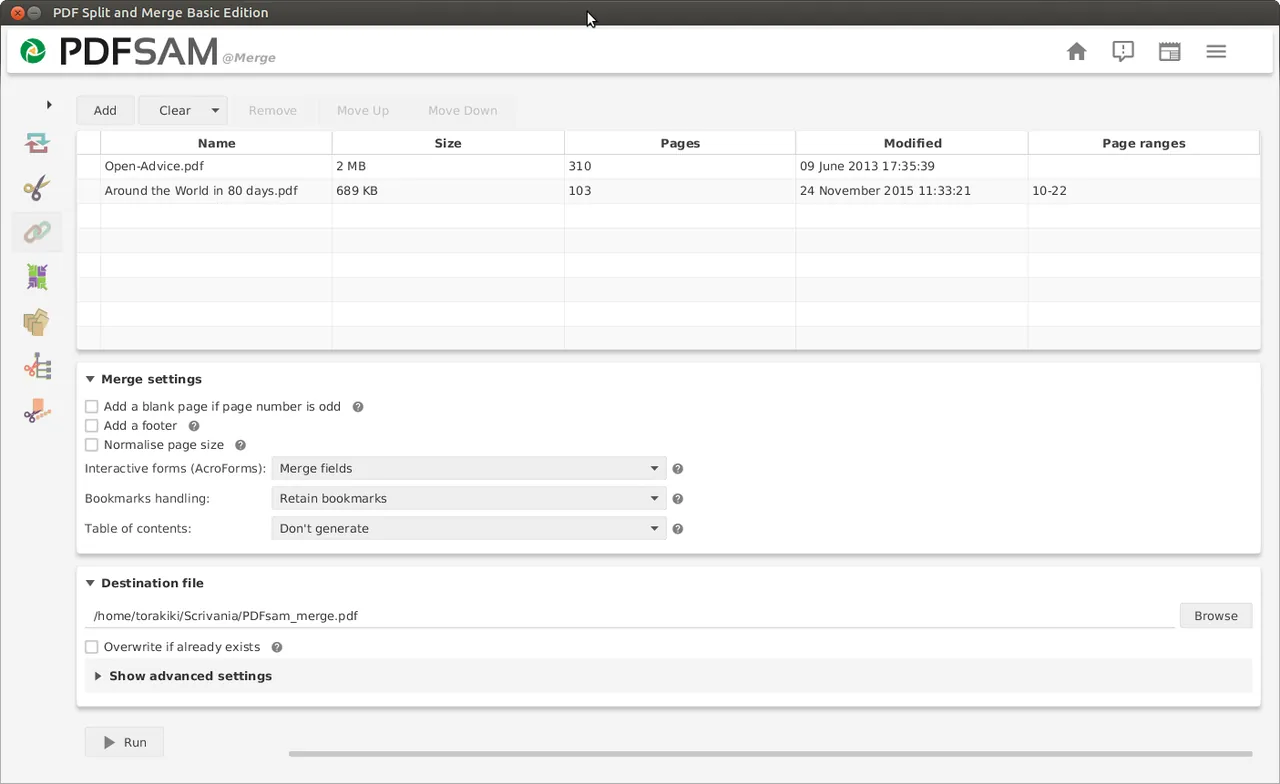
- Merge. Combines whole PDFs or page ranges, with options for bookmarks, forms and a table of contents.
- Split. Splits after chosen pages, every n pages, by bookmark level or by file size.
- Mix. Interleaves odd and even pages from a single-sided scanner or pages from several PDFs.
- Rotate. Rotates all or some pages by 90, 180 or 270 degrees.
- Extract and insert pages. Copies selected pages into a new PDF or inserts one PDF into another at intervals.
Who it is for
Good fit
Anyone who regularly combines, splits or reorders PDF files and wants to keep them offline.
Look elsewhere
People who need to edit text, fill forms or annotate PDFs.
Pros and cons
Pros
- Open source and free for business use
- Works offline
- No watermarks or page limits
- Clear one-task-per-module layout
Cons
- No text editing, annotation or form filling
- The pdfsam.org Windows downloader offers a PDFsam Enhanced trial
- No 32-bit build since version 3.3.7
How to install PDFsam Basic
The direct link gets the MSI installer from the official GitHub release, which installs PDFsam Basic only. The Windows downloader on pdfsam.org also offers a trial of PDFsam Enhanced, so read its screens carefully if you use it. Requirements are a 64-bit system and about 256 MB of RAM.
Questions about PDFsam Basic
Is PDFsam Basic free?
Yes. It is open source under the AGPL v3 and free at home and at work.
Does PDFsam upload my PDFs?
No. All processing happens on your computer.
What is the difference between PDFsam Basic and Enhanced?
Basic splits, merges, rotates and extracts pages. Enhanced is a separate paid app for editing, converting and other advanced tasks.


