

Our verdict: PDF24 Creator puts the PDF24 online tools on your PC, so files never leave your computer. It covers merging, splitting, compressing, OCR and converting, plus a virtual PDF printer. It is free even for companies, but it runs only on Windows and the install is large.
About PDF24 Creator
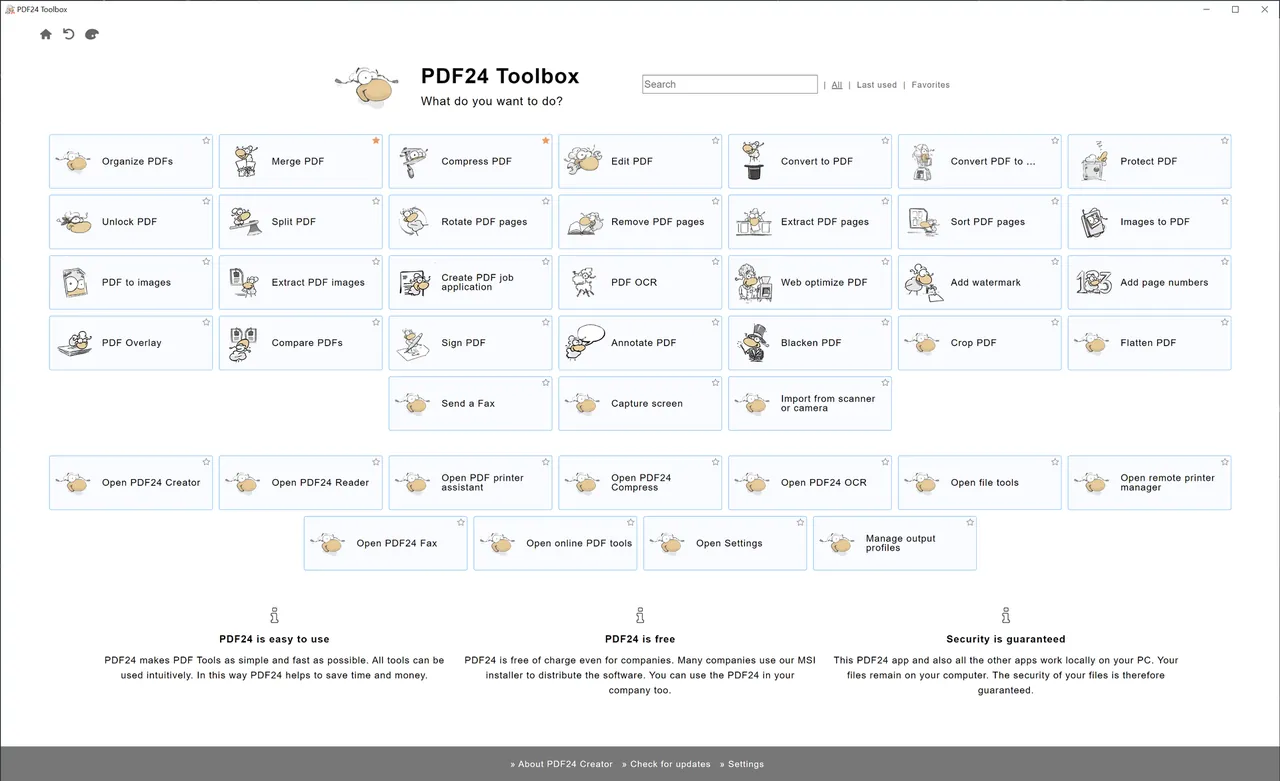
PDF24 Creator is made by the German company geek software GmbH. It installs a tool launcher with offline versions of the PDF24 tools and a virtual PDF24 printer, so any program that can print can also create a PDF.
Besides creating PDFs, it merges and splits files, rearranges and rotates pages, compresses large PDFs, recognizes text with OCR and converts PDFs to images and other formats. It also includes a lightweight PDF reader, screen capture and import from scanners and cameras.
What it does well
- PDF printer. Print from any program to the PDF24 printer to save the result as a PDF.
- Merge and split. Combine PDFs or extract, rotate, sort and remove pages with drag and drop.
- Compression. Shrinks large PDF files for email and uploads.
- OCR. Recognizes text in scanned PDFs and images and adds a searchable text layer.
- Conversion. Converts Word, Excel and image files to PDF and PDFs to other formats.
Who it is for
Good fit
Home and office users who need everyday PDF tasks without uploading files to a website.
Look elsewhere
Mac and Linux users, or anyone who needs to edit the existing text in a PDF.
Pros and cons
Pros
- Free for private and commercial use
- Works offline; files stay on your PC
- Virtual PDF printer included
- OCR and compression built in
Cons
- Windows only
- Large install that includes OpenJDK and WebView2
- Closed source
How to install PDF24 Creator
The official installer is a small file that downloads and installs the latest PDF24 Creator. Companies can pick the MSI package on the same page instead. After installation, start it from the PDF24 desktop icon and print to the new PDF24 printer to create PDFs.
Questions about PDF24 Creator
Is PDF24 Creator free?
Yes. It is free for private and commercial use, including companies and public authorities.
Does PDF24 Creator upload my files?
No. It works offline and files stay on your PC.
Is PDF24 Creator available for Mac?
No. It runs only on Windows. The PDF24 online tools work in any browser.


