

Our verdict: Stirling PDF gathers dozens of everyday PDF operations in one free app, and in Local Only mode the files never leave your PC. The catch is that several heavy tools, including OCR and most Office conversions, need Stirling Cloud or your own server, so fully offline use covers only part of the toolbox.
About Stirling PDF
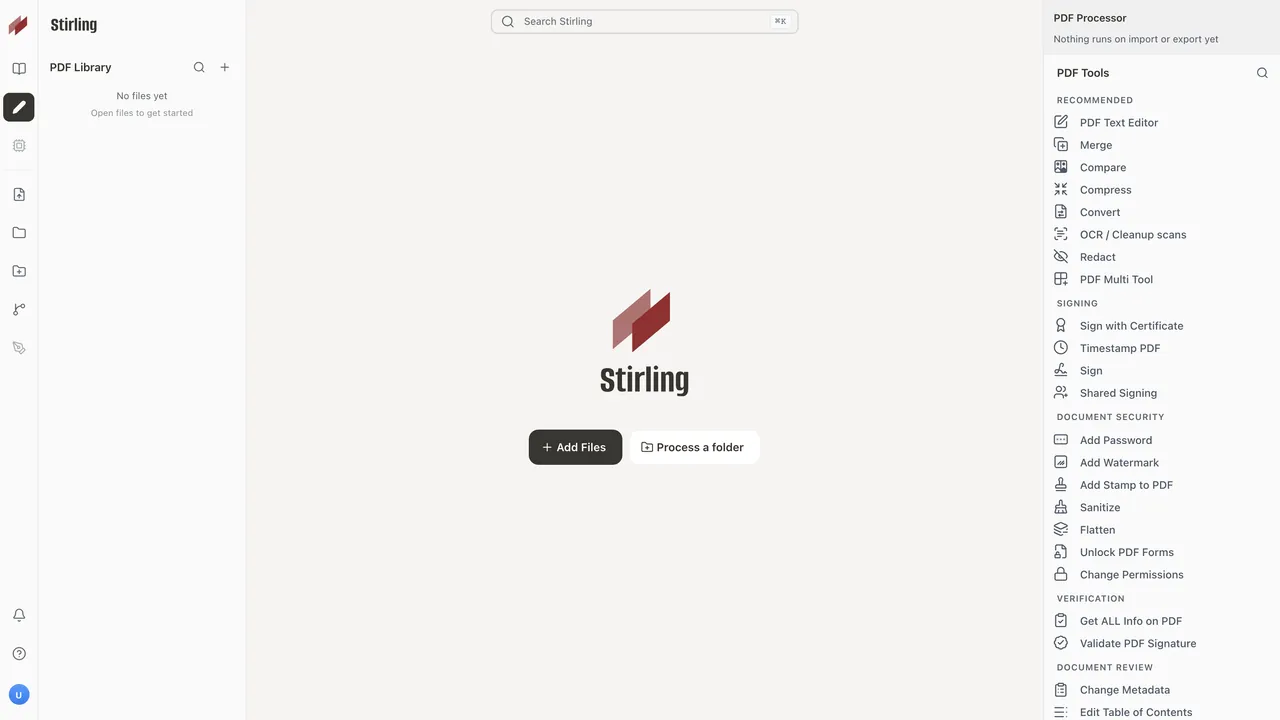
Stirling PDF started as a self-hosted web app and is now also a desktop app for Windows, macOS and Linux from Stirling PDF Inc. It offers more than 60 PDF tools: merge, split, reorder, rotate, compress, add watermarks and page numbers, sign, redact, add passwords, convert images and more. The Windows version installs from an MSI for all users and requires the Microsoft Edge WebView2 Runtime.
On first launch you can sign in to Stirling Cloud, connect to a self-hosted server or continue without signing in. In Local Only mode every tool runs on your computer and nothing is uploaded; tools the built-in engine cannot run, such as OCR, Office-to-PDF and PDF-to-Word conversion, show a cloud badge and need an account or a server. The Free plan costs nothing, needs no card and includes 1,000 monthly credits for automation; Team plans add SSO and administration.
What it does well
- 60+ PDF tools. Merge, split, rotate, reorder, compress, watermark, number pages and more.
- Sign and redact. Add signatures, redact text and areas, and protect files with passwords.
- Local Only mode. Use the app without an account; files are processed on your computer.
- Cloud and server modes. Sign in to Stirling Cloud or connect to your own Stirling server for more tools.
- Pipelines. Chain several operations into automated workflows (uses Stirling Cloud credits).
Who it is for
Good fit
People who regularly merge, split, compress or redact PDFs and want a free app that works offline.
Look elsewhere
Users who need OCR or PDF-to-Word conversion fully offline without running their own Stirling server.
Pros and cons
Pros
- Large set of PDF tools in one app
- Local Only mode needs no account
- Free for individuals, no card required
- Same tools on desktop, web and self-hosted server
Cons
- OCR and most Office conversions need Stirling Cloud or a server
- Desktop app and premium parts are under a proprietary license
- AI tools, folder processing and pipelines use cloud credits
How to install Stirling PDF
The button downloads the official 64-bit MSI installer via files.stirlingpdf.com, which redirects to the latest GitHub release. It installs for all users and asks for administrator rights. On first launch choose Continue without signing in for Local Only mode. If no window appears, install the Microsoft Edge WebView2 Runtime.
Questions about Stirling PDF
Is Stirling PDF free?
Yes for individuals. The Free plan costs $0 with no card required and includes the desktop, web and self-hosted editions plus 1,000 monthly automation credits. Team plans start at $99 per month.
Does Stirling PDF upload my files?
Not in Local Only mode: every tool runs on your computer. When signed in to Stirling Cloud, tools the local engine cannot handle are sent to the cloud.
Can Stirling PDF do OCR offline?
Not in the desktop app on its own. OCR usually needs Stirling Cloud or a self-hosted Stirling server.


