

Our verdict: QOwnNotes is a fast native note app for people who want plain Markdown files and no vendor lock-in. It is very customisable and scriptable and fits especially well with Nextcloud. It has no sync of its own and no installer on Windows, and the busy interface takes time to tame.
About QOwnNotes
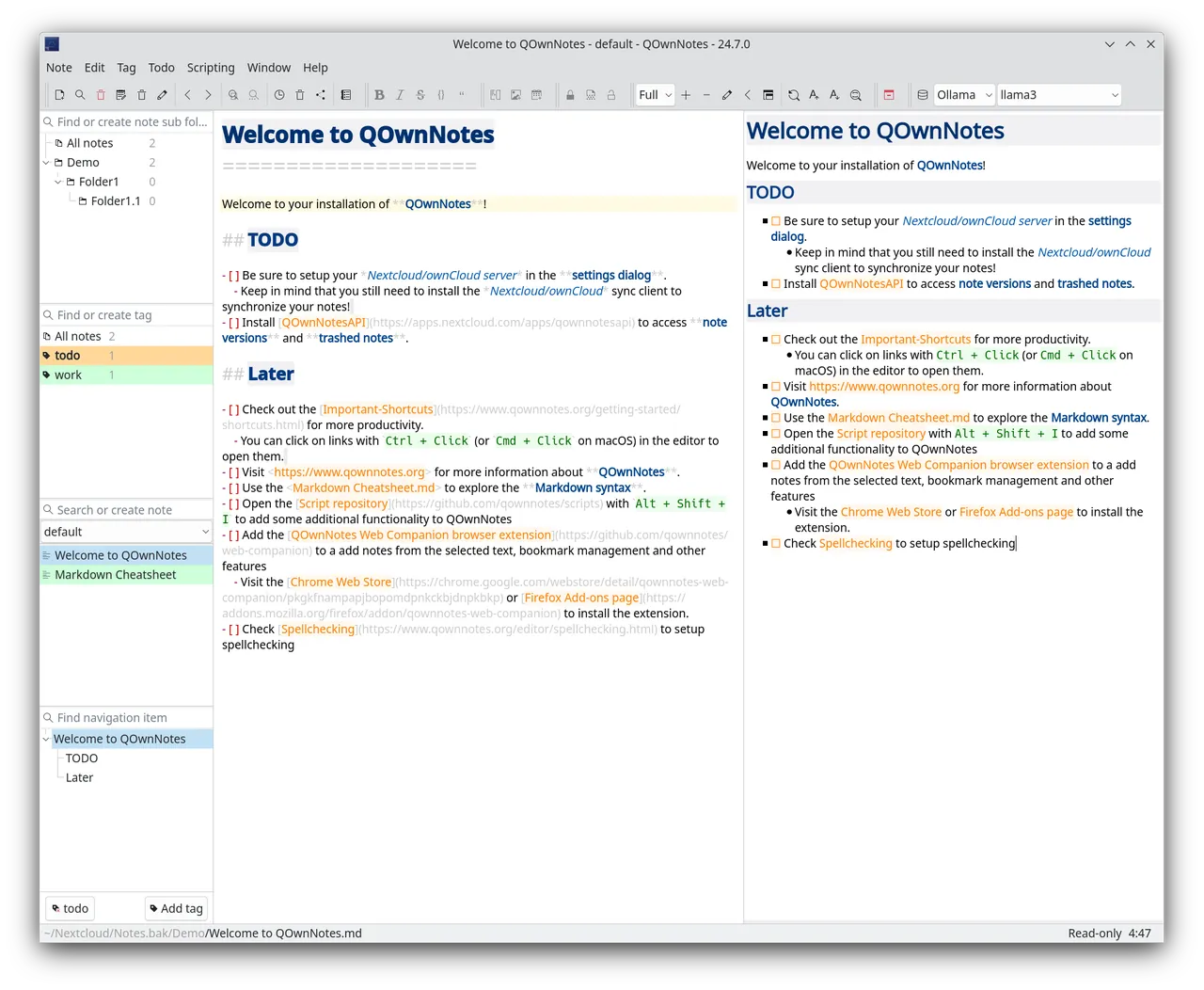
QOwnNotes is developed by Patrizio Bekerle under the GPL v2. It is a native Qt application, optimised for speed and low memory use, that saves every note as a plain-text Markdown file in a folder you choose, so other editors and sync tools can use the same files.
Sync is left to services such as Nextcloud or ownCloud, with which QOwnNotes integrates for note versions, trash, sharing and to-do lists through CalDAV. Notes can be encrypted with AES-256, and the app can be extended with scripts written in QML and JavaScript.
What it does well
- Plain Markdown files. Every note is a .md file in a normal folder, with no proprietary database.
- Nextcloud and ownCloud integration. Access note versions, the trash, sharing and CalDAV to-do lists.
- Note encryption. Encrypt individual notes with AES-256 or a custom script.
- Scripting. Extend the app with QML and JavaScript scripts from the built-in script repository.
- Portable mode. Run it with all settings and notes stored in its own folder.
Who it is for
Good fit
Nextcloud users and people who want a quick, lightweight editor for a folder of Markdown notes.
Look elsewhere
Users who want a polished, simple app with sync and mobile apps included.
Pros and cons
Pros
- Open source and lightweight
- Plain Markdown files, no lock-in
- Deep Nextcloud integration
- Highly scriptable
Cons
- No built-in sync service
- No installer on Windows, only a ZIP archive
- Crowded interface with many panels and options
How to install QOwnNotes
Windows has no installer: the direct link downloads the official QOwnNotes.zip archive. Unzip it to a folder your user account can write to, not Program Files, so the built-in updater works, then run QOwnNotes.exe. Use QOwnNotesPortable.bat if you want everything kept inside that folder.
Questions about QOwnNotes
Is QOwnNotes free?
Yes. QOwnNotes is open source under the GPL v2 and has no paid version.
How do I sync QOwnNotes?
Put the notes folder in Nextcloud, ownCloud or any other sync service; QOwnNotes reads the files directly.
Is there a QOwnNotes mobile app?
No. On phones you can open the same Markdown files with a Nextcloud Notes app or another Markdown editor.


