

Our verdict: RPCS3 is the only mature PlayStation 3 emulator and runs a large part of the PS3 library on a strong PC. It needs a fast multi-core CPU and some setup. No games are included: you install the official PS3 firmware from Sony's website and use games dumped from your own discs or console.
About RPCS3
RPCS3 describes itself as the first free and open-source PlayStation 3 emulator and debugger. Most of the code is licensed under the GNU GPL v2, and the team publishes a new Windows build for each change, with a built-in updater.
RPCS3 does not include games or system software. You install the PS3 system firmware, which Sony offers as a free download on its PlayStation website, and add games dumped from Blu-ray discs or a PS3 you own. The public compatibility list shows how well each game runs.
What it does well
- Vulkan renderer. Vulkan and OpenGL renderers with resolution scaling beyond the original 720p.
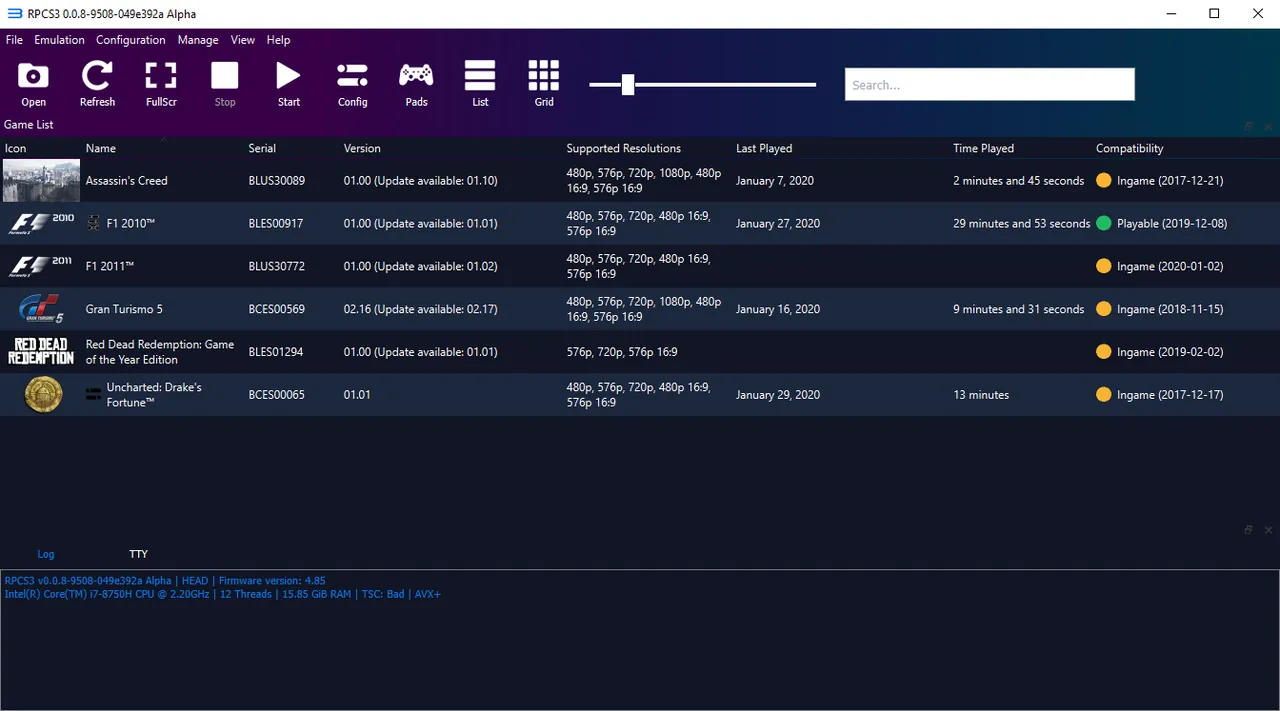
- Game list and patches. Game list with covers and a built-in patch manager for fixes and frame rate unlocks.
- Compatibility database. Public list of tested games with ratings from Playable to Nothing.
- Controller support. Works with DualShock, DualSense, Xbox and other controllers.
- Built-in updater. Checks for new builds on start and updates in place.
Who it is for
Good fit
Owners of PS3 games with a powerful PC who want to play them at higher resolutions.
Look elsewhere
Low-end or older PCs, and anyone without their own PS3 games to dump.
Pros and cons
Pros
- Runs many PS3 games at higher resolution
- Open source with frequent builds
- Detailed public compatibility list
- Patch manager for per-game fixes
Cons
- Needs a fast modern CPU and GPU
- Shipped as a .7z archive without an installer
- Dumping PS3 games requires your own console or a compatible Blu-ray drive
How to install RPCS3
Install the Visual C++ 2022 Redistributable (x64) first. Extract the .7z archive to a folder you can write to, for example with 7-Zip, and run rpcs3.exe. Install the firmware via File → Install Firmware using the PS3UPDAT.PUP file downloaded from Sony's PlayStation website, then add your own game dumps.
Questions about RPCS3
Is RPCS3 free?
Yes. RPCS3 is open source, mostly under the GNU GPL v2, and has no paid version.
Does RPCS3 need a BIOS or firmware?
Yes. It needs the official PS3 system firmware, which Sony provides as a free download. No firmware or games are bundled with the emulator.
Can RPCS3 run every PS3 game?
No. Check the official compatibility list on rpcs3.net before buying hardware or dumping a game.


