

Our verdict: ScummVM is the easiest way to play classic LucasArts, Sierra and other adventure games on a modern PC. It replaces the original game executables, so games run natively without DOS emulation. No commercial games are included: you need the data files from copies you own.
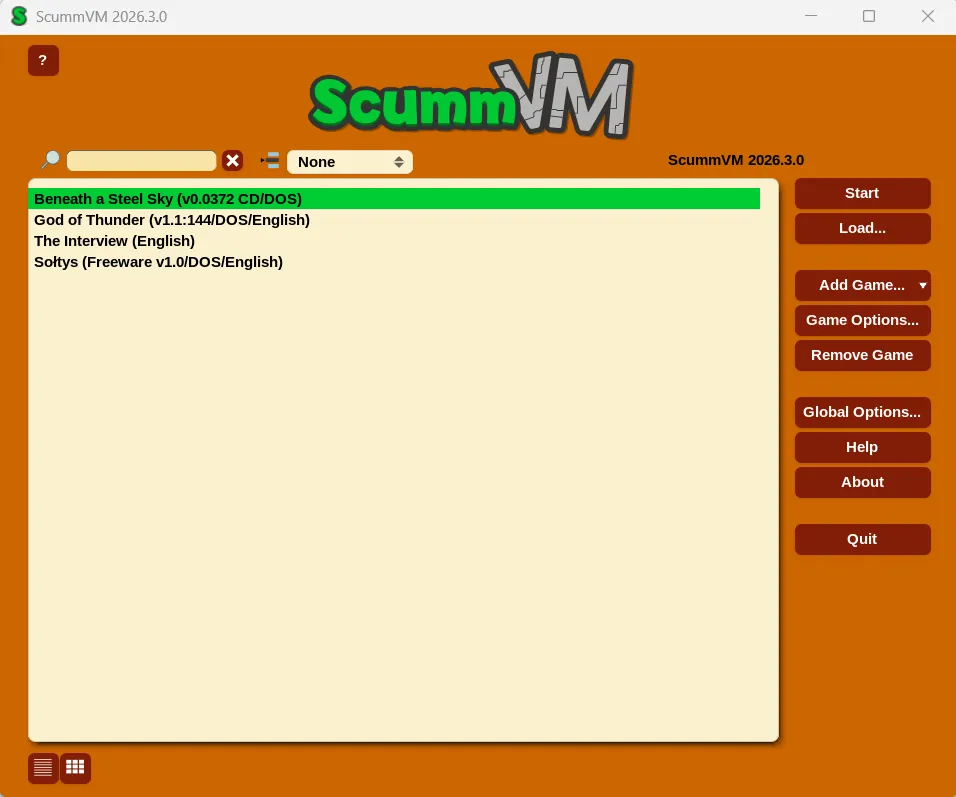
About ScummVM
ScummVM is developed by the ScummVM Team under the GNU GPL v3 and has been in development for more than 25 years. It is not an emulator: it reimplements the engines of the supported games, so they run on systems they were never designed for.
The project lists support for over 325 adventure games from studios such as LucasArts, Sierra On-Line, Revolution Software, Cyan and Westwood. You need the original data files from discs, floppies or digital copies you own; a few games are offered as legal freeware on scummvm.org.
What it does well
- Hundreds of games. Supports over 325 adventure and role-playing games across dozens of engines.
- Launcher with game detection. Add a game folder and ScummVM detects the game, version and language.
- Graphics filters. Scalers, aspect ratio correction and shaders for sharper pixel art on modern screens.
- Music emulation. AdLib, Roland MT-32 and General MIDI music output.
- Unified save menu. The same save and load menu works across games, opened with Ctrl+F5.
Who it is for
Good fit
Fans of classic point-and-click adventures who own the original games or digital re-releases.
Look elsewhere
People expecting games to be included, or looking to run general DOS or Windows software.
Pros and cons
Pros
- Runs classic adventures natively
- Large and growing list of supported games
- Works with original discs and digital re-releases
- Open source with no ads
Cons
- No commercial games included
- Only supports games whose engines were reimplemented
- Some games need extra files copied from specific discs
How to install ScummVM
Run the Windows installer; it contains both 32-bit and 64-bit builds and installs the right one. Click Add Game in the launcher and choose the folder with your game's data files. Use the Mass Add option to scan a folder with several games at once.
Questions about ScummVM
Is ScummVM free?
Yes. ScummVM is open source under the GNU GPL v3 and has no paid version.
Does ScummVM include games?
No commercial games are included. You need the data files from games you own; scummvm.org offers a few games that their rights holders released as freeware.
Is ScummVM an emulator?
No. It reimplements the game engines instead of emulating hardware, so the games run directly on Windows.


