

Our verdict: Trilium is built for people with thousands of notes who want deep hierarchies, attributes and automation rather than a simple notepad. It is now developed by the TriliumNext team, which took over after the original author stepped back. Syncing between devices requires running your own Trilium server.
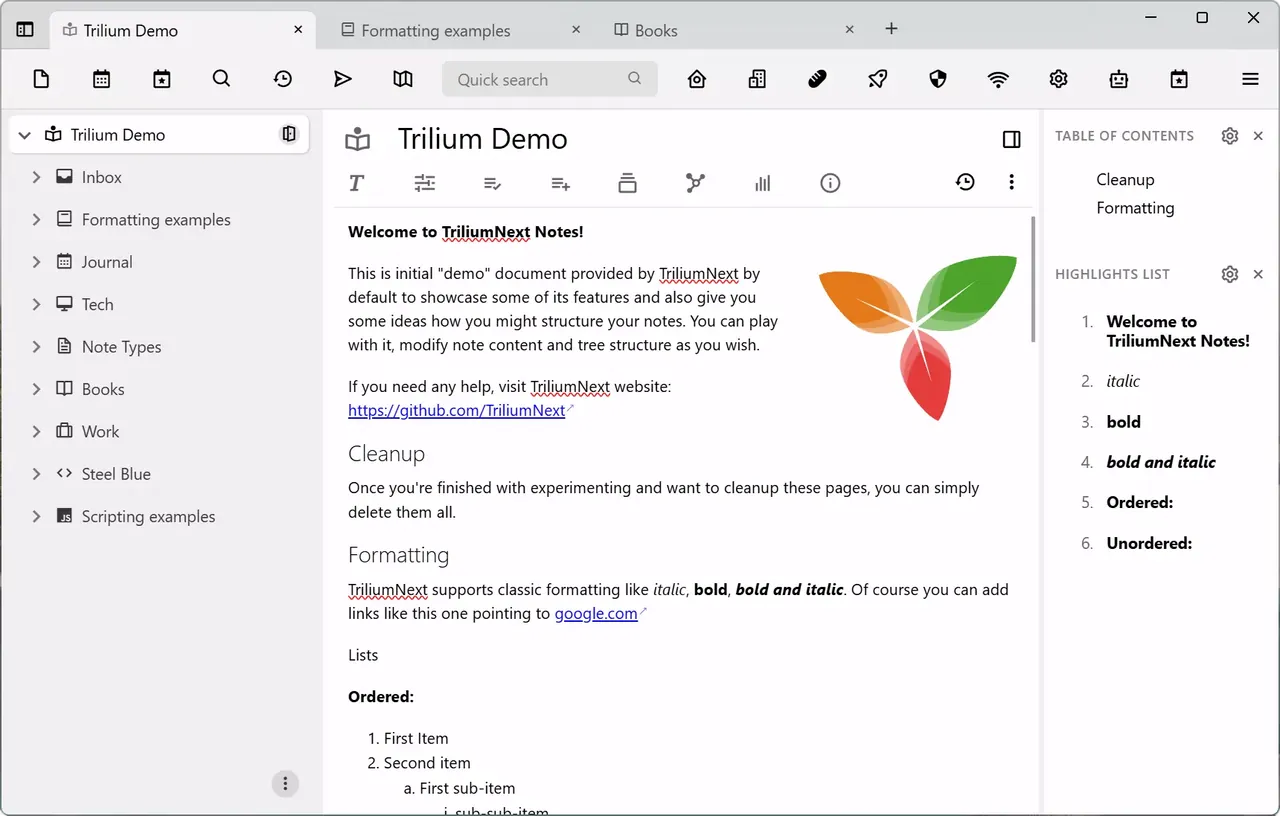
About Trilium Notes
Trilium Notes organises notes in a tree of any depth, and a single note can be cloned into several places in the tree. Besides rich text, there are note types for code, canvas drawings, Mermaid diagrams, mind maps, relation maps, saved searches and web views, plus collections such as calendars and tables.
The original project by zadam went into maintenance mode, and development continues as TriliumNext under the AGPL v3; the official repository and the triliumnotes.org site now belong to TriliumNext. The desktop app works offline, and a separate Trilium server syncs notes between computers and gives web access. Protected notes are encrypted with a password.
What it does well
- Deep note tree with clones. Put the same note in several branches of the tree without copying it.
- Many note types. Text, code, canvas, Mermaid diagrams, mind maps, relation maps and saved searches.
- Protected notes. Encrypt sensitive notes with a password; they stay locked until you unlock the session.
- Attributes and templates. Labels and relations add metadata, and templates create structured notes.
- Scripting. Write JavaScript to add widgets, automate tasks or build small tools inside your notes.
Who it is for
Good fit
Power users who build a large personal wiki and want structure, metadata and scripting.
Look elsewhere
People who just want quick notes on a phone; there is no native mobile app and sync needs a self-hosted server.
Pros and cons
Pros
- Open source and actively developed
- Handles very large note collections
- Many note types and powerful scripting
- Optional encryption of individual notes
Cons
- Syncing between devices requires a self-hosted server
- No native mobile app; phones use the server's web interface
- Many concepts to learn before it feels natural
How to install Trilium Notes
The direct link downloads the 64-bit Windows installer from the official TriliumNext release; a portable ZIP is listed there too. On first launch choose whether to start a new document or sync from an existing server. Notes from the old zadam/trilium versions can be opened, and the database is upgraded automatically, so back it up first.
Questions about Trilium Notes
Is Trilium Notes free?
Yes. Trilium is open source under the AGPL v3; the desktop app and the server are both free.
What is TriliumNext?
TriliumNext is the community team that continued Trilium after the original author stopped active development. Its releases are the maintained version of Trilium.
How do I sync Trilium between computers?
Run a Trilium server on your own machine, a VPS or Docker, then connect each desktop app to it in the sync settings.


