

Our verdict: XnConvert is the quickest free way to resize, convert or watermark hundreds of images in one go. You stack actions into a reusable preset and run it on a whole folder. It is free for private and educational use, but companies need a paid license.
About XnConvert
XnConvert comes from the developer of XnView MP and uses the same image engine. It reads more than 500 formats, including camera RAW, HEIC, AVIF, PSD, JPEG XL and PDF, and exports to about 70 formats.
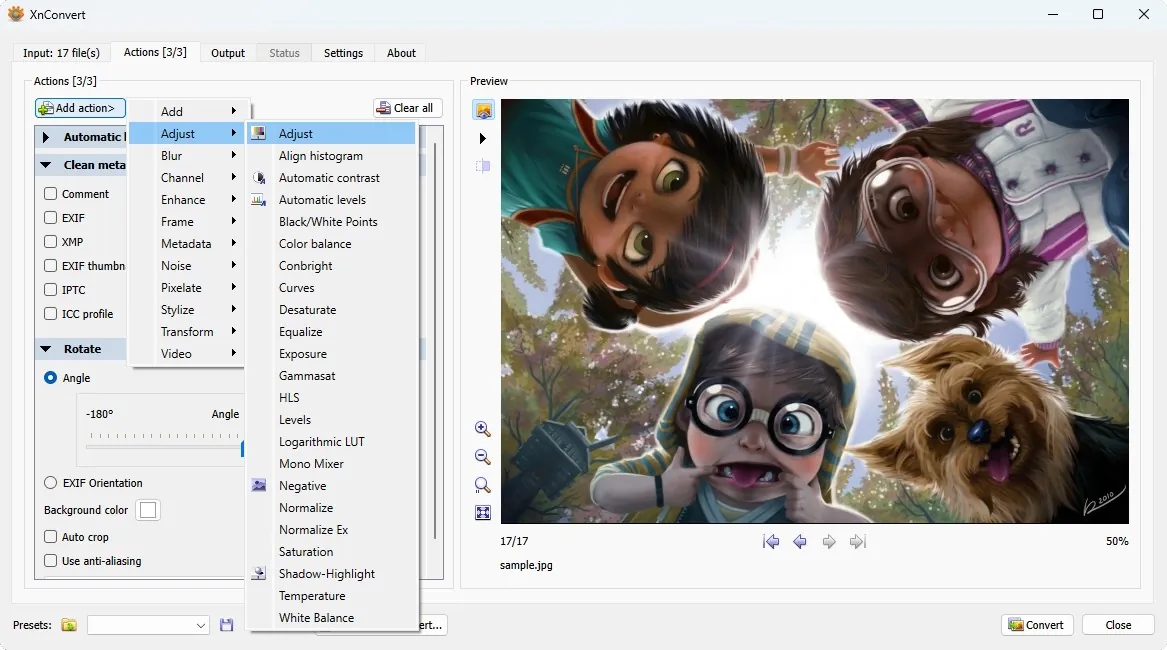
You add files or folders, build a list of actions such as resize, crop, color adjustments, filters, watermarks or metadata edits, and choose the output format and file names. Presets can be saved and reused, and a watch-folder mode applies them automatically to new images.
What it does well
- 80+ actions. Resize, rotate, crop, adjust colors, sharpen, blur, add watermarks and vignettes.
- 500+ input formats. Reads RAW, HEIC, AVIF, PSD, JPEG XL, WebP, PDF and more.
- Reusable presets. Saves an action list and output settings to run again later.
- Watch folders. Applies a preset automatically to new or changed images in a folder.
- Metadata editing. Edits or removes EXIF and IPTC data as part of a batch.
Who it is for
Good fit
Bloggers, shop owners and photographers who regularly resize or convert many images.
Look elsewhere
Companies that cannot buy a license, or anyone who only needs to edit a single photo.
Pros and cons
Pros
- Huge format support
- 80+ chainable actions
- Saved presets and watch folders
- No adware
Cons
- Companies must buy a license
- Many options can be confusing at first
How to install XnConvert
Download the 64-bit setup for Windows 10 or 11; a ZIP version is offered on the same page if you prefer not to install. Users on Windows 7 or 8 should take the older 1.117 build from the official page. Test a new preset on a copy of your images before running it on originals.
Questions about XnConvert
Is XnConvert free?
Yes, for private and educational use, including non-profit organizations. Use in a company requires a paid license, priced per seat on the official page.
Can XnConvert convert HEIC to JPG?
Yes. Add the HEIC files, choose JPG as the output format and start the conversion.
What is the difference between XnConvert and XnView MP?
XnView MP is a viewer and organizer with batch tools built in. XnConvert is a standalone batch converter that uses the same engine.


