

Our verdict: Xournal++ turns a Windows tablet or a drawing tablet into a digital notebook. It handles pen pressure, annotates PDFs and records audio linked to your strokes. The interface is plain and there is no cloud sync, but for handwriting it is hard to beat for free.
About Xournal++
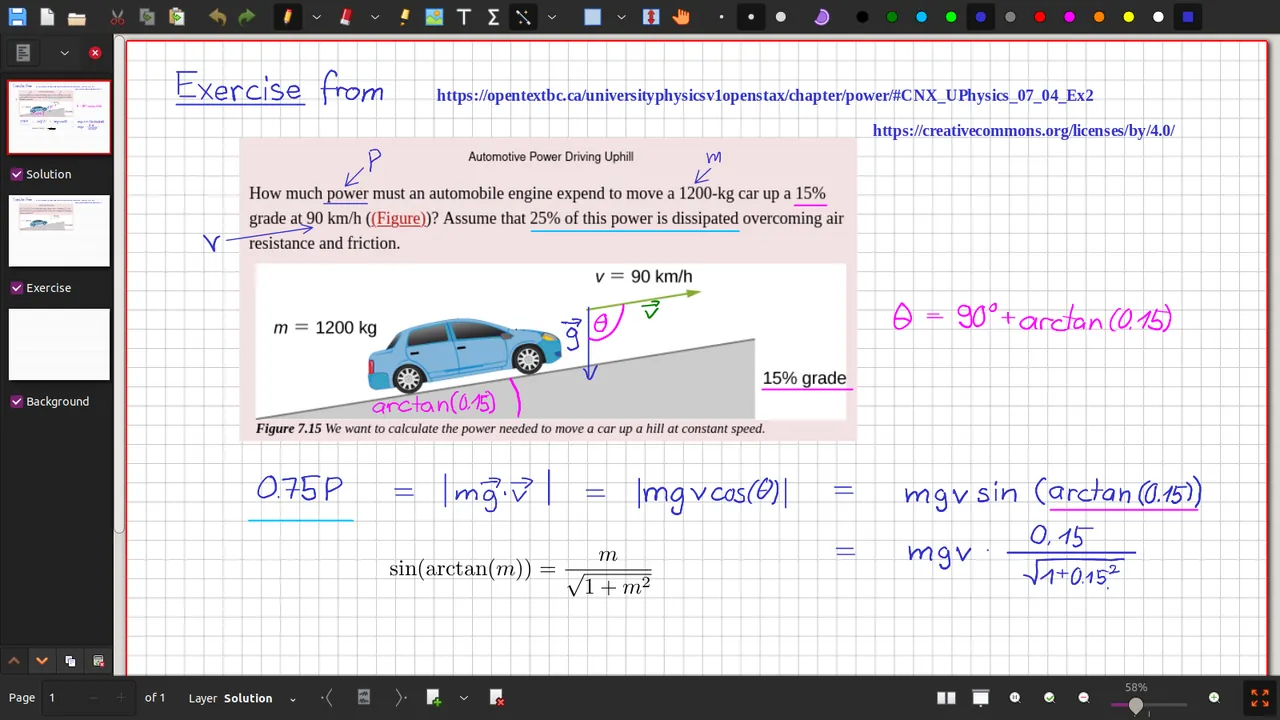
Xournal++ is an open-source rewrite of the older Xournal program. It supports pressure-sensitive styluses and tablets from Wacom, Huion, XP-Pen and others, with customizable pen, highlighter and eraser tools. You can write on blank, lined or grid pages or directly on top of a PDF.
Notes can use layers, images and shapes from circles to splines, with snapping to a grid or rotation angles. A built-in LaTeX editor inserts formulas, and audio recorded while you write is linked to each stroke so you can play it back later. Plugins are written in Lua.
What it does well
- Pen pressure. Works with Wacom, Huion, XP-Pen and other pressure-sensitive pens.
- PDF annotation. Write, highlight and draw on top of PDF pages, then export.
- LaTeX editor. Insert equations, circuits or chemical formulas with LaTeX.
- Audio recording. Record audio while writing and replay it from any stroke.
- Layers and shapes. Layers, images and snapping shapes keep complex pages tidy.
Who it is for
Good fit
Students and teachers with a pen tablet who want to write notes and mark up PDFs.
Look elsewhere
People who type their notes or need cloud sync between devices.
Pros and cons
Pros
- Free and open source
- Good pressure-sensitive pen support
- Annotates PDFs directly
- Audio linked to handwriting
Cons
- No built-in cloud sync or mobile app
- LaTeX needs a separate LaTeX installation
- Plain, utilitarian interface
How to install Xournal++
The direct link downloads the 64-bit Windows installer from the project's GitHub release. To use the LaTeX tool, install a LaTeX distribution such as MiKTeX separately. If pen pressure does not work at first, check the input device settings in Preferences.
Questions about Xournal++
Is Xournal++ free?
Yes. It is open source under the GNU GPL v2 with no paid version.
Can Xournal++ annotate PDFs?
Yes. Open a PDF, write or highlight on it, and export the annotated result as a PDF.
Does Xournal++ work with a Wacom tablet?
Yes. It supports pressure-sensitive pens from Wacom, Huion, XP-Pen and other brands.


