

Our verdict: Zotero is the standard free reference manager for students and researchers. It captures sources with one click, keeps PDFs and notes together and formats citations in over 9,000 styles. Free online storage for attached files is small, so large PDF libraries need a paid plan or your own WebDAV server.
About Zotero
Zotero is developed by the Corporation for Digital Scholarship, a nonprofit organization, and released under the GNU AGPL v3. The browser extension, Zotero Connector, recognizes articles, books, preprints and news stories on the page and saves them with full metadata and, where available, the PDF.
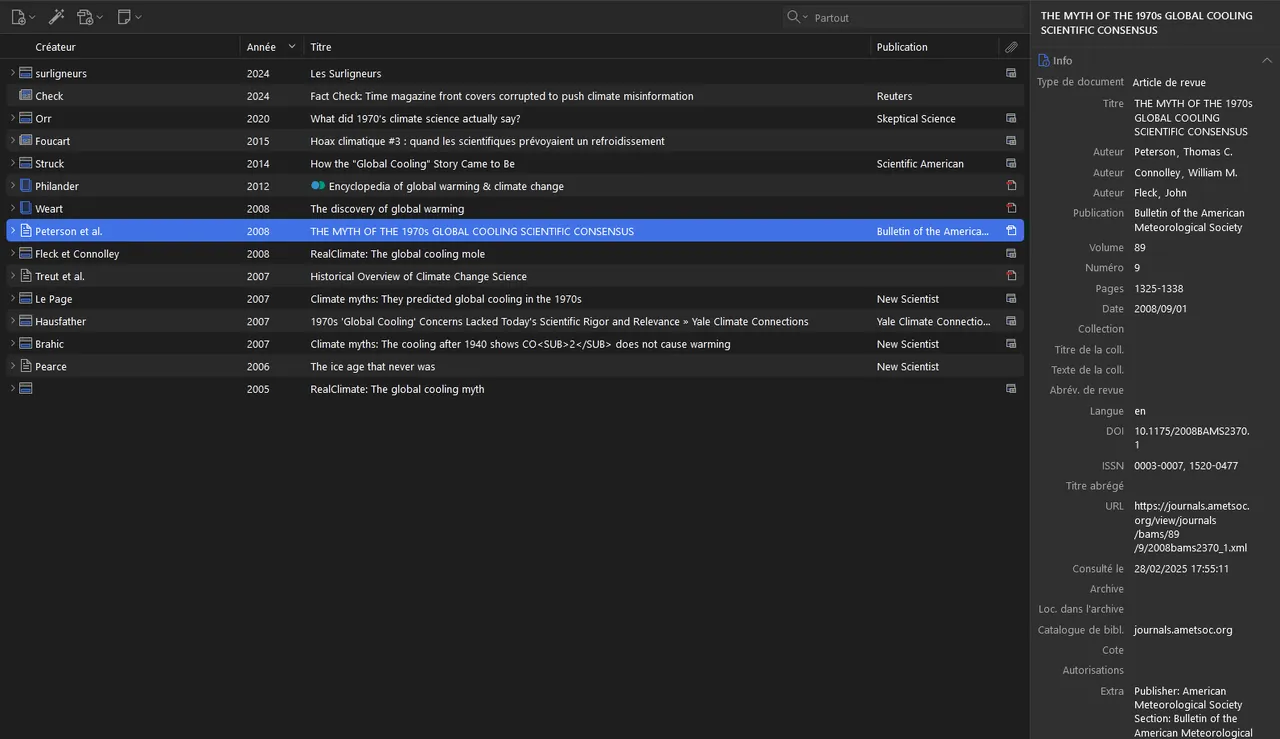
Inside the app you sort items into collections, add tags and create saved searches. The built-in reader highlights and annotates PDFs and turns annotations into notes that keep their citations. Word processor plugins insert citations and bibliographies into Word, LibreOffice and Google Docs.
What it does well
- One-click capture. Zotero Connector for Chrome, Firefox, Edge and Safari saves sources with their metadata.
- PDF reader and notes. Highlight and annotate PDFs, then add annotations to notes with links back to the page.
- Citations in 9,000+ styles. Formats references and bibliographies for APA, MLA, Chicago and thousands of journal styles.
- Word processor plugins. Inserts live citations into Microsoft Word, LibreOffice and Google Docs.
- Sync and group libraries. Optional free account syncs your library and lets you share collections with any number of people.
Who it is for
Good fit
Students, academics and journalists who manage many sources and need correctly formatted citations.
Look elsewhere
People who only need a simple note app or an e-book library.
Pros and cons
Pros
- Open source and run by a nonprofit
- One-click saving from the browser
- Built-in PDF annotation
- Works with Word, LibreOffice and Google Docs
Cons
- Only 300 MB of free file storage for syncing attachments
- Annotations live in the Zotero database and are not visible in other PDF readers until you export the PDF
How to install Zotero
Download the Windows x64 installer from zotero.org, then install the Zotero Connector for your browser from the same page. Word and LibreOffice plugins are installed automatically when Zotero starts. To sync between computers, create a free zotero.org account and sign in from the Sync pane of the Zotero settings.
Questions about Zotero
Is Zotero free?
Yes. The app and data sync are free. Only extra online storage for attached files costs money, starting at $20 per year for 2 GB.
Does Zotero work with Microsoft Word?
Yes. The Word plugin inserts citations and builds a bibliography that updates when you change the citation style.
Can I use Zotero without an account?
Yes. An account is only needed for syncing between devices and for group libraries.


