
Utilities · Published
The best PC cleaners and uninstallers for Windows
A PC cleaner deletes temporary files, browser caches, history and leftovers from other programs, which frees disk space and removes traces of what you did. Windows already does part of this with Storage Sense and Disk Cleanup, so a third-party cleaner is worth installing when you want to clean every browser at once, wipe traces properly before handing a PC over, or get rid of a pile of unwanted programs.
Be skeptical of speed claims. Freeing space and disabling startup programs can help a cluttered PC start faster, but registry cleaning gives no meaningful speed gain, and Microsoft does not support registry cleaners. The picks below start with plain cleaners, then uninstallers, then the all-in-one suites with that caveat.
Our picks at a glance
| App | Best for | License | Price | Download |
|---|---|---|---|---|
 BleachBit |
A transparent cleaner with no upsell | Open source | Free | Review |
 CCleaner |
Quick one-click cleanup of every browser | Freeware | Free | Review |
 PrivaZer |
Deep trace removal before selling a PC | Freeware | Free | Review |
 Bulk Crap Uninstaller |
Removing dozens of programs in one go | Open source | Free | Review |
 Revo Uninstaller Free |
Cleanly removing one program at a time | Freeware | Free | Review |
 Wise Care 365 Free |
A simple checkup with a hardware summary | Freeware | Free | Review |
 Glary Utilities |
A toolbox of small maintenance tools | Freeware | Free | Review |
 IObit Advanced SystemCare Free |
One Scan button, if you accept the upsell | Freeware | Free | Review |
1. BleachBit — Disk Cleaner
Best for: A transparent cleaner with no upsell
- Open source
- Free
- Security
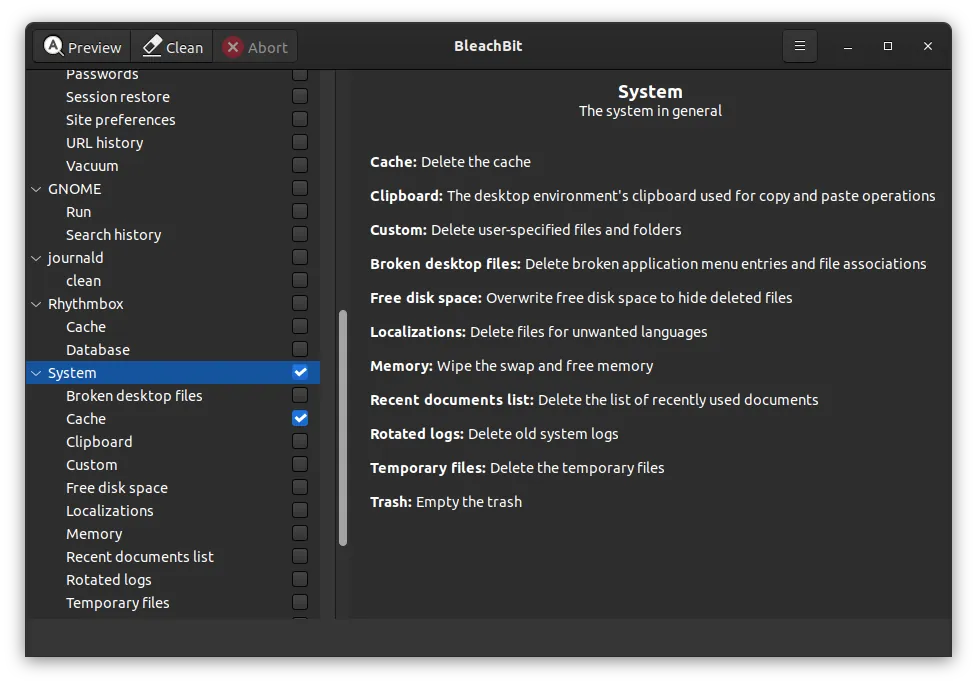

BleachBit lists cleaners for browsers such as Chrome, Edge and Firefox, for other programs and for parts of Windows. You tick what to remove, press Preview to see what would be deleted, then Clean. It can import winapp2.ini for thousands of extra community cleaners, shred files so they cannot be recovered, overwrite free disk space and run from the command line. It is open source under the GPL v3, with no account, ads or telemetry.
The interface is plain and assumes you read what each checkbox does, so it is easy to delete something you wanted, such as saved browser sessions. There is no built-in scheduler. BleachBit 6 needs Windows 10 or 11; version 4.7.0 is offered for older Windows.
Pros
- Completely free with no paid version
- Open source with no telemetry or ads
- Secure file shredding and free space wiping
Cons
- Plain interface; easy to delete things you wanted, such as saved sessions
- No built-in scheduler; automation goes through the command line
- Windows SmartScreen may warn about the installer
2. CCleaner — PC Cleaner
Best for: Quick one-click cleanup of every browser
- Freeware
- Free
- Utilities
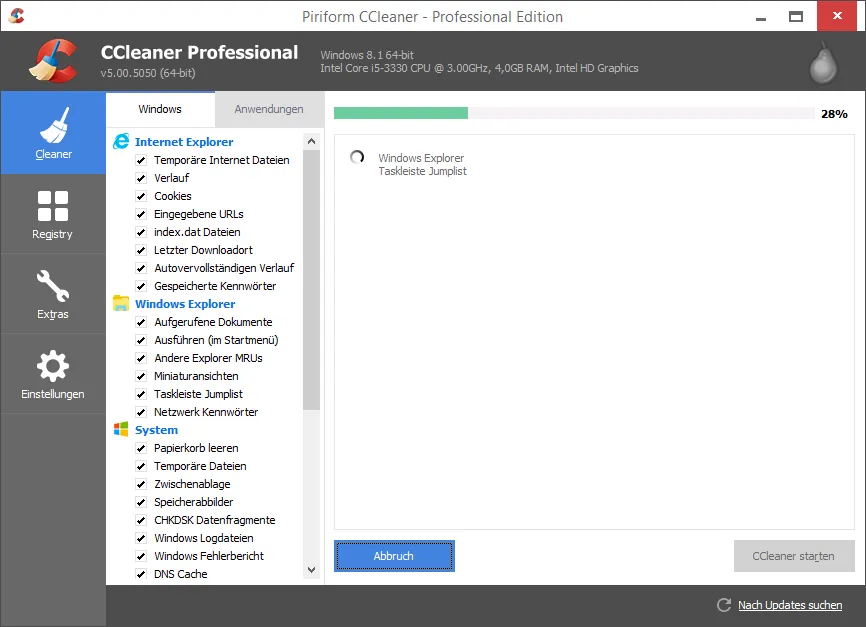

CCleaner Free clears temporary files, caches, cookies and history from Windows, browsers and many third-party apps in a few clicks, with custom rules for which cookies to keep. It also runs a basic Health Check and lets you disable apps that start with Windows. An offline installer and a portable build are available.
Much of the window advertises Pro features such as the Driver Updater, Software Updater and automatic cleaning, and setup may include offers for other software. It is licensed for home use only. CCleaner belongs to Gen Digital, and in 2017 an official build was briefly distributed with malware inserted by attackers, which the company fixed and disclosed. BleachBit does the core cleaning without prompts.
Pros
- Fast cleanup of junk and browser data
- Cleans many third-party apps, not only browsers
- Fine control over what gets deleted
Cons
- Frequent prompts to upgrade to Pro; updaters and automation are paid
- Setup may include offers for other software
- Home use only; a 2017 official release was compromised by attackers
3. PrivaZer — Privacy Cleaner
Best for: Deep trace removal before selling a PC
- Freeware
- Free
- Security
PrivaZer goes deeper than an ordinary junk cleaner. It scans a drive for traces of past activity, including browser history, recently opened files, downloads, recoverable deleted files and leftovers in free space, shows what it found and then overwrites it instead of only deleting it. Goversoft says it detects whether the drive is a hard disk or an SSD and adapts the erasure method.
Deep scans and free space overwriting are slow, the interface is dense with technical options, and it is closed source. It is freeware and, according to the developer, has no ads or telemetry. It runs from Windows XP to Windows 11, including ARM64, with installer and portable versions.
Pros
- Free, with no ads or telemetry according to the developer
- Overwrites traces instead of only deleting them
- Works from Windows XP to Windows 11, including ARM64
Cons
- Deep scans and free space overwriting are slow
- Dense interface with many technical options
- Closed source
4. Bulk Crap Uninstaller — Program Uninstaller
Best for: Removing dozens of programs in one go
- Open source
- Free
- Utilities
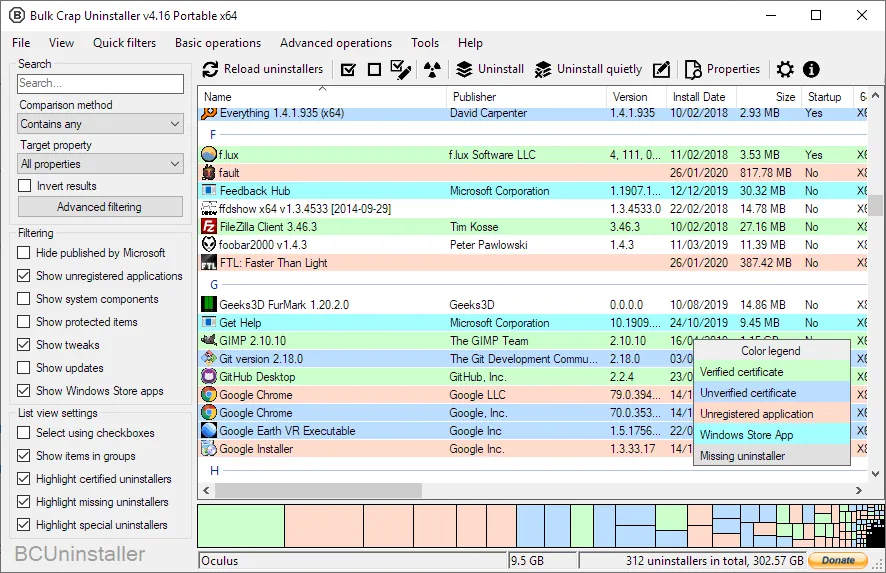

Bulk Crap Uninstaller finds normal programs, hidden registry entries, apps with broken uninstallers, portable apps, Microsoft Store apps, Steam games, Windows Features and Windows Updates, and lists them in one table. Tick what you want gone and it runs each program's own uninstaller in a batch, many of them silently, then scans for leftover files and registry entries. It can force-remove programs whose uninstaller is missing.
It is open source under the Apache License 2.0 and free at home and at work, with a portable version. The interface is busy, and the leftover cleaner can flag items you still need, so review the list. The project has publicly asked for new maintainers.
Pros
- Uninstalls many programs in one batch
- Detects apps other uninstallers miss
- Free for personal and commercial use
Cons
- Busy interface with many columns and options
- Leftover cleanup can flag items you still need, so review the list
- The project has publicly asked for new maintainers
5. Revo Uninstaller Free — Uninstaller
Best for: Cleanly removing one program at a time
- Freeware
- Free
- Utilities
Revo Uninstaller Free starts a program's own uninstaller and then scans for leftover files, folders and registry entries, which you review before deleting. It also removes pre-installed and Store apps, and Hunter Mode lets you drop a target on any window or tray icon to uninstall that program or stop it from starting with Windows.
Forced Uninstall for broken programs, batch uninstall and real-time install monitoring are in the paid Pro version, and the download page pushes Pro. For batch removal for free, Bulk Crap Uninstaller is the better tool.
Pros
- Thorough leftover scan after uninstall
- Removes Windows apps
- Hunter Mode for unknown programs
Cons
- Forced Uninstall, batch uninstall and install monitoring require Pro
- Download page pushes the paid Pro version
- Closed source
6. Wise Care 365 Free — PC Cleaner
Best for: A simple checkup with a hardware summary
- Freeware
- Free
- Utilities
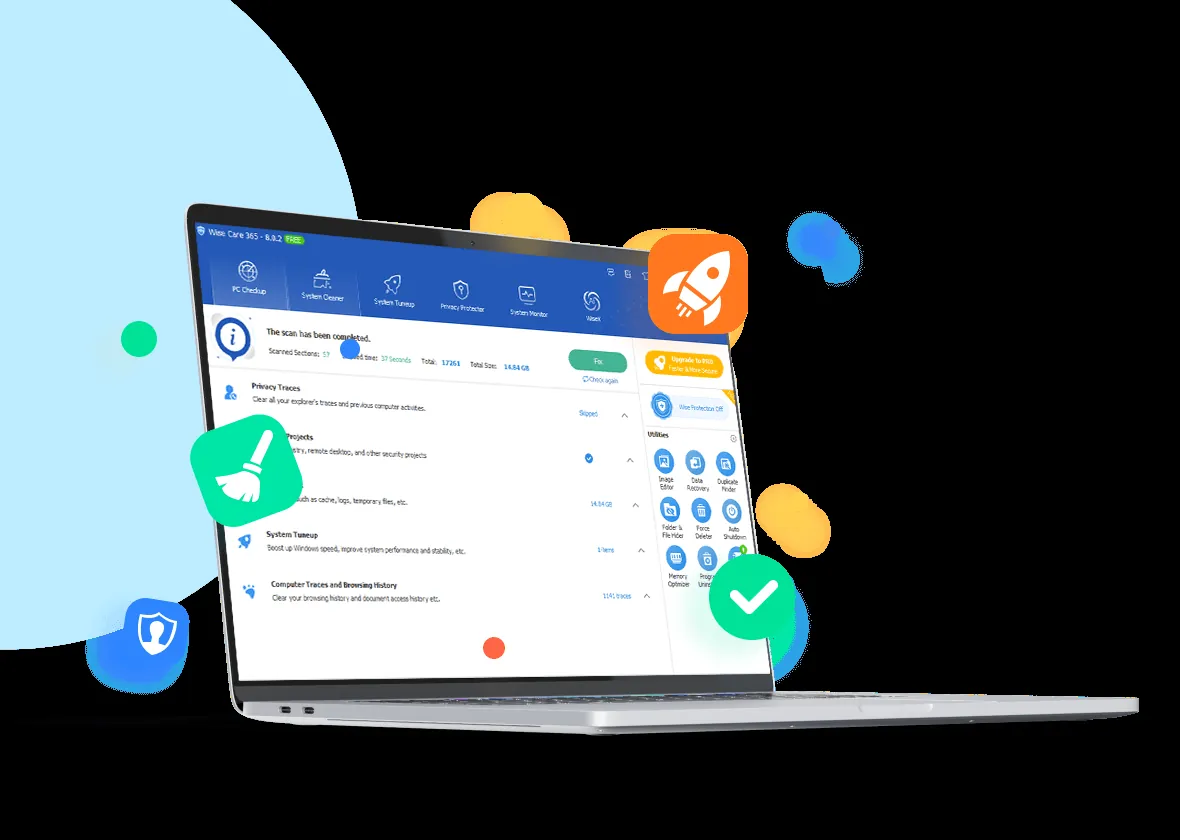
Wise Care 365 Free runs a fast one-click checkup and removes Windows temporary files, browser caches, history, cookies and junk from other apps. It also defragments disks, manages startup items and shows a clear overview of the CPU, memory, disks and graphics. Its registry cleaner makes a backup you can restore.
Many tools shown in the window are Pro-only, including privacy protection, real-time monitoring and silent automatic cleaning, and the free edition shows upgrade prompts. Use the registry cleaner only to fix a specific problem; it does not make Windows noticeably faster.
Pros
- Fast one-click checkup
- Cleans many browsers and apps
- Registry backup and restore
Cons
- Many tools in the window are Pro-only
- Registry cleaning gives no meaningful speed gain
- Upgrade prompts in the free edition
7. Glary Utilities — PC Maintenance Suite
Best for: A toolbox of small maintenance tools
- Freeware
- Free
- Utilities
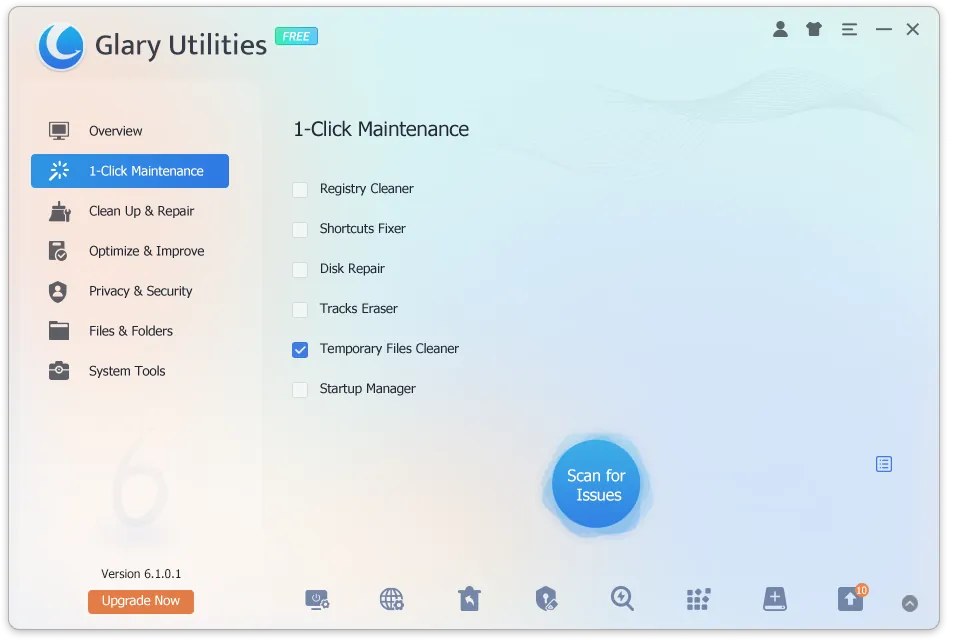
Glary Utilities collects more than 20 tools in one window. The most useful are not the cleaner itself but the extras: a disk space analyzer, a duplicate finder, file recovery for recently deleted files, a file shredder, an uninstaller and a startup manager. The free edition contains the full toolbox with no time limit.
1-Click Maintenance and the registry cleaner promise more than they deliver, and the registry module carries risk, so leave it off unless you are fixing a specific problem and have a restore point. Scheduled automatic maintenance is Pro-only, and the free edition nudges you toward Pro.
Pros
- Many useful tools in one window
- Disk space analyzer and duplicate finder
- Built-in file recovery and shredder
Cons
- Upgrade prompts for the Pro edition
- Registry cleaner gives no real speed benefit and carries risk
- Scheduled automatic maintenance is Pro-only
8. IObit Advanced SystemCare Free — PC Cleaner
Best for: One Scan button, if you accept the upsell
- Freeware
- Free
- Utilities
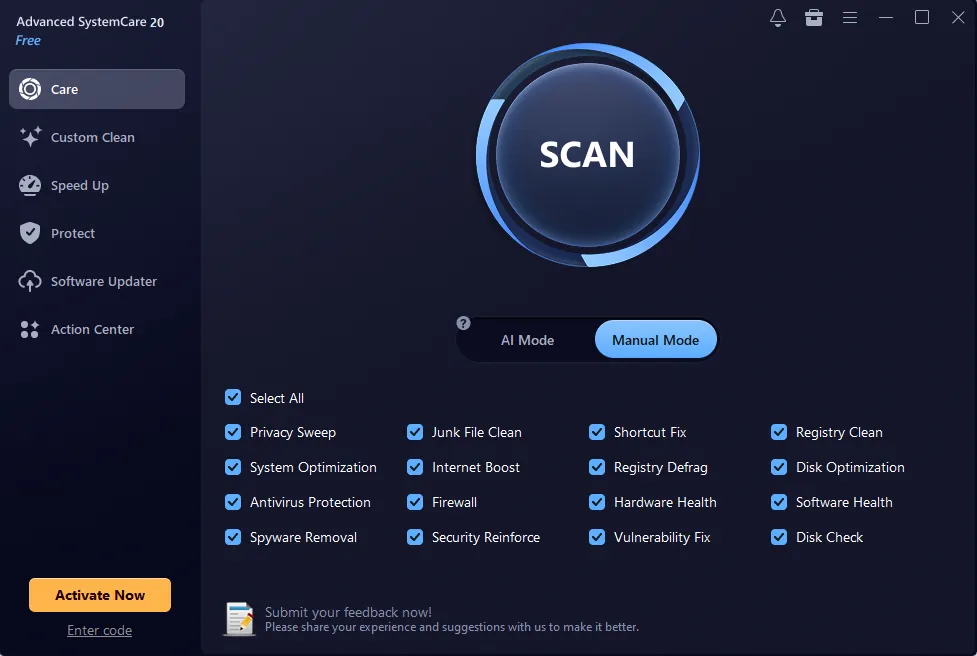
Advanced SystemCare Free runs junk cleaning, a privacy sweep, shortcut fixes, registry cleaning and startup optimization from one Scan button. Custom Clean finds large and duplicate files on drive C, and Turbo Boost temporarily stops non-essential services for work or games.
The app heavily promotes its PRO subscription and other IObit products, adds background monitoring most PCs do not need, and its speed-up figures and registry cleaning are overstated. If you want an all-in-one tool, Glary Utilities has more useful extras; if you only want cleanup, BleachBit is calmer.
Pros
- Many cleanup tools in one app
- Finds large and duplicate files
- Startup manager is easy to use
Cons
- Heavy promotion of PRO and other IObit products
- Registry cleaning and speed-up claims are overstated
- Adds background monitoring that most PCs do not need
CCleaner vs BleachBit
Both clear the same kinds of junk and browser data. CCleaner is more guided and its Custom Clean rules are easy to set, but the free version is surrounded by Pro offers and is for home use only. BleachBit has no paid tier, no telemetry and adds file shredding and free space wiping, at the cost of a plainer interface where you must read each option.
If you want deeper removal of activity traces than either, use PrivaZer, and expect it to take much longer.
What not to expect from a cleaner
Cleaning will not fix a slow PC caused by a full disk of programs you use, too little memory or a failing drive. Registry cleaners are the riskiest part of these suites and give no real speed benefit. Clearing cookies also signs you out of websites, so check what a cleaner will delete the first time you run it.
To see what actually fills a disk, a space analyzer such as WizTree or WinDirStat is more useful than a junk scan.
Uninstalling properly
Most leftover clutter comes from programs you no longer use. Revo Uninstaller is good for removing one program thoroughly, and Bulk Crap Uninstaller for clearing a new laptop of preinstalled software in one batch. In both, review the leftover list and delete only items that clearly belong to the removed program.
Frequently asked questions
What is the best free PC cleaner for Windows 11?
BleachBit if you want a cleaner with no ads or paid tier, or CCleaner Free if you prefer a guided interface and do not mind upgrade prompts.
Do I need a PC cleaner on Windows 11?
Not necessarily. Storage Sense and Disk Cleanup remove many of the same temporary files. A third-party cleaner adds cleaning of every browser and many apps at once, and secure deletion of traces.
Is CCleaner safe to use?
Current versions from the official site are safe. Review what Custom Clean will delete, because removing cookies signs you out of websites. An official build was compromised by attackers in 2017; the company fixed and disclosed it.
Do registry cleaners speed up Windows?
No. Registry cleaning gives no meaningful speed gain, and Microsoft does not support registry cleaners. Use one only to fix a specific problem, after creating a restore point.
How do I remove leftover files after uninstalling a program?
Use Revo Uninstaller or Bulk Crap Uninstaller. Both run the program's own uninstaller first and then scan for leftover files and registry entries.
How do I wipe my traces before selling a PC?
PrivaZer overwrites activity traces and leftovers in free space, and BleachBit can shred files and wipe free disk space. For a full handover, resetting Windows with the option to clean the drive is also an option.
ExeDepot does not host installers. Every download button opens the developer's own server or official download page. Prices and licenses come from each developer's site and were checked on .