

Our verdict: BleachBit is a no-strings cleaner: no account, no upsell and no telemetry, just a list of things it can delete. It frees space and erases browser and system traces, and can shred files and wipe free disk space. The interface is plain and assumes you read what each checkbox does.
About BleachBit
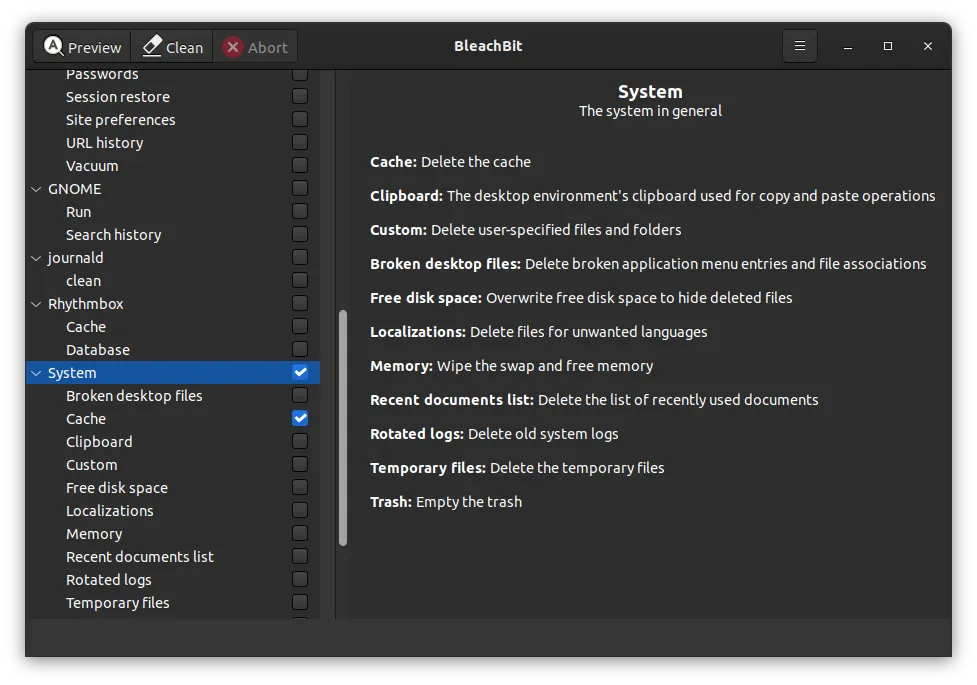
BleachBit lists cleaners for applications and parts of Windows, such as Chrome, Edge, Firefox, VLC, temporary files and system logs. You tick what you want removed, press Preview to see what would be deleted, then Clean. On Windows it can also import winapp2.ini, which adds thousands of community cleaners for other programs.
Beyond normal deletion, BleachBit can shred individual files and overwrite free disk space so that previously deleted files cannot be recovered. It has a command line interface for scripts, and advanced users can write their own cleaners in CleanerML. The program is GPL v3 open source and has been developed since 2008.
What it does well
- Application cleaners. Removes cache, history and temporary files of browsers and other programs.
- File shredder. Overwrites files before deleting them so recovery tools cannot restore them.
- Free space wiping. Overwrites empty disk space to hide files that were deleted earlier.
- winapp2.ini support. Imports thousands of extra community cleaners on Windows.
- Command line. Runs cleaning from scripts or Windows Task Scheduler.
Who it is for
Good fit
Privacy-minded users who want a transparent cleaner with no ads, accounts or paid tier.
Look elsewhere
People who want one-click automatic maintenance with scheduling and a guided interface.
Pros and cons
Pros
- Completely free with no paid version
- Open source with no telemetry or ads
- Secure file shredding and free space wiping
- Installer or portable version
Cons
- Plain interface; easy to delete things you wanted, such as saved sessions
- No built-in scheduler; automation goes through the command line
- Windows SmartScreen may warn about the installer
How to install BleachBit
Download the standard installer, or the English-only installer for a smaller download. Windows SmartScreen may show a warning on first run; the BleachBit site explains it. Always press Preview before Clean, and leave options such as browser passwords and free space wiping unticked unless you mean them.
Questions about BleachBit
Is BleachBit free?
Yes. BleachBit is open source under the GPL v3 and has no paid edition. Every feature is available to everyone.
Does BleachBit run on Windows 7?
BleachBit 6 needs Windows 10 or 11. The download page offers BleachBit 4.7.0 for Windows XP, Vista, 7 and 8.
Can BleachBit make deleted files unrecoverable?
Yes. Its shredder overwrites files before deleting them, and the free disk space cleaner overwrites space left by earlier deletions.


