

Our verdict: Glary Utilities is a long-running toolbox whose individual tools, such as the disk space analyzer, duplicate finder, startup manager and file recovery, are genuinely handy. The 1-Click Maintenance and registry cleaner promise more than they deliver, and the free edition nudges you towards Pro.
About Glary Utilities
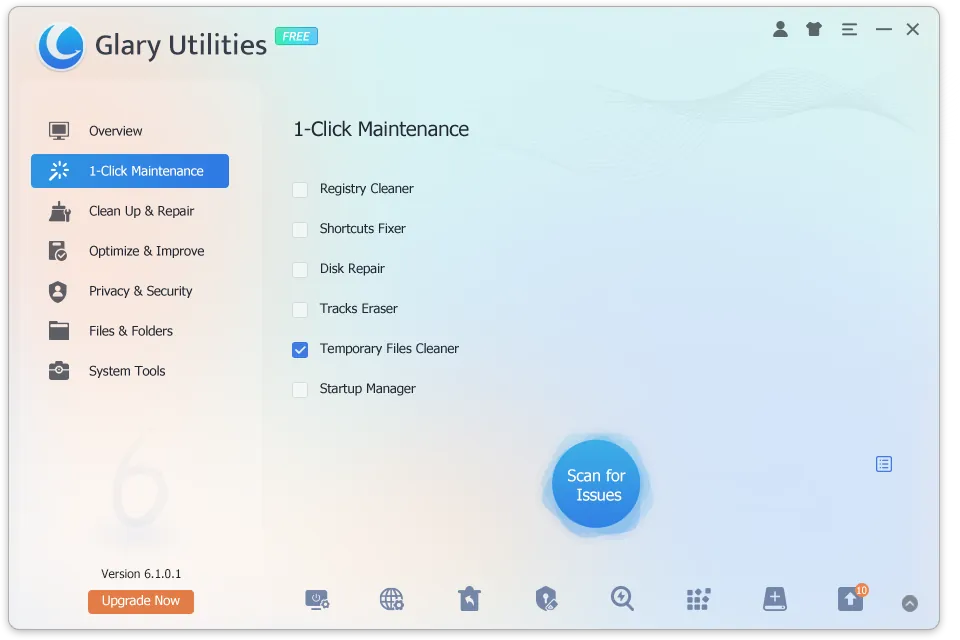
Glary Utilities by Glarysoft collects more than 20 maintenance tools in one window. 1-Click Maintenance runs selected modules together: registry cleaner, shortcut fixer, disk repair, tracks eraser, temporary files cleaner and startup manager. Separate tools cover disk space analysis, duplicate files, file shredding and recovery, an uninstaller and software update checks.
The free edition contains the full toolbox. Glary Utilities Pro adds a deeper scan of the system and registry and automated maintenance on a schedule or at shutdown. Microsoft does not support registry cleaners, so leave the registry module off unless you are fixing a specific problem.
What it does well
- 1-Click Maintenance. Runs junk cleanup, shortcut fixes, tracks erasing and startup checks together.
- Disk space analyzer. Shows which folders and files take up the most space.
- Duplicate finder. Finds identical files so you can delete extra copies.
- File recovery. Scans for recently deleted files and restores them.
- Startup manager. Disables programs that slow down Windows startup.
Who it is for
Good fit
Users who like one toolbox for occasional cleanup, disk analysis and startup management.
Look elsewhere
Anyone wary of registry cleaners or one-click fixes; Windows has built-in Storage Sense and startup settings.
Pros and cons
Pros
- Many useful tools in one window
- Disk space analyzer and duplicate finder
- Built-in file recovery and shredder
- Small download
Cons
- Upgrade prompts for the Pro edition
- Registry cleaner gives no real speed benefit and carries risk
- Scheduled automatic maintenance is Pro-only
How to install Glary Utilities
Read each installer screen and untick offers for other software. In 1-Click Maintenance, leave Registry Cleaner unticked unless you need it, and review what each module wants to delete before confirming.
Questions about Glary Utilities
Is Glary Utilities free?
Yes. The free edition includes the full set of tools with no time limit. Glary Utilities Pro adds deeper scans and automated maintenance.
Is the Glary Utilities registry cleaner safe?
Use it with care. Microsoft does not support registry cleaners, and they do not make Windows noticeably faster. Run it only to fix a specific problem, after creating a restore point.


