

Our verdict: Advanced Renamer is easier to approach than most power renamers: you stack methods in a list and watch the new names update. Tags from photos, music and video make it great for media libraries. The license limits free use to casual personal use.
About Advanced Renamer
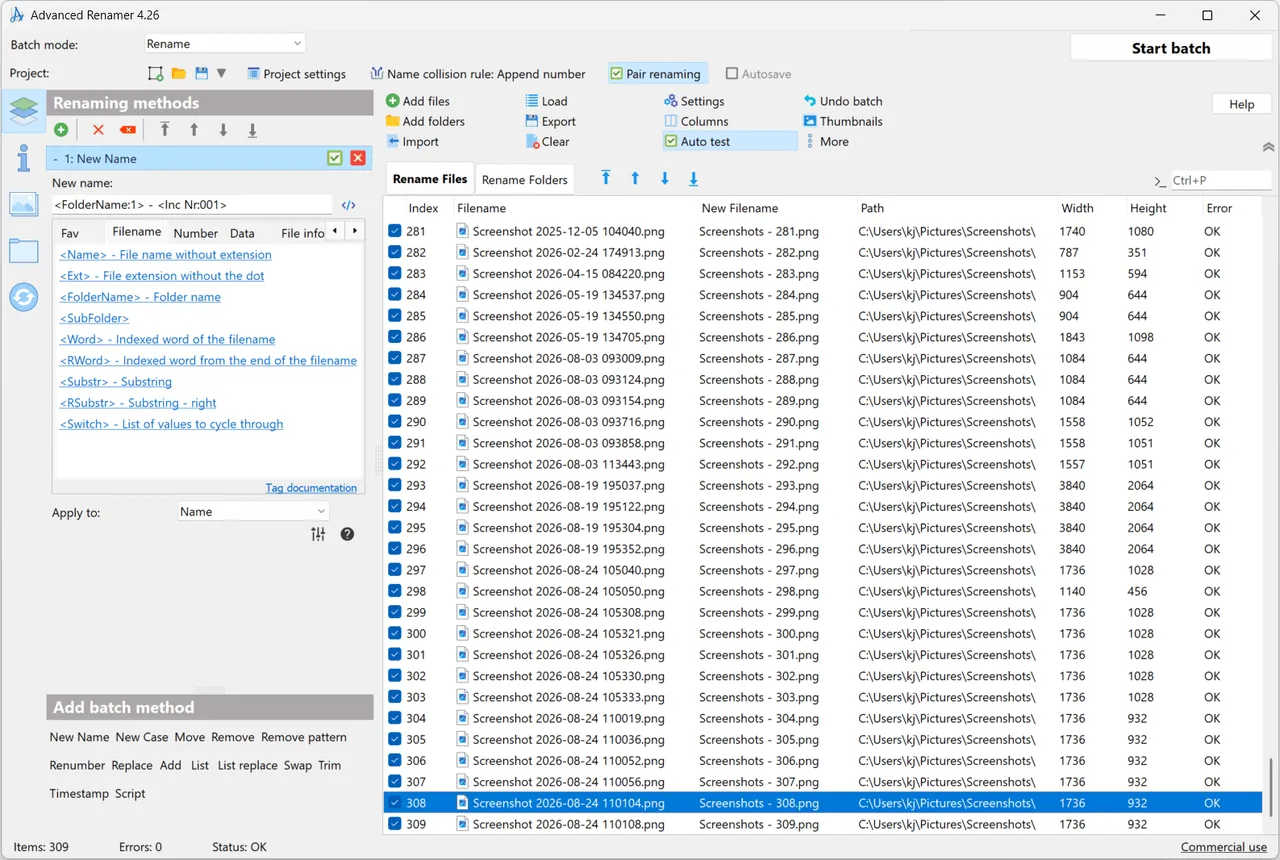
Advanced Renamer by Kim Jensen builds a batch from renaming methods such as new name with tags, replace, add, remove, change case, renumber, swap, trim, list-based names and JavaScript. You can combine several methods, see the result for each file before running, and undo the whole batch afterwards.
Tags pull information from files: EXIF and XMP dates and camera models from photos, ID3 artist and album from music, codec and resolution from video, and city or country names from GPS coordinates. Batches can rename, copy or move files and set timestamps, and a command-line batch runner automates jobs.
What it does well
- 13 renaming methods. Stack replace, add, remove, renumber, case, swap and more in one batch.
- Metadata tags. Use EXIF, XMP, ID3 and video tags in new names.
- GPS place names. Insert city, state and country from photo coordinates.
- Live preview and undo. See new names before renaming and undo a batch afterwards.
- Copy and move modes. Copy or move files into folders based on their data.
Who it is for
Good fit
Photographers and collectors organising photo, music and video libraries by their metadata.
Look elsewhere
Daily or business use without paying; the license requires a paid license for frequent and commercial use.
Pros and cons
Pros
- Clear, stackable rename methods
- Rich photo, music and video metadata
- Live preview and full batch undo
- Windows and macOS versions
Cons
- Free only for casual personal use
- Windows version is 64-bit only
- Closed source
How to install Advanced Renamer
Run the 64-bit installer; a portable ZIP is also offered. Add files, add one or more methods and check the previewed new names before starting the batch. If a result is wrong, undo the batch instead of renaming files back by hand.
Questions about Advanced Renamer
Is Advanced Renamer free?
Yes, for casual or occasional personal use. Frequent personal use and any business, government or non-profit use require a paid license.
Can I undo a rename in Advanced Renamer?
Yes. Advanced Renamer can undo a complete batch if the result was not what you wanted.
Can it rename photos by the date they were taken?
Yes. It reads EXIF and XMP metadata and can use the capture date in new file names.


