

Our verdict: TeraCopy is worth installing if you move large folders or copy to network and USB drives. It skips a broken file instead of stopping the whole transfer and can verify every copy with a checksum. The free version is for home use only; companies need Pro.
About TeraCopy
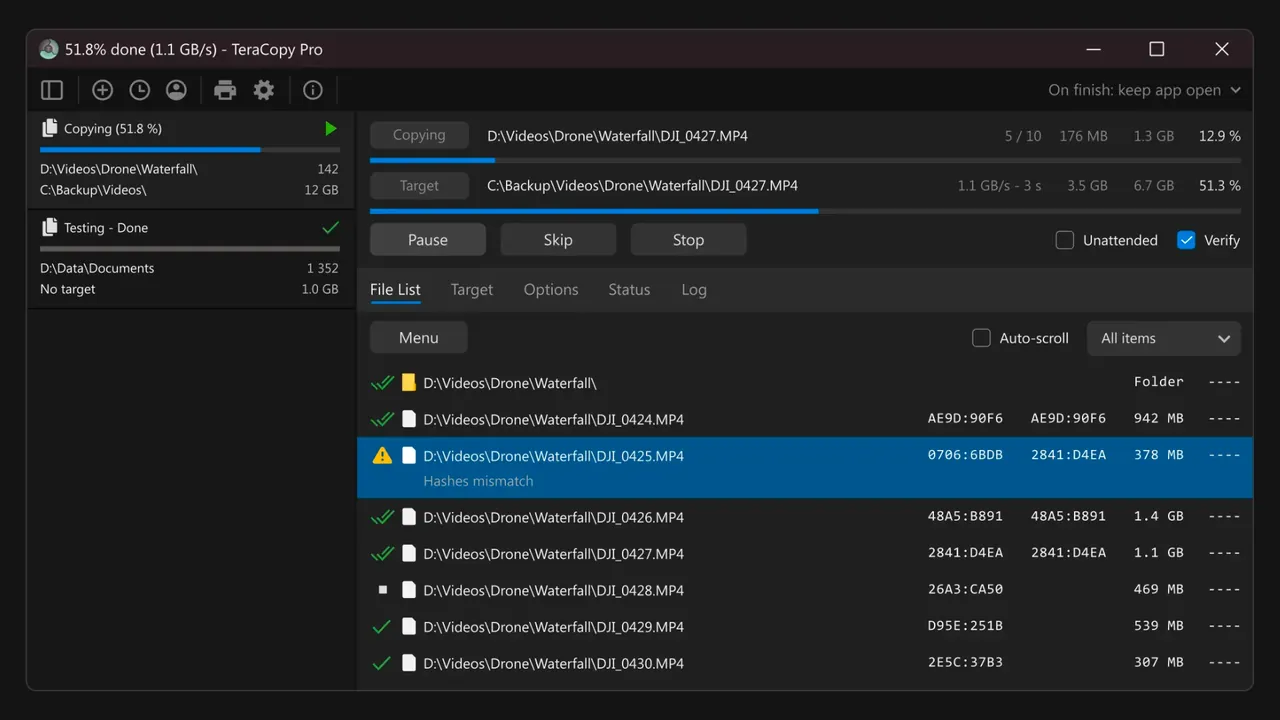
TeraCopy by Code Sector replaces the copy and move functions in File Explorer. When a file fails, it skips it and carries on, waits for a disconnected network or USB device to come back, and lets you retry only the failed files at the end.
The free version verifies copies with 17 checksum algorithms, including CRC32, MD5, SHA1 and BLAKE3, copies locked files through Volume Shadow Copy and queues transfers one after another. TeraCopy Pro adds commercial use, copying to several destinations, more threads, editable file lists and favorite folders.
What it does well
- Error-tolerant copying. Skips problem files and keeps going, then lets you retry only those files.
- Checksum verification. Confirms that the copy matches the source with CRC32, MD5, SHA1, BLAKE3 and more.
- Task queue. Runs several copy jobs one after another instead of all at once.
- Locked files. Copies files in use with an elevated service and Volume Shadow Copy.
- Explorer integration. Takes over normal copy, move and drag-and-drop operations.
Who it is for
Good fit
Home users who copy large folders to external drives, NAS boxes or network shares and want proof the copy is intact.
Look elsewhere
Businesses that cannot buy a Pro licence, and people who only copy a few small files.
Pros and cons
Pros
- Skips errors without cancelling the transfer
- Built-in checksum verification
- Copies locked files
- Task queue and history
Cons
- Free version is licensed for home use only
- Multiple destinations, file list editing and favorites require Pro
- Free version is limited to two copy threads
How to install TeraCopy
Download the installer from the Code Sector downloads page; the current version supports Windows 10 and 11, and an older 3.17 build exists for Windows 7. In TeraCopy's preferences you can choose whether it replaces the default Explorer copy handler. Turn on Verify in the transfer window when the copy matters.
Questions about TeraCopy
Is TeraCopy free?
Yes, for home use. Using it in a commercial environment requires TeraCopy Pro or Business.
Is TeraCopy faster than Windows Explorer?
Speed depends mostly on the drives. TeraCopy's advantage is reliability: it skips bad files, resumes after disconnects and verifies the result.
Can I turn off the Explorer integration?
Yes. You can disable the replacement of the copy handler in TeraCopy's settings and start transfers manually instead.


