

Our verdict: BoostSpeed bundles many maintenance tools into one window, from junk cleanup and startup control to privacy tweaks. The free edition covers only the basic versions, and the app pushes the Pro upgrade. Registry cleaning brings little real speed and some risk, so use it carefully.
About Auslogics BoostSpeed
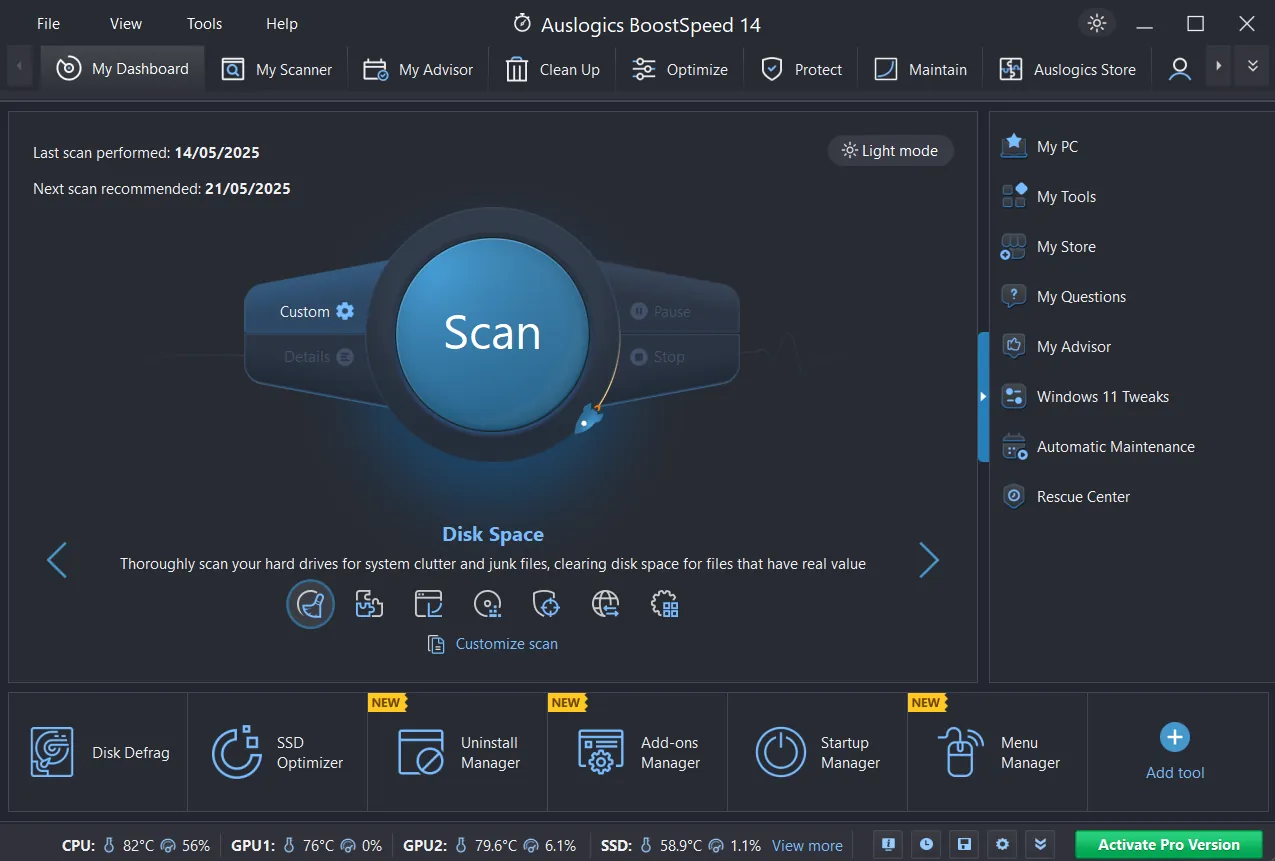
Auslogics BoostSpeed is a PC optimisation suite. It removes temporary files and leftovers, lets you disable startup items, cleans invalid registry entries, defragments drives and suggests Windows tweaks for privacy and disk space.
The free edition includes essential cleanup, basic registry and junk cleaning, manual internet optimisation and basic privacy protection. Advanced cleanup, full registry cleaning, scheduled maintenance, automatic internet optimisation and the browser anti-tracker require BoostSpeed Pro.
What it does well
- Junk cleanup. Removes temporary files, caches, old logs and update leftovers.
- Startup manager. Disables apps that load with Windows.
- Registry cleaner. Removes invalid or empty registry keys; full cleanup is Pro only.
- Windows tweaks. Suggests settings for privacy, disk space and behaviour.
- Disk defragmentation. Defragments hard drives; scheduled defrag needs Pro.
Who it is for
Good fit
Users who want many cleanup and tweak tools in one place and do not mind upgrade prompts.
Look elsewhere
People who prefer minimal, ad-free tools; Windows' own Storage Sense and Task Manager cover the basics.
Pros and cons
Pros
- Many tools in one suite
- Startup manager and junk cleaner in the free edition
- Clear free vs Pro comparison on the official site
Cons
- Free edition is limited and promotes Pro
- Registry cleaning offers little benefit and some risk
- Closed source
How to install Auslogics BoostSpeed
The button downloads the official installer. Read every setup screen and untick extra products you do not want. Create a restore point before using the registry cleaner or system tweaks.
Questions about Auslogics BoostSpeed
Is Auslogics BoostSpeed free?
There is a free edition with basic cleanup, registry and privacy tools. Advanced features and the scheduler require BoostSpeed Pro.
Is it safe to clean the registry?
Auslogics includes backups, but registry cleaning rarely speeds up a PC. Create a restore point first.
Does BoostSpeed work on Windows 11?
Yes. Auslogics lists Windows 7, 8, 8.1, 10 and 11.


